I Gave My AI Agents Credentials. I Would Rather Not Give Them All of Them.
How I use self-hosted Infisical, machine identities and selected credential injection for AI tools, with reproducible examples and honest permission boundaries.

In this story
I have given AI agents access to a fairly unreasonable amount of homelab administration. Reading logs, checking services, writing drafts, talking to APIs. Useful stuff. Also a very efficient way to discover how many projects expect you to paste a password into yet another configuration file.
At some point, “the agent needs credentials” starts turning into “the credentials are now in the conversation, three scripts and a debug log.” I would prefer my password manager to have fewer distribution channels. 😂
So I use self-hosted Infisical “Security Infrastructure for Developers and Agents” as the place my tooling goes to retrieve credentials. The model gets a tool result. The process doing the work gets the specific credential it needs. Those are different things, and keeping them separate is most of the point of this setup.
What Actually Runs
My deployment is Infisical with PostgreSQL and Redis, behind a private HTTPS entry point. PostgreSQL holds application state; Redis is another part of the service stack, with persistence configured. Administration and secret retrieval stay on the private network.
AI agent -> approved operation / tool launcher
                         |
                 selected secret read
                         |
                  private Infisical
                         |
               authenticated child process
                         |
                useful, filtered result
This does not require a particular hypervisor. A dedicated Linux guest or equivalent isolated host is sufficient. Follow the current self-hosting instructions, use verified HTTPS, and keep the database and Redis off public listeners. Record the image version you deploy; an unreviewed image update is still an application update, even when the container starts successfully.
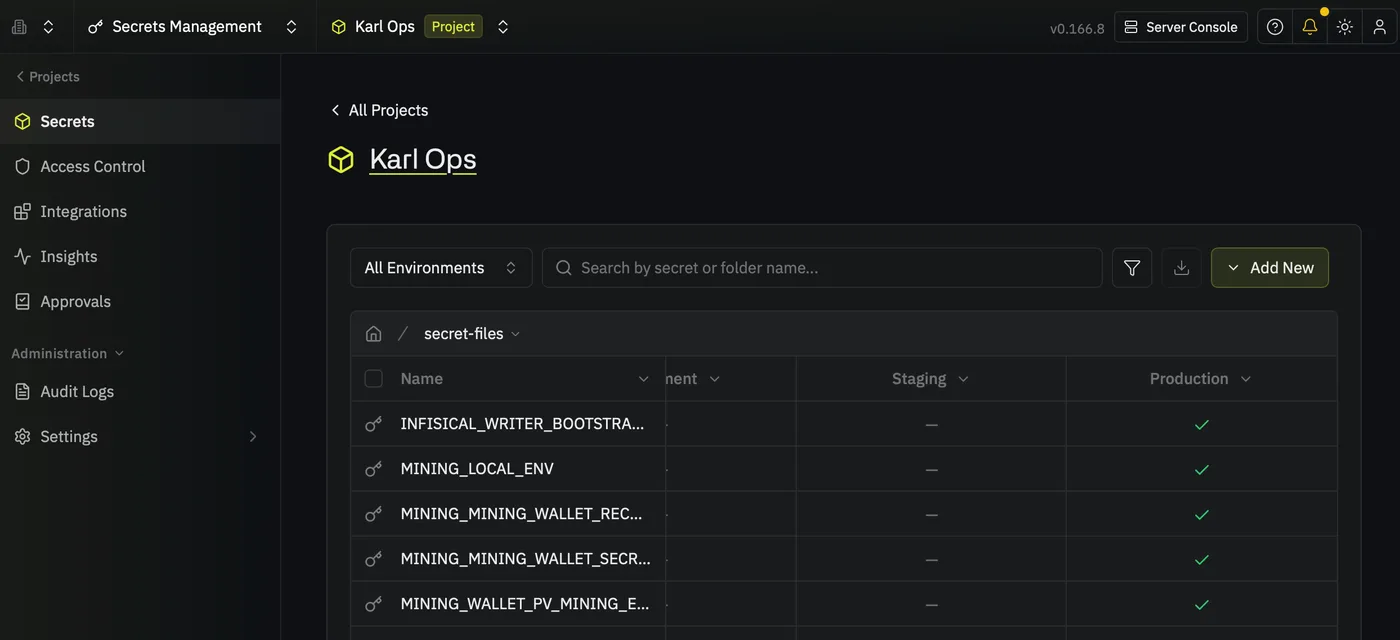
Protect the application’s encryption material as carefully as its database. A database backup without the keys required to use it is a fairly elaborate way to preserve disappointment. Test restoration privately, including authentication and one disposable secret.
Give the Machine Its Own Identity
My regular reader uses a dedicated machine identity with no organization-level access and a viewer role in the relevant project. It does not log in as my human administrator.
Infisical’s Token Auth lets that identity authenticate directly with a token. That token is the bootstrap credential: something must establish the first trusted connection. Putting secrets in a vault does not make this initial credential disappear.
For your own deployment:
- Create a project for the credentials the workload needs.
- Create a machine identity without broad organization privileges.
- Add it to that project with read permission.
- Configure an authentication method supported by your workload.
- Put its bootstrap credential in protected service configuration, outside the repository and build tree.
Our current reader uses persistent Token Auth. I am not claiming short-lived credentials or automatic rotation here. If your environment supports workload identity or expiring authentication, that is worth evaluating against your actual recovery and renewal requirements. In either case, know how to revoke the identity and what stops working when you do.
Fetch Only What the Operation Needs
My launcher selects secret names and passes the returned values to the child process through its environment. It does not print the response or put the values in command arguments.
There is an important qualification: selecting two names in a helper limits that invocation. It does not reduce the reader token’s project permissions. A stolen project-wide reader can request other secrets it is authorized to read. Use separate projects or supported server-enforced permissions when two workloads should have different access.
Here is a small reference launcher using the same retrieval pattern. This is a reusable example, with example project metadata; it is not a dump of my production helper. Provision INFISICAL_TOKEN through your service manager or another protected bootstrap mechanism. Install this launcher in an administrator-owned location that the workload cannot modify.
#!/usr/bin/env python3
import json
import os
import subprocess
import sys
import urllib.parse
import urllib.request

ORIGIN = "https://secrets.example.com"
PROJECT = "replace-with-your-project-id"
SECRET_PATH = "/editor"

# Fixed jobs, fixed credential names, fixed executables.
JOBS = {
    "editor-check": (
        ["EDITOR_API_URL", "EDITOR_API_TOKEN"],
        ["/opt/editor/bin/check-api"],
    ),
}


def main():
    if len(sys.argv) != 2 or sys.argv[1] not in JOBS:
        raise ValueError("Unknown job")
    names, command = JOBS[sys.argv[1]]
    token = os.environ["INFISICAL_TOKEN"]
    query = urllib.parse.urlencode({
        "projectId": PROJECT,
        "environment": "prod",
        "secretPath": SECRET_PATH,
        "expandSecretReferences": "false",
    })
    child_env = {"PATH": "/usr/bin:/bin", "LANG": "C.UTF-8"}
    for name in names:
        request = urllib.request.Request(
            f"{ORIGIN}/api/v4/secrets/{name}?{query}",
            headers={"Authorization": "Bearer " + token},
        )
        # Refuse redirects before credentials can leave this origin.
        class NoRedirect(urllib.request.HTTPRedirectHandler):
            def redirect_request(self, req, fp, code, msg, headers, newurl):
                return None
        opener = urllib.request.build_opener(NoRedirect)
        with opener.open(request, timeout=15) as response:
            child_env[name] = json.load(response)["secret"]["secretValue"]
    return subprocess.run(command, env=child_env, check=False).returncode


if __name__ == "__main__":
    try:
        raise SystemExit(main())
    except Exception:
        raise SystemExit("Credential-backed job failed; details withheld")
Run it with a job name, never a secret value:
python3 /opt/tools/credential-job.py editor-checkThe child does not inherit the vault token or the entire parent environment. It receives the explicitly selected application credentials. The destination, permitted job and executable are fixed so an exposed job endpoint cannot turn into run-any-command-with-this-password.
The example executable must still be written to keep credentials out of output. If it prints its environment, the launcher cannot make that output safe retroactively. I keep API results narrow, suppress sensitive error bodies, and avoid tracing credential-handling commands.
MCP Is a Useful Place to Put the Boundary
For an MCP integration, the launcher retrieves the credentials and starts the server. The client configuration contains the launcher path. The server authenticates to the application and exposes its permitted operations to the agent.
My WordPress integration uses a dedicated Editor account and a revocable application password. The server exposes draft-writing abilities with permission and revision checks. The model does not need the password pasted into its instructions to write a draft.
The application role remains essential. A read-only tool name backed by an administrator credential is relying on the implementation to behave forever. Server permissions should also reject operations the integration should never perform.
For a stronger boundary, run the credential-backed tool under a separate account or service and let the agent invoke only its narrow interface. An agent with unrestricted shell access as the same user may be able to read the bootstrap file, inspect accessible process state, or change the tool. My administrative agents are trusted operators within their authorized scope; the vault is not a sandbox for an arbitrary hostile program.
Letting Agents Create New Credentials
Sometimes the task creates a new credential. I use a separate writer identity and an isolated project for those outputs. The writer has no membership in the main infrastructure project. The ordinary reader can retrieve the new entries when needed. Once a credential is created you can rotate it, so it is no longer in your chat logs and still auth still works for all your agents.
The helper accepts creation through private input and rejects an existing name. It offers no update or delete command. That is a useful guard against an accidental overwrite, but the underlying project member token can edit and delete within its isolated project through the API. Calling the token itself “create-only” would be wrong.
This separation also avoids handing an agent the vault’s bootstrap administrator credential merely because it needs somewhere to store one new application password.
The Tests I Care About
Start with a disposable value in a disposable project. Check successful retrieval without printing it, denial from a project the identity does not belong to, and rejection of a write by the reader. Test a missing secret, a revoked token and an unavailable vault. The job should stop; it should not quietly use an old credential file you forgot existed.
ALSO: Check the Chatlogs / Langfuse / API Logs! Ai will lie and may still expose the credential!
My existing checks cover authenticated reads, selected injection, reader write denial and writer isolation. I also check restrictive file creation and reject overwriting an existing credential file. The current live reader authentication still works. These checks establish specific boundaries, not that every process on the host is incapable of leaking a secret.
After revoking a vault identity, separately consider credentials it already retrieved. Revocation stops future reads; it does not revoke an application password that has already left the vault.
I still have credentials to maintain. They are just no longer something I need to paste into a chat every time I ask a machine to do its job. That is a much more comfortable arrangement for both of us.
Last Words
When you run multiple agents on multiple projects and multiple systems keeping secrets in a .env just simply does not scale very well. You will notice that very quickly.
Infiscal is a free self-hosted solution that solves exactly this issue for me. In my case I have Codex on my Mac and when I am on the go I run a 24/7 session on a Windows Server on top of that I have multiple Hermes and OpenCode instances and I want them all to “do things” things that require authentication. By hosting Infiscal on my local network I achieve exactly that and I have a central managed place for roles and secrets. I monitor access and alerts via Elastic Security and n8n, this enables me to sleep tight.
🙇♂️ byyyyeeeeeeee, love ya