My Websites Have a Bouncer Now: OPNsense, NAXSI and a Very Particular Block Button
A technical tour of my OPNsense nginx reverse proxy, NAXSI policies, Elastic evidence and guarded n8n response, including tuning, tests and current limitations.

In this story
I self-host a lot of things and while I do not expose most of them directly to the internet, some things can’t be helped. The scanners have not respected my architectural growth and retired. They continue looking for configuration files, random PHP scripts and whatever vulnerable appliance happens to be fashionable this week. I actually see new attacks every day and I do not want to get hit by zero days, which professionally, I see hit almost every day now.
So the next part of my “we have SIEM at home, son!” setup is the public reverse proxy: OPNsense running nginx, NAXSI inspecting application requests, Suricata handling inline network inspection, and Elastic plus n8n keeping the evidence and response connected.
If you have followed my blog then you might ask “What happened to Nginx Proxy Manager?” That is actually a longer story, but to make it short: I needed OPNSense for better firewall automation that UniFi could not provide me, I needed better API’s and decided to move the public proxy over to OPNSense as well.
Where The Wild Requests Live
My public applications use the native os-nginx plugin on OPNsense. nginx terminates TLS and forwards permitted requests to private backends. The internal management proxy is separate. The static blog is served by Cloudflare Pages, so reading this article does not send a request through that application proxy at home.
Public client -> Cloudflare, where configured
                      |
                 OPNsense nginx
                 TLS termination
                      |
                 NAXSI per-site policy
                      |
                 private application

Network path: Suricata inline inspection
Telemetry:    proxy / WAF / IPS -> TLS logging -> Elastic
Response:     selected alert -> n8n -> guarded response service
                                    -> block + independent readback
Treat this as a set of responsibilities, not an instruction to duplicate my interface layout. Your reverse proxy needs a reachable frontend, private backend connectivity, correct return routing and a management path you can still use when the public listener is broken.
For a fresh deployment, start with the official nginx setup: configure the upstream server and upstream group, create the HTTP server, bind its certificate and connect its locations to the backend. Test ordinary HTTPS before adding a WAF. Otherwise a backend routing mistake and a WAF denial look like the same broken website.
Keep backend TLS verification enabled when using HTTPS upstreams. Restrict origin access to the intended edge path, reject unknown hostnames, and test certificate renewal and reload separately. An edge certificate does not secure an independently exposed origin.
NAXSI Needs an Application Policy
NAXSI is nginx’s application inspection layer here. My installed baseline uses the packaged core rules and libinjection. The OPNsense WAF guide explains the plugin’s rules, policies and learning mode; the maintained upstream is wargio/naxsi.
I keep a reviewed copy of the packaged core rules and include it once at HTTP scope. Policies are applied to the effective application locations. The current thresholds are:
SecRulesEnabled;
LibInjectionSql;
LibInjectionXss;
CheckRule "$SQL >= 8" BLOCK;
CheckRule "$XSS >= 8" BLOCK;
CheckRule "$RFI >= 8" BLOCK;
CheckRule "$TRAVERSAL >= 4" BLOCK;
CheckRule "$EVADE >= 4" BLOCK;
CheckRule "$UPLOAD >= 8" BLOCK;
CheckRule "$LIBINJECTION_SQL >= 8" BLOCK;
CheckRule "$LIBINJECTION_XSS >= 8" BLOCK;
DeniedUrl "/__waf_denied";
Those are location-policy directives, not a complete nginx configuration. The corresponding server needs a dedicated internal denial location:
location = /__waf_denied {
    internal;
    return 403;
}
Use the plugin’s supported configuration and persistent include hooks. Do not edit only the generated nginx file; the next regeneration can remove the edit. Check for an existing denial location before introducing another, and do not load the same core rule IDs twice.
Start a new application in learning mode while you exercise its actual workflows. A policy containing LearningMode; logs matches while allowing requests through; it is not blocking protection. Once representative legitimate traffic has been tested and exceptions reviewed, remove learning mode for that application and test again.
My real websites enforce blocking. The decoy sites deliberately stay in observation mode so I can collect the attempted interactions. A honeypot has a different purpose from a Git server, and sharing a proxy does not make their policies interchangeable.
The Exception That Keeps the Application Working
A Markdown editor is an excellent way to make a WAF discover SQL examples, quotes, backslashes and snippets of HTML in completely legitimate input. My initial tests hit that exact problem.
The fix was a finite exception for particular core rules on the editor’s content field at the relevant endpoint. Other fields and request areas remain checked, including the tested SQL injection in a title field. Libinjection and angle-bracket checks remain active there, so this is also not a promise that every possible Markdown document will pass.
Git needed its own narrow handling for binary RPC bodies on git-receive-pack and git-upload-pack. Exempting the necessary body-parser rules on those paths leaves query and path checks in place. It does not justify disabling the WAF for the entire application.
Build exceptions from the exact matched rule, route and input field. The NAXSI match-zone grammar has its own delimiters, so even an apparently reasonable regular expression can make the configuration invalid. Validate native syntax before reload and retain the last working policy.
My baseline acceptance covered representative request cases and normal public responses. Authenticated editing sessions and real authenticated Git pushes were not part of that acceptance. Run those workflows in your own deployment before treating the policy as ready for your users.
TL;DR:
Installing WAF does not provide protection. A WAF means work, testing and also more work 😟
A Rule Match Is Only One Piece of Evidence
The current parser projects NAXSI rule IDs and scores into Elastic under nginx.waf. Ordinary access records use nginx.public. Native firewall and Suricata records have their own parsing paths.
A useful WAF record identifies the source, protected hostname, rule IDs, score categories and time. The access record contributes method, sanitized path, response status and provenance. Suricata contributes its own signature and packet action. Keeping these meanings separate avoids turning every alarming-looking line into “attack blocked.”
In particular:
| Evidence | What I can conclude |
|---|---|
| NAXSI rule match | Inspection matched a rule; learning mode may still allow it |
| HTTP 403 | The request was denied somewhere; the status alone does not identify which control |
| HTTP 2xx | A response succeeded; it does not prove an exploit worked |
| Suricata alert | A signature fired; inspect the action before claiming an IPS drop |
| Exact controlled probe absent from backend | Evidence the tested request did not reach that backend |
The existing WAF match parser does not invent a blocked outcome when the source message lacks an authoritative decision. A follow-up adding per-request decision correlation and a repeated-confirmed-WAF-block response rule is still being implemented as I write this. I am not presenting that proposed threshold as an already verified production feature.
For inspection in your own Kibana, start with:
event.dataset : "nginx.waf" and rule.id : "17"Compare the associated access evidence within a bounded time window. An IP and timestamp alone may match several concurrent requests. Preserve a request identifier where your logging format supports one, and call ambiguous joins ambiguous.
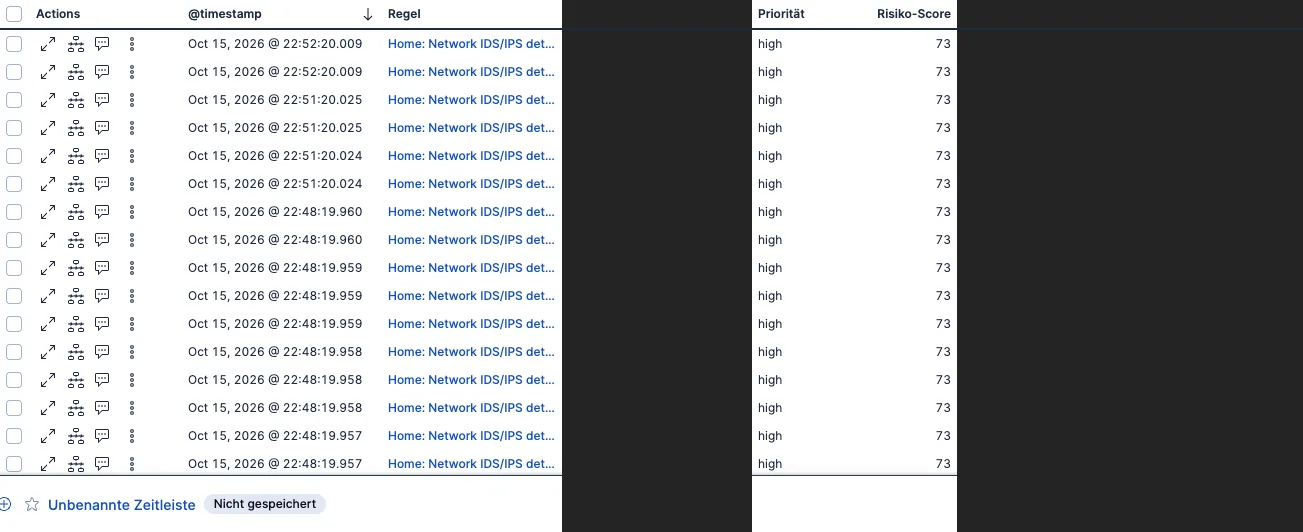
Actual existing network IDS/IPS alerts in Elastic, with identifying fields and reasons masked.
The Client IP Has to Be Earned
When a CDN is in front, the TCP peer is the CDN. A visitor-address header is trustworthy only when the connection came from an authorized proxy and the header is handled by the configured trust chain.
My logs retain the verified visitor identity separately from the transport peer and observer. The automatic response policy checks that provenance. It also excludes protected addresses and requires a valid public source IP.
Do not accept an arbitrary client’s forwarded header as the identity to ban. That turns the block button into something a stranger can point at somebody else. Geolocation and reputation are context, not evidence of a person’s identity or intent.
How n8n Applies a Block Without Guessing
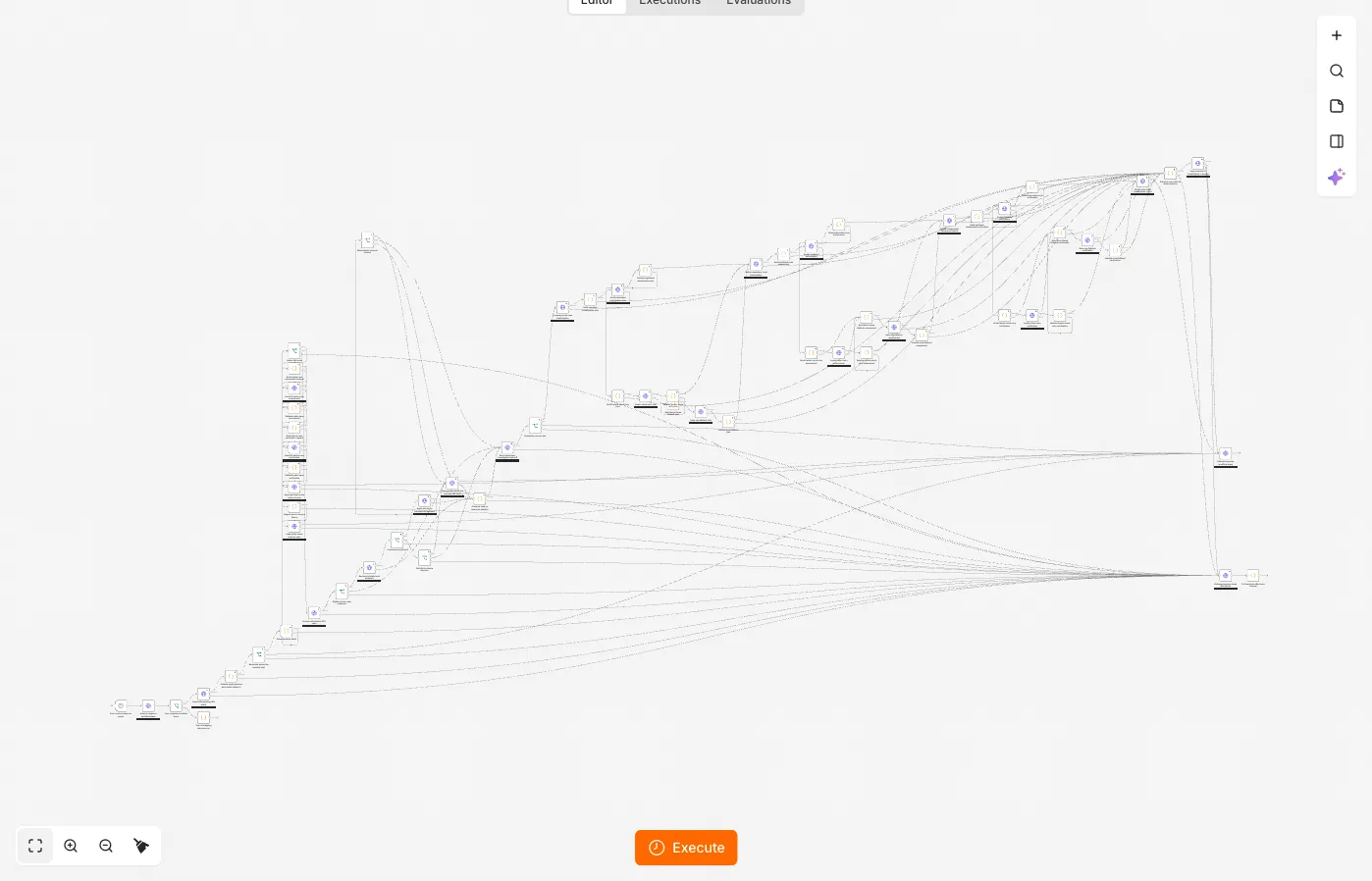
n8n is the current security orchestrator (SOAR). Elastic produces the selected detection alerts, DFIR-IRIS holds the investigation, and a private response service checks the evidence before performing an allowed action.
One existing scanner policy requires at least 10 failed sensitive-path probes across ten distinct paths, with additional status, identity, freshness and completeness checks. A separate CMS-discovery branch has its own threshold. Reputation alone does not authorize containment. Successful sensitive-path responses and application errors need investigation rather than a convenient automatic “fixed it.”
The workflow is approximately:
Selected alert
  -> recover exact source / threshold group identity
  -> retrieve bounded original requests
  -> reject incomplete, stale or conflicting evidence
  -> check public IP, proxy provenance and protected ranges
  -> deterministic response decision
  -> serialize ownership and apply an idempotent action
  -> verify active block and edge state
  -> verify the origin actually denies the controlled request
  -> record evidence and reconcile case state
This is our custom response layer, not a checkbox built into n8n. Reproducing it means implementing and testing those contracts. An AI summary may help explain a case; it does not supply the authority to block an address or close an investigation (it will in the future, yes I know about JEV 😉).
Human ownership and concurrent case changes are checked before state transitions. Requests have stable action IDs, and the backend reads the result back rather than trusting a successful workflow node. Blocks expire, and extensions require fresh evidence under the relevant policy. Start your own automation in review-only mode and prove protected-address, duplicate-delivery, stale-evidence and readback-failure behavior before granting mutation credentials.
Test the Response People Actually Receive
Our isolated WAF acceptance used a controlled backend. Normal requests returned 200; representative SQL injection, XSS and traversal requests returned 403 and did not reach that backend. The same SQL test in learning mode returned 200. Production checks distinguished the blocking sites from the observing decoys. Those were authorized tests, not newly discovered attackers.
Also test normal authenticated application actions, uploads, streaming or WebSockets where used, native configuration regeneration and rollback. Check the client-visible denial status: a pretty denial page returning 200 is quite capable of making the dashboard tell the wrong story.
WAF and IPS do not remove application updates, authentication or capacity limits. Suricata cannot decrypt arbitrary TLS payloads, and the performance of a TLS-terminating proxy is a different measurement from plain routing speed.
What I wanted was a setup where I could follow the request, understand the rule that fired, and verify a response before calling the incident contained. The scanners still visit. At least their reception now comes with paperwork.
The big BUT
I am not sure that this added complexity actually helps visibility. Honestly, I do not check logs and tickets in my spare time for my home network all that often. I already analyze incidents 10 hours a day and after work doing the same for fun is not really feasible anymore. I rely heavily on AI and pay the price of privacy to achieve more security.
On that kind of disappointing note I leave thee. OPNSense and NAXSI is pretty cool I love OPNSense and it’s API so playing around with that was a lot of fun.