I Built a Search Setup That Gives My Local Model Something to Read
Vane, SearXNG and local inference: searchable sources, honest engine failures, document conversion and a reproducible way to check the answers.

In this story
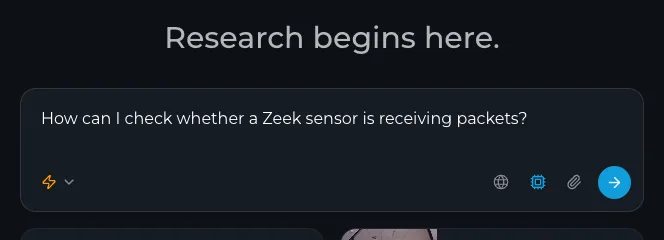
I love Perplexity so much that I wanted it at home. I already used SearXNG for search with my Hermes agent, but now I found Vane! A reading and answering interface on top: retrieve sources, select relevant material, then ask the model to work with it, just like Perplexity.
The result is useful, provided I keep the sources visible and resist treating a sentence with a citation as a sentence that must be correct. Obviously local models are not a smart as the frontier ones, you must manage your expectations, but it does work fairly well.
Three Jobs, Three Components
My setup runs Vane and SearXNG in a dedicated Linux guest, with local embeddings and a separate llama.cpp endpoint for chat. An optional local conversion service handles scanned and office documents.
Question -> SearXNG -> search results with URLs
                    -> Vane retrieval / local embeddings
                    -> selected context + local chat model
                    -> answer with inspectable sources

Document -> local conversion/OCR -> text chunks -> retrieval
The upstream Vane project supplies the application. My document conversion and compatibility adjustments are additions to that deployment, not features I assume every upstream installation already has.
Start with web search and a plain text document. Add OCR after those work. Otherwise an empty answer can be caused by the engine, converter, embedding model, chat model or my ability to upload the wrong file.
Bring Up Search Before Asking for an Answer
Use the deployment instructions for your selected Vane release and a compatible SearXNG installation. Pin images and persist application data, uploads and model caches.
Enable SearXNG’s JSON output through its supported settings:
search:
  formats:
    - html
    - json
The SearXNG search-settings documentation describes that option. Restrict the API and application listeners to the intended private path; enabling JSON is not authentication.
Test the search service directly before involving a model:
curl --fail --silent --show-error --get \
  --data-urlencode 'q=site:docs.python.org urllib.request' \
  --data-urlencode 'format=json' \
  http://127.0.0.1:8080/search
The loopback port is an example for the local search listener. Check actual result URLs, selected engines, warnings and elapsed time. A response containing ten unrelated pages is not a successful documentation search merely because it contains ten pages.
Engine Selection Was More Annoying Than Expected
I benchmarked candidate engines with technical queries and expected primary-source domains. Several engines failed, challenged requests or returned irrelevant results from this connection. Some were loaded but inactive; SearXNG could fall back to another engine, making a candidate appear to work when it had not answered at all.
My retained selection used a small set that actually produced useful results in those tests. That is not a permanent recommendation to copy the same names. Engine behavior depends on region, upstream changes and access conditions.
For each candidate, establish which engine answered. Compare ordinary and site-specific queries in the languages you use. Keep failures visible instead of adding more engines to disguise an empty result.
This also affected the UI. A Discover endpoint could return HTTP 200 while the page showed nothing because the results lacked the image metadata that view expected. Successful JSON and a usable feature are separate checks.
| Search type | Enabled engines |
|---|---|
| General web | Yahoo, Mojeek, Wikipedia |
| Images | Bing Images |
| News | Bing News |
| Videos / music | YouTube |
| Academic | arXiv, Google Scholar, PubMed |
Configure the Two Model Roles
Vane needs a chat model and an embedding model for the relevant retrieval path. In my deployment, chat runs through the private compatible API, while embeddings run locally on CPU with a persistent cache.
Discover the model/provider IDs through the installed application’s supported configuration. Do not hardcode an ID copied from another instance. Verify a tiny chat response and a known document retrieval independently.
A private reverse proxy needs streaming support and timeouts appropriate to the chosen mode. Some multi-step research modes can take minutes. That may be acceptable for a deliberate research job and quite annoying for a quick question.
Speed-oriented modes can rely on snippets rather than complete pages. That changes the evidence the model sees. For a consequential claim, open the primary page rather than assuming the snippet contained the whole qualification.
My Models:
| Purpose | Exact model |
|---|---|
| Chat / generated answers | Qwen 3.8 27B, model ID qwen3.8-hermes:27b-q4_k_m |
| Default configured embeddings | MiniLM-L6-v2, model ID Xenova/all-MiniLM-L6-v2 |
OCR Does Not Know How the Page Was Meant to Read
I added local Docling/RapidOCR conversion and a bounded fallback path. Scanned pages, tables and multi-column layouts needed more care than a text PDF.
A two-column page can extract as alternating half-sentences. Tables can be mistaken for prose, or prose for a table. The downstream model can then produce a very articulate explanation of text nobody actually wrote.
My converter exposes the selected engine and warnings, limits document size/page count, and bounds concurrent work. A busy converter should return a clear retryable failure instead of consuming memory without limit.
For your first OCR check, use an owned synthetic document with a few unique facts, a table and a two-column page. Compare extracted text to the source before testing the answer. Correct retrieval over scrambled text is still retrieval over scrambled text.
Keep Search, Upload and Chat Acceptance Separate
My test questions include a known documentation page, a deliberately absent fact and a short uploaded document. I check that:
- Source URLs are returned and relevant.
- The answer cites material that supports its actual claim.
- An absent fact remains unknown rather than becoming an invented detail.
- File questions use the installed file-aware chat route.
- Streaming reaches its completion event, not just the first token.
In my installed version, one search API path ignored uploaded file IDs. The file-aware chat path was the appropriate one. That is exactly the kind of detail I would rather establish with a fixture than discover after asking about a real document.
Keep uploaded files and extracted text private. A local model does not make search queries invisible to upstream engines, and an added external chat provider changes where selected context goes.
I still want a model that can help me read. I just want to keep the reading material close enough that I can check whether it did.
Final Thoughts
I now have Perplexity at home. I mostly use this for OSINT research on targets, this is why I have an uncensored model, which is much more willing to find information.
For “normal” searches about your favorite soccer team or the weather I would not recommend Vane because it really would waste unnecessary resources.