Tag: security

  • Squidward:Continuous Observation and Monitoring

    Squidward:Continuous Observation and Monitoring

    The name Squidward comes from TAD → Threat Modelling, Attack Surface and Data. “Tadl” is the German nickname for Squidward from SpongeBob, so I figured—since it’s kind of a data kraken—why not use that name?

    It’s a continuous observation and monitoring script that notifies you about changes in your internet-facing infrastructure. Think Shodan Monitor, but self-hosted.

    Technology Stack

    • certspotter: Keeps an eye on targets for new certificates and sneaky subdomains.
    • Discord: The command center—control the bot, add targets, and get real-time alerts.
    • dnsx: Grabs DNS records.
    • subfinder: The initial scout, hunting down subdomains.
    • rustscan: Blazing-fast port scanner for newly found endpoints.
    • httpx: Checks ports for web UI and detects underlying technologies.
    • nuclei: Runs a quick vulnerability scan to spot weak spots.
    • anew: Really handy deduplication tool.

    At this point, I gotta give a massive shoutout to ProjectDiscovery for open-sourcing some of the best recon tools out there—completely free! Seriously, a huge chunk of my projects rely on these tools. Go check them out, contribute, and support them. They deserve it!

    (Not getting paid to say this—just genuinely impressed.)

    How it works

    I had to rewrite certspotter a little bit in order to accomodate a different input and output scheme, the rest is fairly simple.

    Setting Up Directories

    The script ensures required directories exist before running:

    • $HOME/squidward/data for storing results.
    • Subdirectories for logs: onlynew, allfound, alldedupe, backlog.

    Running Subdomain Enumeration

    • squidward (certspotter) fetches SSL certificates to discover new subdomains.
    • subfinder further identifies subdomains from multiple sources.
    • Results are stored in logs and sent as notifications (to a Discord webhook).

    DNS Resolution

    dnsx takes the discovered subdomains and resolves:

    • A/AAAA (IPv4/IPv6 records)
    • CNAME (Canonical names)
    • NS (Name servers)
    • TXT, PTR, MX, SOA records

    HTTP Probing

    httpx analyzes the discovered subdomains by sending HTTP requests, extracting:

    • Status codes, content lengths, content types.
    • Hash values (SHA256).
    • Headers like server, title, location, etc.
    • Probing for WebSocket, CDN, and methods.

    Vulnerability Scanning

    • nuclei scans for known vulnerabilities on discovered targets.
    • The scan focuses on high, critical, and unknown severity issues.

    Port Scanning

    • rustscan finds open ports for each discovered subdomain.
    • If open ports exist, additional HTTP probing and vulnerability scanning are performed.

    Automation and Notifications

    • Discord notifications are sent after each stage.
    • The script prevents multiple simultaneous runs by checking if another instance is active (ps -ef | grep “squiddy.sh”).
    • Randomization (shuf) is used to shuffle the scan order.

    Main Execution

    If another squiddy.sh instance is running, the script waits instead of starting.

    • If no duplicate instance exists:
    • Squidward (certspotter) runs first.
    • The main scanning pipeline (what_i_want_what_i_really_really_want()) executes in a structured sequence:

    The Code

    I wrote this about six years ago and just laid eyes on it again for the first time. I have absolutely no clue what past me was thinking 😂, but hey—here you go:

    #!/bin/bash
    
    #############################################
    #
    # Single script usage:
    # echo "test.karl.fail" | ./httpx -sc -cl -ct -location -hash sha256 -rt -lc -wc -title -server -td -method -websocket -ip -cname -cdn -probe -x GET -silent
    # echo "test.karl.fail" | ./dnsx -a -aaaa -cname -ns -txt -ptr -mx -soa -resp -silent
    # echo "test.karl.fail" | ./subfinder -silent
    # echo "test.karl.fail" | ./nuclei -ni
    #
    #
    #
    #
    #############################################
    
    # -----> globals <-----
    workdir="squidward"
    script_path=$HOME/$workdir
    data_path=$HOME/$workdir/data
    
    only_new=$data_path/onlynew
    all_found=$data_path/allfound
    all_dedupe=$data_path/alldedupe
    backlog=$data_path/backlog
    # -----------------------
    
    # -----> dir-setup <-----
    setup() {
        if [ ! -d $backlog ]; then
            mkdir $backlog
        fi
        if [ ! -d $only_new ]; then
            mkdir $only_new
        fi
        if [ ! -d $all_found ]; then
            mkdir $all_found
        fi
        if [ ! -d $all_dedupe ]; then
            mkdir $all_dedupe
        fi
        if [ ! -d $script_path ]; then
            mkdir $script_path
        fi
        if [ ! -d $data_path ]; then
            mkdir $data_path
        fi
    }
    # -----------------------
    
    # -----> subfinder <-----
    write_subfinder_log() {
        tee -a $all_found/subfinder.txt | $script_path/anew $all_dedupe/subfinder.txt | tee $only_new/subfinder.txt
    }
    run_subfinder() {
        $script_path/subfinder -dL $only_new/certspotter.txt -silent | write_subfinder_log;
        $script_path/notify -data $only_new/subfinder.txt -bulk -provider discord -id crawl -silent
        sleep 5
    }
    # -----------------------
    
    # -----> dnsx <-----
    write_dnsx_log() {
        tee -a $all_found/dnsx.txt | $script_path/anew $all_dedupe/dnsx.txt | tee $only_new/dnsx.txt
    }
    run_dnsx() {
        $script_path/dnsx -l $only_new/subfinder.txt -a -aaaa -cname -ns -txt -ptr -mx -soa -resp -silent | write_dnsx_log;
        $script_path/notify -data $only_new/dnsx.txt -bulk -provider discord -id crawl -silent
        sleep 5
    }
    # -----------------------
    
    # -----> httpx <-----
    write_httpx_log() {
        tee -a $all_found/httpx.txt | $script_path/anew $all_dedupe/httpx.txt | tee $only_new/httpx.txt
    }
    run_httpx() {
        $script_path/httpx -l $only_new/subfinder.txt -sc -cl -ct -location -hash sha256 -rt -lc -wc -title \ 
        -server -td -method -websocket -ip -cname -cdn -probe -x GET -silent | write_httpx_log;
        $script_path/notify -data $only_new/httpx.txt -bulk -provider discord -id crawl -silent
        sleep 5
    }
    # -----------------------
    
    # -----> nuclei <-----
    write_nuclei_log() {
        tee -a $all_found/nuclei.txt | $script_path/anew $all_dedupe/nuclei.txt | tee $only_new/nuclei.txt
    }
    run_nuclei() {
        $script_path/nuclei -ni -l $only_new/httpx.txt -s high, critical, unknown -rl 5 -silent \
        | write_nuclei_log | $script_path/notify -provider discord -id vuln -silent
    }
    # -----------------------
    
    # -----> squidward <-----
    write_squidward_log() {
        tee -a $all_found/certspotter.txt | $script_path/anew $all_dedupe/certspotter.txt | tee -a $only_new/forscans.txt
    }
    run_squidward() {
        rm $script_path/config/certspotter/lock
        $script_path/squidward | write_squidward_log | $script_path/notify -provider discord -id cert -silent
        sleep 3
    }
    # -----------------------
    
    send_certspotted() {
        $script_path/notify -data $only_new/certspotter.txt -bulk -provider discord -id crawl -silent
        sleep 5
    }
    
    send_starting() {
        echo "Hi! I am Squiddy!" | $script_path/notify  -provider discord -id crawl -silent
        echo "I am gonna start searching for new targets now :)" | $script_path/notify  -provider discord -id crawl -silent
    }
    
    dns_to_ip() {
        # TODO: give txt file of subdomains to get IPs from file 
        $script_path/dnsx -a -l $1 -resp -silent \
        | grep -oE "\b((25[0-5]|2[0-4][0-9]|[01]?[0-9][0-9]?)\.){3}(25[0-5]|2[0-4][0-9]|[01]?[0-9][0-9]?)\b" \
        | sort --unique 
    }
    
    run_rustcan() {
        local input=""
    
        if [[ -p /dev/stdin ]]; then
            input="$(cat -)"
        else
            input="${@}"
        fi
    
        if [[ -z "${input}" ]]; then
            return 1
        fi
    
        # ${input/ /,} -> join space to comma
        # -> loop because otherwise rustscan will take forever to scan all IPs and only save results at the end
        # we could do this to scan all at once instead: $script_path/rustscan -b 100 -g --scan-order random -a ${input/ /,}
        for ip in ${input}
        do
            $script_path/rustscan -b 500 -g --scan-order random -a $ip
        done
    
    }
    
    write_rustscan_log() {
        tee -a $all_found/rustscan.txt | $script_path/anew $all_dedupe/rustscan.txt | tee $only_new/rustscan.txt
    }
    what_i_want_what_i_really_really_want() {
        # shuffle certspotter file cause why not
        cat $only_new/forscans.txt | shuf -o $only_new/forscans.txt 
    
        $script_path/subfinder -silent -dL $only_new/forscans.txt | write_subfinder_log
        $script_path/notify -silent -data $only_new/subfinder.txt -bulk -provider discord -id subfinder
    
        # -> empty forscans.txt
        > $only_new/forscans.txt
    
        # shuffle subfinder file cause why not
        cat $only_new/subfinder.txt | shuf -o $only_new/subfinder.txt
    
        $script_path/dnsx -l $only_new/subfinder.txt -silent -a -aaaa -cname -ns -txt -ptr -mx -soa -resp | write_dnsx_log
        $script_path/notify -data $only_new/dnsx.txt -bulk -provider discord -id dnsx -silent
        
        # shuffle dns file before iter to randomize scans a little bit
        cat $only_new/dnsx.txt | shuf -o $only_new/dnsx.txt
        sleep 1
        cat $only_new/dnsx.txt | shuf -o $only_new/dnsx.txt
    
        while IFS= read -r line
        do
            dns_name=$(echo $line | cut -d ' ' -f1)
            ip=$(echo ${line} \
            | grep -E "\[(\b((25[0-5]|2[0-4][0-9]|[01]?[0-9][0-9]?)\.){3}(25[0-5]|2[0-4][0-9]|[01]?[0-9][0-9]?)\b)\]" \
            | grep -oE "(\b((25[0-5]|2[0-4][0-9]|[01]?[0-9][0-9]?)\.){3}(25[0-5]|2[0-4][0-9]|[01]?[0-9][0-9]?)\b)")
            match=$(echo $ip | run_rustcan)
    
            if [ ! -z "$match" ]
            then
                ports_unformat=$(echo ${match} | grep -Po '\[\K[^]]*')
                ports=${ports_unformat//,/ }
    
                echo "$dns_name - $ip - $ports" | write_rustscan_log
                $script_path/notify -silent -data $only_new/rustscan.txt -bulk -provider discord -id portscan
            
                for port in ${ports}
                do
                    echo "$dns_name:$port" | $script_path/httpx -silent -sc -cl -ct -location \
                    -hash sha256 -rt -lc -wc -title -server -td -method -websocket \
                    -ip -cname -cdn -probe -x GET | write_httpx_log | grep "\[SUCCESS\]" | cut -d ' ' -f1 \
                    | $script_path/nuclei -silent -ni -s high, critical, unknown -rl 10 \
                    | write_nuclei_log | $script_path/notify -provider discord -id nuclei -silent
    
                    $script_path/notify -silent -data $only_new/httpx.txt -bulk -provider discord -id httpx
                done
            fi 
        done < "$only_new/dnsx.txt"
    }
    
    main() {
        dupe_script=$(ps -ef | grep "squiddy.sh" | grep -v grep | wc -l | xargs)
    
        if [ ${dupe_script} -gt 2 ]; then
            echo "Hey friends! Squiddy is already running, I am gonna try again later." | $script_path/notify  -provider discord -id crawl -silent
        else 
            send_starting
    
            echo "Running Squidward"
            run_squidward
    
            echo "Running the entire rest"
            what_i_want_what_i_really_really_want
    
            # -> leaving it in for now but replace with above function
            #echo "Running Subfinder"
            #run_subfinder
    
            #echo "Running DNSX"
            #run_dnsx
    
            #echo "Running HTTPX"
            #run_httpx
    
            #echo "Running Nuclei"
            #run_nuclei
        fi
    }
    
    setup
    
    dupe_script=$(ps -ef | grep "squiddy.sh" | grep -v grep | wc -l | xargs)
    if [ ${dupe_script} -gt 2 ]; then
        echo "Hey friends! Squiddy is already running, I am gonna try again later." | $script_path/notify  -provider discord -id crawl -silent
    else 
        #send_starting
        echo "Running Squidward"
        run_squidward
    fi

    There’s also a Python-based Discord bot that goes with this, but I’ll spare you that code—it did work back in the day 😬.

    Conclusion

    Back when I was a Red Teamer, this setup was a game-changer—not just during engagements, but even before them. Sometimes, during client sales calls, they’d expect you to be some kind of all-knowing security wizard who already understands their infrastructure better than they do.

    So, I’d sit in these calls, quietly feeding their possible targets into Squidward and within seconds, I’d have real-time recon data. Then, I’d casually drop something like, “Well, how about I start with server XYZ? I can already see it’s vulnerable to CVE-Blah.” Most customers loved that level of preparedness.

    I haven’t touched this setup in ages, and honestly, I have no clue how I’d even get it running again. I would probably go about it using Node-RED like in this post.

    These days, I work for big corporate, using commercial tools for the same tasks. But writing about this definitely brought back some good memories.

    Anyway, time for bed! It’s late, and you’ve got work tomorrow. Sweet dreams! 🥰😴

    Have another scary squid man monster that didn’t make featured, buh-byeee 👋

  • From Typos to Treason: The Dangerous Fun of Government Domain Squatting

    From Typos to Treason: The Dangerous Fun of Government Domain Squatting

    Hey there 👋 Since you’re reading this, chances are you’ve got some chaos brewing in your brain. I love it.

    For legal reasons I must kindly ask you to read and actually understand my disclaimer.

    Disclaimer:

    The information provided on this blog is for educational purposes only. The use of hacking tools discussed here is at your own risk.

    For the full disclaimer, please click here.

    Full full disclosure: I did have written permission to do this. And anything I didn’t have written permission for is wildly exaggerated fiction, pure imagination, no receipts, no logs, nothing but brain static.

    Now, another fair warning: this post is about to get particularly hairy. So seriously, do not try this without proper written consent, unless you have an unshakable desire to land yourself in a world of trouble.

    Intro

    I get bored really easily 😪. And when boredom strikes, I usually start a new project. Honestly, the fact that I’m still sticking with this blog is nothing short of a miracle. Could this be my forever project? Who knows, place your bets.

    Anyway, purely by accident, I stumbled across a tool that I immediately recognized as easy mode for typo squatting and bit squatting. The tool itself was kinda trash, but it did spark a deliciously questionable thought in my brain:

    “Can I intercept sensitive emails from government organizations and snatch session tokens and API keys?”

    To keep you on the edge of your seat (and slightly concerned), the answer is: Yes. Yes, I can. And trust me, it’s way worse than you think.

    It’s always the stupidly simple ideas that end up working the best.

    Typosquatting

    Typosquatting, also called URL hijacking, a sting site, a cousin domain, or a fake URL, is a form of cybersquatting, and possibly brandjacking which relies on mistakes such as typos made by Internet users when inputting a website address into a web browser. A user accidentally entering an incorrect website address may be led to any URL, including an alternative website owned by a cybersquatter.

    Wikipedia

    Basically, you register kark.fail, kick back, and wait for people to fat-finger karl.fail and trust me, they will. Congratulations, you just hijacked some of my traffic without lifting a finger. It’s like phishing, but lazier.

    Bitsquatting

    Bitsquatting is a form of cybersquatting which relies on bit-flip errors that occur during the process of making a DNSrequest. These bit-flips may occur due to factors such as faulty hardware or cosmic rays. When such an error occurs, the user requesting the domain may be directed to a website registered under a domain name similar to a legitimate domain, except with one bit flipped in their respective binary representations.

    Wikipedia

    You register a domain that is a single-bit off your target, on my site you could register “oarl.fail”

    • ASCII of “k” = 01101011
    • Flipping the third-to-last bit:
    • 01101111 → This corresponds to “o”
    • This changes “karl” → “oarl

    Personally I have had 0 success with this, but apparently still works.

    The Setup

    Now that you know the basics, you’re officially armed with enough knowledge to cause some mild chaos 🎉.

    Here’s what we need to get started:

    • Money – Because sadly, domains don’t buy themselves.
    • A domain registrar account – I use Namecheap
    • Cloudflare account (optional, but much recommended)
    • A server connected to the internet – I use Hetzner (optional but also recommended)

    Getting a Domain

    You should probably know this if you’re planning to hack the government (or, you know, just theoretically explore some questionable cyberspace).

    Step one:

    Follow all the steps on Namecheap or whichever registrar you fancy. You can probably find one that takes Bitcoin or Monero, if you want.

    For generating typo domains effortlessly, I use ChatGPT:

    Give me the top 5 most common typos english speaking people make for the domain "karl.fail" on a qwerty keyboard.

    ChatGPT does not know .fail is a valid TLD, but you get the point.

    Step two

    Add your domain to Cloudflare unless, of course, you’re feeling extra ambitious and want to host your own Mailserver and Nameserver. But let’s be real, why suffer?

    Namecheap, edit Nameserver

    Mailserver

    I highly recommend Mailcow, though it might be complete overkill for this—unless your job involves hacking governments. In that case, totally worth it.

    Nameserver

    This is the best tutorial I could find for you—he’s using CoreDNS.

    In my tests, I used Certainly, which built a small authoritative DNS server with this Go library.

    The big perk of running your own nameserver is that you get to log every DNS query to your domain. As many pentesters know, DNS is passive recon—it doesn’t hit the target directly. That’s why you can get away with otherwise noisy tasks, like brute-forcing subdomains via DNS. But if your target runs their own nameserver, they’ll see you poking around.

    I went with a different setup because DNS logs are a mess—super noisy and, honestly, boring. Everyone and their mom ends up enumerating your domain until kingdom come.

    Beware! Different top-level domain organizations have different expectations for name servers. I ran into some trouble with the .de registry, DENIC—they insisted I set up two separate nameservers on two different IPs in two different networks. Oh, and they also wanted pretty SOA records before they’d even consider my .de domains.

    Save yourself the headache—double-check the requirements before you spend hours wrecking yourself.

    Hetzner Server

    Any server, anywhere, will do—the goal is to host a web server of your choice and capture all the weblogs. I’ll be using Debian and Caddy for this.

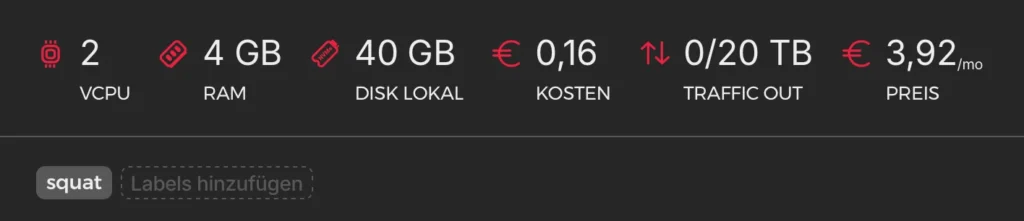
    The cheapest server on Hetzner

    We’ll be building our own Caddy with the Cloudflare plugin because I couldn’t get wildcard certificates to work without it. Plus, I always use Cloudflare (❤️ you guys).

    Installation of Go (current guide):

    sudo apt update && sudo apt upgrade -y
    wget https://go.dev/dl/go1.23.5.linux-amd64.tar.gz
    rm -rf /usr/local/go && tar -C /usr/local -xzf go1.23.5.linux-amd64.tar.gz
    export PATH=$PATH:/usr/local/go/bin
    echo 'export PATH=$PATH:/usr/local/go/bin' >> ~/.profile
    source ~/.profile

    Build Caddy with Cloudflare-DNS

    The official guide is here.

    go install github.com/caddyserver/xcaddy/cmd/xcaddy@latest
    sudo mv ~/go/bin/xcaddy /usr/local/bin/
    xcaddy build --with github.com/caddy-dns/cloudflare
    sudo mv caddy /usr/local/bin/
    caddy version

    Getting a Cloudflare API Key

    To get the API key just follow the Cloudflare docs, I set mine with these permissions:

    All zones - Zone:Read, SSL and Certificates:Edit, DNS:Edit

    Here is also the official page for the Cloudflare-DNS Plugin.

    export CF_API_TOKEN="your_cloudflare_api_token"
    echo 'CF_API_TOKEN="your_cloudflare_api_token"' | sudo tee /etc/default/caddy > /dev/null

    Caddyfile

    I am using example domains!

    (log_requests) {
    	log {
    		output file /var/log/caddy/access.log
    		format json
    	}
    }
    
    karlkarlkarl.de, *.karlkarlkarl.de {
    	import log_requests
    
    	tls {
    		dns cloudflare {env.CLOUDFLARE_API_TOKEN}
    	}
    
    	header Content-Type "text/html"
    	respond "Wrong!" 200
    }
    
    karlkarl.de, *.karlkarl.de {
    	import log_requests
    
    	tls {
    		dns cloudflare {env.CLOUDFLARE_API_TOKEN}
    	}
    
    	header Content-Type "text/html"
    	respond "Wrong!" 200
    }
    

    Running Caddy as a service

    nano /etc/systemd/system/caddy.service
    [Unit]
    Description=Caddy Web Server
    After=network.target
    
    [Service]
    User=caddy
    Group=caddy
    ExecStart=/usr/bin/caddy run --config /etc/caddy/Caddyfile --adapter caddyfile
    EnvironmentFile=/etc/default/caddy
    AmbientCapabilities=CAP_NET_BIND_SERVICE
    Restart=always
    RestartSec=5s
    LimitNOFILE=1048576
    
    [Install]
    WantedBy=multi-user.target
    systemctl start caddy
    systemctl enable caddy
    systemctl status caddy

    Everything should work if you closely followed the steps up until now. If not check the caddy.service and Caddyfile. To check logs use:

    journalctl -u caddy --no-pager -n 50 -f

    Just a heads-up—Caddy automatically redacts credentials in its logs, and getting it to not do that is kind of a pain.

    {"level":"info","ts":1738162687.1416154,"logger":"http.log.access.log0","msg":"handled request","request":{"remote_ip":"1.0.0.1","remote_port":"62128","client_ip":"1.0.0.1","proto":"HTTP/1.1","method":"GET","host":"api.karlkarlkarl.de","uri":"/api/resource","headers":{"User-Agent":["curl/8.7.1"],"Authorization":["REDACTED"],"Accept":["application/json"]}},"bytes_read":0,"user_id":"","duration":0.000052096,"size":0,"status":308,"resp_headers":{"Connection":["close"],"Location":["https://api.karlkarlkarl.de/login"],"Content-Type":[],"Server":["Caddy"]}}
    "Authorization":["REDACTED"]

    Lame for us 😒. If you want more control over logging, you can use any other server or even build your own. One day I might add this as a feature to my Node-RED-Team stack, including automatic Cloudflare settings via API, just add domain and go.

    As I mentioned earlier, I had permission for this, and my scope didn’t allow me to grab actual credentials since they belonged to third parties using the service.

    The most interesting things in these logs:

    • Credentials
    • IP addresses
    • Paths
    • Subdomains
    • Cookies and tokens

    That should be more than enough to hijack a session and dig up even more data—or at the very least, get some freebies.

    Cloudflare – DNS & Mail

    DNS

    We’ll add some wildcard DNS records so that all subdomains get routed to our server—because let’s be real, we don’t know all the subdomains of our target.

    Example of Wildcard DNS, best to set both, a normal A and Wildcard A. Point it to your IP.

    It’s almost as good as having your own nameserver. Plus, Cloudflare gives you a ton of DNS logs. Sure, you won’t get all of them like you would with your own setup, but honestly… I don’t really care that much about DNS logs anyway.

    SS/TLS Settings in Cloudflare

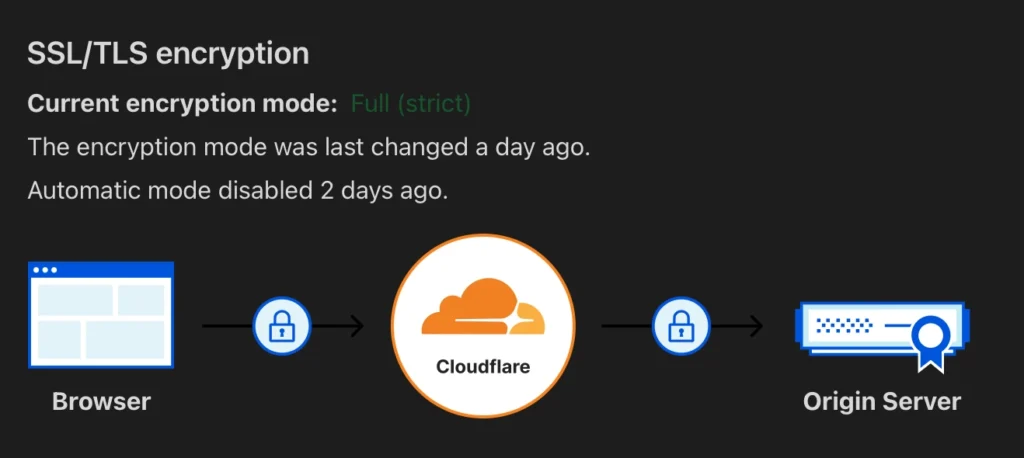
    Make sure to check your SSL/TLS setting in Cloudflare to be “Full (strict)” otherwise Caddy and Clouflare will get stuck in a redirect loop and it is gonna take you forever to figure out that this is the issue, which will annoy you quite a bit.

    Email

    Set up email routing through Cloudflare—it’s easy, just two clicks. Then, you’ll need a catch-all email rule and a destination address.

    This will forward all emails sent to the typo domain straight to your chosen domain.

    Catch-All Email rule in Cloudflare Email Settings

    You could set up your own mail server to do the same thing, which gives you more control over how emails are handled. But for my POC, I didn’t need the extra hassle.

    I should mention that I set up an email flow to notify people that they sent their mail to the wrong address and that it was not delivered using n8n:

    This post is already getting pretty long, so I might do a separate one about n8n another time. For now, just know that people were notified when they sent mail to the wrong address, and their important messages were delivered into the void.

    Profit

    By “profit,” I’m, of course, making a joke about the classic Step 1 → Step 2 → Step 3 → Profit meme—not actual profit. That would be illegal under American law, so let’s keep things legal and fun. Just thought I’d clarify 🫡.

    Now, you wait. Check the logs now and then, peek at the emails occasionally. Like a fisherman (or fisherwoman), you sit back and see what bites.

    How long does it take? Well, that depends on how good your typo is and how popular your target is—could be minutes, could be days.

    For me, I was getting around 10-15 emails per day. The weblogs are mostly just people scanning the crap out of my server.

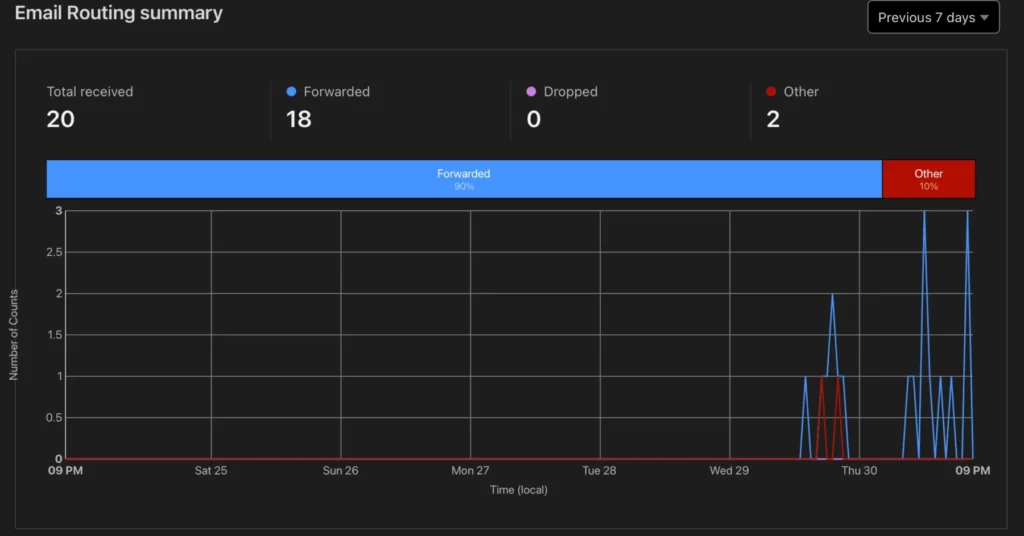
    Email stats of the first 2 days for one of the domains (I hold 14)

    Conclusion

    I bought 14 domains with the most common typos for my target and ended up catching around 400 emails in a month —containing some of the most devastating info you could imagine.

    I’m talking government documents, filled-out contracts, filed reports. I got people’s birth certificates, death certificates, addresses, signatures—you name it.

    Think about it—when you email a government office, they already know everything about you, so you don’t think twice about sending them paperwork, right? Well… better triple-check that email address before you hit send, or guess what? It’s mine now.

    As for weblogs, their real value comes in when a developer is testing a tool and mistypes a public domain. I didn’t manage to snag any API keys, but I guarantee that if your target has public APIs or a sprawling IT infrastructure, credentials will slip through eventually.

    Defense

    The only real defense is to buy all the typo domains before the bad guys do. There are services that specialize in this—if you’ve got the budget, use them.

    If you can’t buy them, monitor them. Plenty of commercial tools can do this, or you can build your own. The easiest DIY approach would be to use dnstwist to generate typo variations and check WHOIS records or dig to see if anyone has registered them.

    Monitoring your Adversaries

    Let me give you an example. Run dnstwist on “bund.de” the German government domain for all it’s ministries:

    # -m, --mxcheck     Check if MX host can be used to intercept emails
    # -g, --geoip       Lookup for GeoIP location
    # -r, --registered  Show only registered domain names
    
    dnstwist -m -g -r bund.de

    You will get a list of all similar domains which have MX-Records, this will tell you potential entities that could be listening in on emails:

    *original      bund.de      80.245.156.34/Germany NS:argon.bund.de MX:mx1.bund.de
    addition       bundd.de     104.21.48.157 2606:4700:3036::6815:309d NS:coleman.ns.cloudflare.com MX:mx00.kundenserver.de
    addition       bundy.de     159.89.214.161/Germany
    addition       bundp.de     162.55.40.124/Germany NS:ns1.redirectdom.com
    addition       bundi.de     176.9.82.176/Germany NS:ns1.ns.de
    addition       bund2.de     185.26.156.203/Germany 2a00:d0c0:200:0:b9:1a:9c:9e NS:helium.ns.hetzner.de MX:mail.bund2.de
    addition       bundx.de     199.59.243.228/UnitedStates 2a01:4f8:1c17:fa73::1 NS:ns1.dovendi.nl SPYING-MX:mx186.m2bp.com
    addition       bundf.de     217.160.0.113/Germany NS:ns1050.ui-dns.biz MX:mx00.ionos.de
    addition       bundl.de     217.160.0.1/Germany 2001:8d8:100f:f000::272 NS:ns1080.ui-dns.biz MX:mx00.ionos.de
    addition       bundg.de     217.160.0.241/Germany NS:ns.ruhrcom.de SPYING-MX:bundg-de.mail.protection.outlook.com
    addition       bundt.de     217.160.0.26/Germany NS:ns1017.ui-dns.biz MX:mx00.ionos.de
    addition       bundw.de     217.160.0.70/Germany NS:ns1028.ui-dns.biz SPYING-MX:bundw-de.mail.protection.outlook.com
    addition       bundz.de     23.88.34.196/Germany NS:ns1.redirectdom.com
    addition       bunde.de     46.243.95.178/Germany NS:cns1.alfahosting.info SPYING-MX:mx03.secure-mailgate.com
    addition       bundm.de     64.190.63.222/Germany NS:ns1.sedoparking.com MX:localhost
    addition       bundk.de     78.46.144.104/Germany 2a01:4f8:d0a:52cc::2 NS:ns1.brandshelter.com SPYING-MX:bundk-de.mail.protection.outlook.com
    addition       bunda.de     78.47.106.64/Germany NS:ns1.redirectdom.com
    addition       bundr.de     78.47.106.64/Germany NS:ns1.redirectdom.com
    addition       bundv.de     78.47.106.64/Germany NS:ns1.redirectdom.com
    addition       bundn.de     81.169.145.64/Germany 2a01:238:20a:202:1064:: NS:docks06.rzone.de SPYING-MX:smtpin.rzone.de
    addition       bundq.de     81.169.145.86/Germany 2a01:238:20a:202:1086:: NS:docks19.rzone.de SPYING-MX:smtpin.rzone.de
    addition       bundu.de     85.13.133.184/Germany NS:ns3.kasserver.com SPYING-MX:v076474.kasserver.com
    addition       bundb.de     85.13.150.146/Germany NS:ns5.kasserver.com MX:alt1.aspmx.l.google.com
    addition       bundh.de     85.13.157.107/Germany NS:ns5.kasserver.com SPYING-MX:bundh-de.mail.protection.outlook.com
    addition       bundj.de     89.22.106.10/Germany NS:cns1.cloudpit.de SPYING-MX:mailin.hostingparadise.de
    addition       bundc.de     89.31.143.90/Germany NS:ns.udag.de SPYING-MX:k00s18.meinserver.io
    addition       bunds.de     91.195.241.232/Germany NS:sl1.sedo.com MX:localhost
    addition       bundo.de     NS:nsa9.schlundtech.de SPYING-MX:bundo-de.mail.protection.outlook.com
    bitsquatting   bunl.de      136.243.81.87/Germany NS:ns1.kv-gmbh.de
    bitsquatting   bunf.de      167.235.89.124/Germany NS:ns1.kv-gmbh.de
    bitsquatting   bune.de      176.9.82.176/Germany NS:ns1.ns.de
    bitsquatting   buld.de      178.77.82.91/Germany 2a01:488:42:1000:b24d:525b:6a:e139 NS:ns01.domaincontrol.com MX:mx0.buld.de
    bitsquatting   rund.de      185.53.177.51/Germany NS:ns1.parkingcrew.net
    bitsquatting   cund.de      185.53.177.52/Germany NS:ns1.parkingcrew.net MX:mail.h-email.net
    bitsquatting   bujd.de      217.154.121.61/Spain 2a02:2479:26:d200::1 NS:ns1.pceumel.eu SPYING-MX:mail.pceumel.eu
    bitsquatting   buod.de      217.160.0.184/Germany 2001:8d8:100f:f000::263 NS:ns1091.ui-dns.biz MX:alt1.aspmx.l.google.com
    bitsquatting   btnd.de      37.27.55.12/Finland NS:ns1.kv-gmbh.de
    bitsquatting   bend.de      62.116.130.8/Germany NS:ns1.issociate.de MX:mail.xodox.de
    bitsquatting   bwnd.de      78.46.45.41/Germany NS:ns1.kv-gmbh.de
    bitsquatting   bufd.de      78.47.106.64/Germany NS:ns1.redirectdom.com
    bitsquatting   fund.de      81.169.145.78/Germany 2a01:238:20a:202:1078:: NS:docks16.rzone.de SPYING-MX:smtpin.rzone.de
    bitsquatting   jund.de      91.107.224.252/Germany 2a01:4f8:1c1a:27b0::1 NS:ns1.sodes.net MX:mx.sodes.net
    bitsquatting   bunt.de      94.130.38.178/Germany NS:a.ns14.net
    homoglyph      dund.de      109.224.228.62/Slovenia NS:ns4.nameshift.com MX:
    homoglyph      bvmd.de      142.132.207.159/Germany NS:dns1.hostsharing.net MX:smailin1.hostsharing.net
    homoglyph      burb.de      185.53.177.50/Germany NS:ns1.parkingcrew.net
    homoglyph      bunb.de      185.53.178.52/Germany NS:ns1.parkingcrew.net SPYING-MX:mail.h-email.net
    homoglyph      bumd.de      188.40.92.90/Germany
    homoglyph      bunci.de     188.40.92.90/Germany
    homoglyph      bvrd.de      212.162.53.170/UnitedKingdom NS:ns3.nsentry.de SPYING-MX:bvrd.de
    homoglyph      dumd.de      212.90.148.7/Germany 2001:1640:5::3:5f NS:ns1.goneo.de MX:mx01.goneo.de
    homoglyph      bųnd.de      213.186.33.5/France NS:dns19.ovh.net SPYING-MX:mx3.mail.ovh.net
    homoglyph      bumb.de      217.160.0.160/Germany 2001:8d8:100f:f000::2c9 NS:ns1092.ui-dns.biz MX:mx00.ionos.de
    homoglyph      dvnd.de      31.3.3.7/Turkey
    homoglyph      dunb.de      64.190.63.222/Germany NS:ns1.sedoparking.com MX:localhost
    homoglyph      ibund.de     78.47.106.64/Germany NS:ns1.redirectdom.com
    homoglyph      clund.de     80.237.132.85/Germany 2a01:488:42:1000:50ed:8455:ff6f:9f22 NS:ns43.domaincontrol.com SPYING-MX:clund-de.mail.protection.outlook.com
    homoglyph      llbund.de    80.246.60.90/Germany NS:ns1.antagus.de MX:mail.llbund.de
    homoglyph      buńd.de      81.169.145.148/Germany 2a01:238:20a:202:1148:: NS:docks04.rzone.de SPYING-MX:smtpin.rzone.de
    homoglyph      buňd.de      81.169.145.149/Germany 2a01:238:20a:202:1149:: NS:docks15.rzone.de SPYING-MX:smtpin.rzone.de
    homoglyph      buñd.de      81.169.145.159/Germany 2a01:238:20a:202:1159:: NS:docks05.rzone.de SPYING-MX:smtpin.rzone.de
    homoglyph      búnd.de      81.169.145.90/Germany 2a01:238:20a:202:1090:: NS:docks06.rzone.de SPYING-MX:smtpin.rzone.de
    homoglyph      bünd.de      81.169.145.90/Germany 2a01:238:20a:202:1090:: NS:docks20.rzone.de SPYING-MX:smtpin.rzone.de
    homoglyph      burd.de      83.169.2.4/France NS:ns65.domaincontrol.com SPYING-MX:mx0.burd.de
    homoglyph      dundl.de     85.13.131.90/Germany NS:ns5.kasserver.com SPYING-MX:w01086fb.kasserver.com
    homoglyph      bvnd.de      85.13.146.221/Germany NS:ns5.kasserver.com SPYING-MX:bvnd-de.mail.protection.outlook.com
    homoglyph      durd.de      85.13.153.193/Germany NS:ns5.kasserver.com SPYING-MX:abwaribn.kasserver.com
    homoglyph      bunď.de      91.204.46.223/Germany 2a03:4000:61:83a5::20:1869 NS:root-dns.netcup.net SPYING-MX:mail.xn--bun-pqa.de
    homoglyph      bvnb.de      92.205.111.236/France NS:ns1.edv-nb.de MX:mail.bvnb.de
    homoglyph      buņd.de      95.217.186.42/Finland NS:ns1.domainoffensive.de SPYING-MX:mxext1.mailbox.org
    homoglyph      bunnd.de     NS:jonah.ns.cloudflare.com MX:route1.mx.cloudflare.net
    hyphenation    bu-nd.de     159.89.214.161/Germany
    hyphenation    bun-d.de     185.122.201.71/Turkey NS:ns21.domaincontrol.com MX:mail.dayfleet.de
    insertion      nbund.de     142.132.181.81/Germany 2a01:4f8:1c17:fa73::1 NS:ns1.dovendi.nl SPYING-MX:mx186.m2bp.com
    insertion      hbund.de     199.59.243.228/UnitedStates 2a01:4f8:1c17:fa73::1 NS:ns1.dovendi.nl MX:mx186.m2bp.com
    insertion      vbund.de     45.67.69.52/Germany NS:ns1-tec.de MX:mx1.securemail.name
    insertion      bhund.de     78.47.106.64/Germany NS:ns1.redirectdom.com
    insertion      buind.de     78.47.106.64/Germany NS:ns1.redirectdom.com
    omission       bnd.de       149.232.252.19/Germany NS:ns1-eu.123ns.eu MX:mail.bnd.de
    omission       bud.de       81.169.145.68/Germany 2a01:238:20a:202:1068:: NS:docks16.rzone.de SPYING-MX:smtpin.rzone.de
    omission       und.de       81.169.145.74/Germany 2a01:238:20a:202:1074:: NS:docks19.rzone.de SPYING-MX:smtpin.rzone.de
    repetition     bbund.de     78.47.106.64/Germany NS:ns1.redirectdom.com
    replacement    nund.de      103.224.182.245/UnitedStates NS:ns1.abovedomains.com SPYING-MX:park-mx.above.com
    replacement    bubd.de      109.235.74.225/Netherlands 2a01:518:1:41:2::53 NS:ns1.yoursrs.com
    replacement    hund.de      116.203.76.229/Germany NS:ns1.eick-it.com SPYING-MX:hund-de.mail.protection.outlook.com
    replacement    bunx.de      151.252.49.69/Germany NS:ns1.domainers.de SPYING-MX:mail.bunx.de
    replacement    bjnd.de      166.117.68.124/UnitedStates 2600:9000:a612:55d9:1b82:e963:5969:d2c7 NS:ns1.dns-redirect.com
    replacement    bunr.de      167.235.89.124/Germany NS:ns1.kv-gmbh.de
    replacement    gund.de      216.40.34.37/Canada NS:ns1.mailbank.com MX:mx.netidentity.com.cust.hostedemail.com
    replacement    bznd.de      37.27.55.11/Finland NS:ns1.kv-gmbh.de
    replacement    bynd.de      46.38.242.115/Germany NS:root-dns.netcup.net MX:mail.bynd.de
    replacement    bind.de      62.75.221.173/France NS:ns10.nameserverservice.de SPYING-MX:mailsecurity.iprs.de
    replacement    bhnd.de      64.190.63.222/Germany NS:ns1.sedoparking.com MX:localhost
    replacement    bunc.de      64.190.63.222/Germany NS:ns1.sedoparking.com MX:localhost
    replacement    buns.de      78.47.106.64/Germany NS:ns1.redirectdom.com
    replacement    vund.de      88.99.186.219/Germany NS:ns1.wesellthisdomain.com SPYING-MX:mx179.m1bp.com
    transposition  ubnd.de      136.243.81.230/Germany NS:ns1.kv-gmbh.de
    transposition  budn.de      217.160.180.152/France NS:ns1.domaindiscount24.net
    transposition  bnud.de      5.45.110.199/Germany NS:root-dns.netcup.net SPYING-MX:mail.bnud.de
    various        bund-de.com  162.255.119.238/UnitedStates NS:dns1.registrar-servers.com SPYING-MX:eforward1.registrar-servers.com
    various        bundde.com   207.148.248.143/UnitedStates

    You can see that all of the typos are owned by other entities, not the German government. This is bad, if anyone unknowingly wanted to write an email to [email protected], having mistyped, will be intercepted.

    You can easily set up monitoring with this setup. Sensitive information should not be sent over Email either way, so if you can use more secure solutions depending on your use case, even a web form is harder to intercept.

    Hosting Look-Alike-Websites

    Typo domains aren’t just used for passive logging, people also host malicious content and phishing campaigns on them. That said, those methods get caught pretty fast. The approach I showed you is much more silent and in my opinion, dangerous. It doesn’t set off alarms right away.

    Domains are dirt cheap compared to the damage I could do if I decided to leak this to the press, extort people, or trick them into giving me money. You instantly gain trust because the emails you receive usually say things like “As we just discussed over the phone… or contain entire ongoing conversations.

    This whole setup takes about an hour and costs maybe 50 bucks for some domains.

    Anyway, thanks for reading. Good night, sleep tight, and don’t let the bed bugs bite.

    Love you 😘

  • Passkeys: Your Key to a Safer, Simpler Online World

    Passkeys: Your Key to a Safer, Simpler Online World

    Passwords have been the cornerstone of online security for decades, but let’s face it: they’re far from perfect. Whether it’s phishing attacks, password leaks, or the sheer frustration of remembering dozens of them, passwords are a weak link in our digital lives. Enter passkeys—a revolutionary way to log in online that promises better security, more convenience, and fewer headaches.

    In this blog post, we’ll explain what passkeys are, why they’re a game-changer, and what challenges need to be addressed before they can replace passwords entirely.

    I also want to share with you a lot of other great resources to learn about Passkeys:

    Be sure to check these out.

    What Are Passkeys, and Why Do We Need Them?

    Imagine never having to remember another password. That’s the promise of passkeys. Instead of typing in a password, passkeys let you log in with something you already have—like your smartphone—and something you already know or are, such as a PIN or fingerprint.

    Here’s how passkeys work in simple terms:

    1. Unique and Secure: A passkey is like a digital key that’s unique to each website. If one website gets hacked, your other accounts stay safe.
    2. Phishing-Proof: Unlike passwords, passkeys can’t be stolen through fake websites or phishing scams.
    3. Fast and Convenient: Signing in with a passkey is as easy as scanning your fingerprint or face—no more typing or resetting forgotten passwords.

    For example, if you’re signing into a shopping website, you just use your phone’s biometric sensor or a PIN to verify your identity. It’s quick, secure, and hassle-free.

    Why Passkeys Are Better Than Passwords

    Passwords are a pain for users and a goldmine for hackers. Most cyberattacks succeed because someone’s password gets stolen, guessed, or reused across multiple accounts. Even with additional layers of security like Multi-Factor Authentication (MFA), passwords remain a common weak point.

    Passkeys eliminate many of these risks:

    • No Reuse: Every website gets its own passkey, so a data breach on one platform doesn’t compromise others.
    • No Guessing: Passkeys are generated by your device, making them impossible to guess or crack.
    • No Phishing: Even if a hacker creates a fake login page, they can’t steal your passkey.

    What’s more, passkeys save time. Microsoft found that passkey logins take just 8 seconds on average, compared to 69 seconds for traditional password-based logins. That’s a win for security and convenience.

    So, Why Aren’t Passkeys Everywhere Yet?

    While passkeys sound amazing, they’re not yet a perfect solution. Several challenges need to be addressed before they can replace passwords entirely:

    Inconsistent User Experience

    Passkeys come in different types. Some are tied to a specific device, while others are synced across your devices through services like Apple iCloud or Google Password Manager. This inconsistency makes it hard for websites to support all passkey types and creates confusion for users.

    For instance, some websites only support device-bound passkeys, while others accept synced passkeys. This lack of standardization can frustrate users who just want a seamless login experience.

    What Happens If You Lose Your Device?

    If your phone or laptop holds your passkeys, what happens when you lose or replace it? While syncing passkeys across devices solves this problem for many users, not everyone is familiar with how to set it up or recover their accounts.

    Switching Platforms

    Let’s say you decide to switch from Android to iPhone. Moving your passkeys to a new platform is still a challenge. Industry groups like the FIDO Alliance are working on solutions, but seamless migration isn’t here yet.

    Account Recovery Risks

    As passkeys become more secure, hackers may shift their focus to exploiting account recovery processes (e.g., fake support calls or phishing for recovery credentials). Websites will need to harden these processes to maintain the security benefits of passkeys.

    Accessibility for Everyone

    Passkeys assume users have personal, modern devices, but that’s not always the case. Shared devices, limited internet access, or compatibility issues with biometrics can make passkeys harder to use for some people.

    What’s Being Done to Address These Issues?

    The good news is that the cybersecurity industry is working hard to overcome these challenges. Here’s what’s happening:

    1. Standardization: Groups like the FIDO Alliance and W3C are developing standards to ensure passkeys work the same way across all platforms and websites.
    2. Education: Companies and governments are educating users on how to set up and recover passkeys, making the transition smoother.
    3. Government Leadership: The UK government is exploring passkeys for its GOV.UK One Login system, setting an example for other organizations.
    4. Better Tools for Developers: New tools and guides are being created to help websites implement passkeys without the hassle. Like WebAuthn or using Auth0.

    How to Start Using Passkeys Today

    If you’re ready to ditch passwords, here’s how to get started:

    • Check Your Devices: Most modern smartphones, tablets, and computers already support passkeys through services like Apple iCloud Keychain, Google Password Manager, or Microsoft Authenticator.
    • Enable Passkeys on Supported Websites: Platforms like Google, Microsoft, and some banking apps already offer passkey support. Look for the option in your account settings.
    • Backup Your Passkeys: Make sure your passkeys are synced with a secure Credential Manager so you can recover them if you lose your device.

    For website owners, offering passkeys as a login option is a great way to enhance security and user experience. Just ensure you address potential issues like account recovery and multi-device support.

    The Future of Passkeys

    Passkeys represent a significant leap forward in online security. They solve many of the problems that plague passwords while offering a faster, more user-friendly experience. However, challenges like platform differences, device loss, and accessibility need to be addressed before they can replace passwords entirely.

    The good news? Progress is happening quickly. With the help of organizations like the NCSC, FIDO Alliance, and major tech companies, passkeys are becoming more standardized and accessible.

    If you’re tired of forgetting passwords, worrying about phishing, or resetting your credentials, passkeys are worth exploring. Start small—try them on a few services—and experience the future of secure, hassle-free authentication today.

  • The Privacy-Friendly Mail Parser You’ve Been Waiting For

    The Privacy-Friendly Mail Parser You’ve Been Waiting For

    As you may or may not know (but now totally do), I have another beloved website, Exploit.to. It’s where I let my inner coder run wild and build all sorts of web-only tools. I’ll save those goodies for another project post, but today, we’re talking about my Mail Parser—a little labor of love born from frustration and an overdose of caffeine.

    See, as a Security Analyst and incident responder, emails are my bread and butter. Or maybe my curse. Parsing email headers manually? It’s a one-way ticket to losing your sanity. And if you’ve ever dealt with email headers, you know they’re basically the Wild West—nobody follows the rules, everyone’s just slapping on whatever they feel like, and chaos reigns supreme.

    The real kicker? Every single EML parser out there at the time was server-side. Let me paint you a picture: you, in good faith, upload that super-sensitive email from your mom (the one where she tells you your laundry’s done and ready for pick-up) to some rando’s sketchy server. Who knows what they’re doing with your mom’s loving words? Selling them? Training an AI to perfect the art of passive-aggressive reminders? The horror!

    So, I thought, “Hey, wouldn’t it be nice if we had a front-end-only EML parser? One that doesn’t send your personal business to anyone else’s server?” Easy peasy, right? Wrong. Oh, how wrong I was. But I did it anyway.

    You can find the Mail Parser here and finally parse those rogue headers in peace. You’re welcome.

    Technologies

    • React: Handles the user interface and dynamic interactions.
    • Astro.js: Used to generate the static website efficiently. (technically not needed for this project)
    • TailwindCSS: For modern and responsive design.
    • ProtonMail’s jsmimeparser: The core library for parsing email headers.

    When I first approached this project, I tried handling email header parsing manually with regular expressions. It didn’t take long to realize how complex email headers have become, with an almost infinite variety of formats, edge cases, and inconsistencies. Regex simply wasn’t cutting it.

    That’s when I discovered ProtonMail’s jsmimeparser, a library purpose-built for handling email parsing. It saved me from drowning in parsing logic and ensured the project met its functional goals.

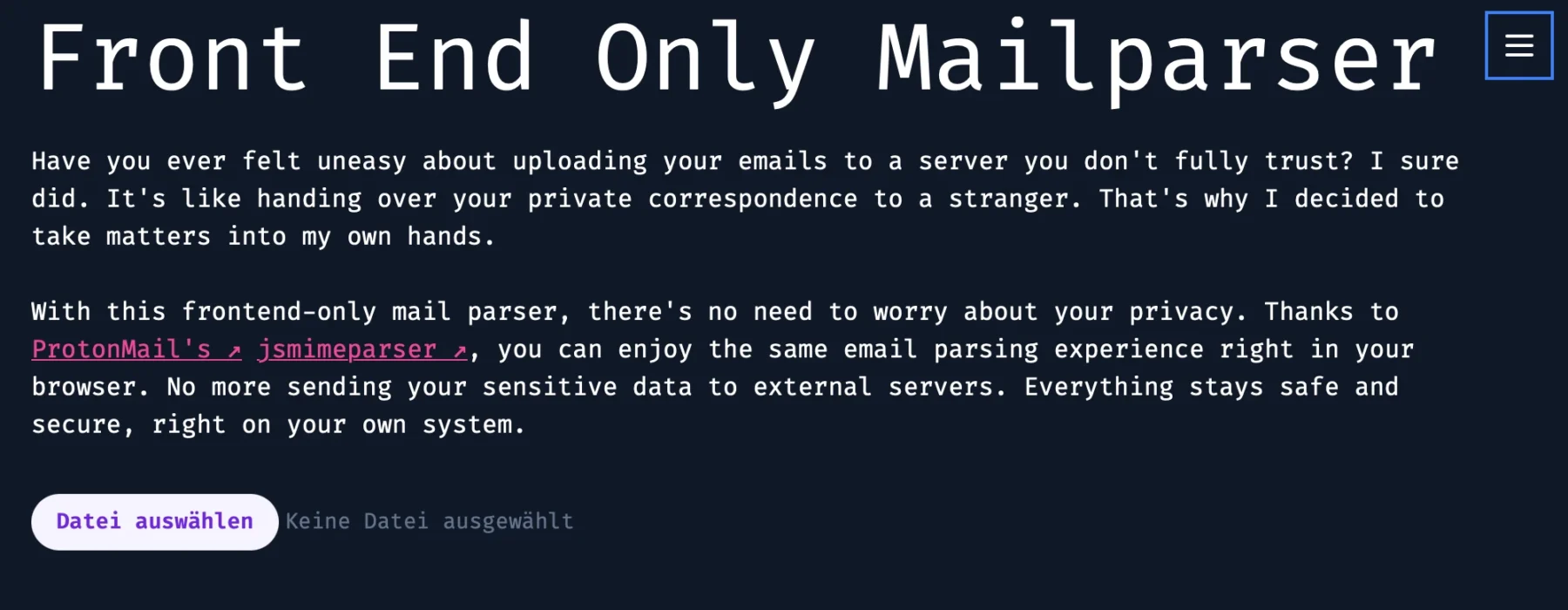
    Sharing the output of this tool without accidentally spilling personal info all over the place is kinda tricky. But hey, I gave it a shot with a simple empty email I sent to myself:

    The Code

    As tradition dictates, the code isn’t on GitHub but shared right here in a blog post 😁.

    Kidding (sort of). The repo is private, but no gatekeeping here—here’s the code:

    mailparse.tsx
    import React, { useState } from "react";
    import { parseMail } from "@protontech/jsmimeparser";
    
    type Headers = {
      [key: string]: string[];
    };
    
    const MailParse: React.FC = () => {
      const [headerData, setHeaderData] = useState<Headers>({});
      const [ioc, setIoc] = useState<any>({});
    
      function extractEntitiesFromEml(emlContent: string) {
        const ipRegex =
          /\b(?:\d{1,3}\.){3}\d{1,3}\b|\b(?:[0-9a-fA-F]{1,4}:){7}[0-9a-fA-F]{1,4}\b/g;
        const emailRegex = /\b[A-Za-z0-9._%+-]+@[A-Za-z0-9.-]+\.[A-Z|a-z]{2,}\b/g;
        const urlRegex = /(?:https?|ftp):\/\/[^\s/$.?#].[^\s]*\b/g;
        const htmlTagsRegex = /<[^>]*>/g; // Regex to match HTML tags
    
        // Match IPs, emails, and URLs
        const ips = Array.from(new Set(emlContent.match(ipRegex) || []));
        const emails = Array.from(new Set(emlContent.match(emailRegex) || []));
        const urls = Array.from(new Set(emlContent.match(urlRegex) || []));
    
        // Remove HTML tags from emails and URLs
        const cleanEmails = emails.map((email) => email.replace(htmlTagsRegex, ""));
        const cleanUrls = urls.map((url) => url.replace(htmlTagsRegex, ""));
    
        return {
          ips,
          emails: cleanEmails,
          urls: cleanUrls,
        };
      }
    
      function parseDKIMSignature(signature: string): Record<string, string> {
        const signatureParts = signature.split(";").map((part) => part.trim());
        const parsedSignature: Record<string, string> = {};
    
        for (const part of signatureParts) {
          const [key, value] = part.split("=");
          parsedSignature[key.trim()] = value.trim();
        }
    
        return parsedSignature;
      }
    
      const handleFileChange = async (
        event: React.ChangeEvent<HTMLInputElement>
      ) => {
        const file = event.target.files?.[0];
        if (!file) return;
    
        const reader = new FileReader();
        reader.onload = async (e) => {
          const buffer = e.target?.result as ArrayBuffer;
    
          // Convert the buffer to a string
          const bufferArray = Array.from(new Uint8Array(buffer)); // Convert Uint8Array to number[]
          const bufferString = String.fromCharCode.apply(null, bufferArray);
    
          const { attachments, body, subject, from, to, date, headers, ...rest } =
            parseMail(bufferString);
    
          setIoc(extractEntitiesFromEml(bufferString));
          setHeaderData(headers);
        };
    
        reader.readAsArrayBuffer(file);
      };
    
      return (
        <>
          <div className="p-4">
            <h1>Front End Only Mailparser</h1>
            <p className="my-6">
              Have you ever felt uneasy about uploading your emails to a server you
              don't fully trust? I sure did. It's like handing over your private
              correspondence to a stranger. That's why I decided to take matters
              into my own hands.
            </p>
            <p className="mb-8">
              With this frontend-only mail parser, there's no need to worry about
              your privacy. Thanks to{" "}
              <a
                href="https://proton.me/"
                className="text-pink-500 underline dark:visited:text-gray-400 visited:text-gray-500 hover:font-bold after:content-['_↗']"
              >
                ProtonMail's
              </a>{" "}
              <a
                className="text-pink-500 underline dark:visited:text-gray-400 visited:text-gray-500 hover:font-bold after:content-['_↗']"
                href="https://github.com/ProtonMail/jsmimeparser"
              >
                jsmimeparser
              </a>
              , you can enjoy the same email parsing experience right in your
              browser. No more sending your sensitive data to external servers.
              Everything stays safe and secure, right on your own system.
            </p>
    
            <input
              type="file"
              onChange={handleFileChange}
              className="block w-full text-sm text-slate-500
          file:mr-4 file:py-2 file:px-4
          file:rounded-full file:border-0
          file:text-sm file:font-semibold
          file:bg-violet-50 file:text-violet-700
          hover:file:bg-violet-100
        "
            />
    
            {Object.keys(headerData).length !== 0 && (
              <table className="mt-8">
                <thead>
                  <tr className="border dark:border-white border-black">
                    <th>Header</th>
                    <th>Value</th>
                  </tr>
                </thead>
                <tbody>
                  {Object.entries(headerData).map(([key, value]) => (
                    <tr key={key} className="border dark:border-white border-black">
                      <td>{key}</td>
                      <td>{value}</td>
                    </tr>
                  ))}
                </tbody>
              </table>
            )}
          </div>
    
          {Object.keys(ioc).length > 0 && (
            <div className="mt-8">
              <h2>IPs:</h2>
              <ul>
                {ioc.ips && ioc.ips.map((ip, index) => <li key={index}>{ip}</li>)}
              </ul>
              <h2>Emails:</h2>
              <ul>
                {ioc.emails &&
                  ioc.emails.map((email, index) => <li key={index}>{email}</li>)}
              </ul>
              <h2>URLs:</h2>
              <ul>
                {ioc.urls &&
                  ioc.urls.map((url, index) => <li key={index}>{url}</li>)}
              </ul>
            </div>
          )}
        </>
      );
    };
    
    export default MailParse;

    Yeah, I know, it looks kinda ugly as-is—but hey, slap it into VSCode and let the prettifier work its magic.

    Most of the heavy lifting here is courtesy of the library I used. The rest is just some plain ol’ regex doing its thing—filtering for indicators in the email header and body to make life easier for further investigation.

    Conclusion

    Short and sweet—that’s the vibe here. Sometimes, less is more, right? Feel free to use this tool wherever you like—internally, on the internet, or even on a spaceship. You can also try it out anytime directly on my website.

    Don’t trust me? Totally fair. Open the website, yank out your internet connection, and voilà—it still works offline. No sneaky data sent to my servers, pinky promise.

    As for my Astro.js setup, I include the “mailparse.tsx” like this:

    ---
    import BaseLayout from "../../layouts/BaseLayout.astro";
    import Mailparse from "../../components/mailparse";
    ---
    
    <BaseLayout>
      <Mailparse client:only="react" />
    </BaseLayout>

    See you on the next one. Love you, byeeeee ✌️😘

  • Locking Down the Web: How I Secure My WordPress and Other Self-Hosted Public Sites

    Locking Down the Web: How I Secure My WordPress and Other Self-Hosted Public Sites

    Securing a WordPress hosting setup requires more than just the basics—it’s about creating a layered defense to protect your server and adapt to emerging threats. Today I am going to show you what I do to keep Karlcom hosted systems secure from outside attackers.

    Firewall Restriction

    To minimize exposure, my server only accepts traffic from Cloudflare’s IP ranges and only on port 443. This ensures that attackers cannot directly access my server’s IP address, significantly reducing the attack surface.

    On my Firewall it looks like this:

    • One rule to allow Cloudflare
    • One to allow my server to come back in from the internet
    • One block all rule for anything else

    This works pretty well so far.

    Cloudflare’s Web Application Firewall (WAF)

    I leverage Cloudflare’s free WAF to filter out malicious traffic before it reaches my server. It’s an effective first line of defense that helps block known attack patterns and suspicious behavior.

    Here you can find some more Information about it.

    I felt kind of weird sharing my WAF rules here, since you know people reading this can use them to build scans that get around but I figured, I am up for the challenge so lets go:

    (starts_with(http.request.full_uri, "http://10.107.0.150//xmlrpc.php")) or (starts_with(http.request.full_uri, "http://10.107.0.150/xmlrpc.php")) or (ends_with(http.request.uri, "xmlrpc.php")) or (http.request.full_uri contains "setup-config.php") or (http.request.full_uri contains "wp-admin/install.php") or (http.request.uri.path wildcard r"//*")

    This is pretty WordPress specific, I know you can set these on your reverse proxy as well as your wordpress server as well, but I figured letting Cloudflare handle it with their admittedly much more powerful server and taking some steam off of mine would be a good thing to do.

    EDIT:

    While writing this post attacks changed a little and I got some really annoying scans from some IP ranges that all came from Russia, so I ended up Rick Rolling all Russian IPs trying to get through to my home network. Nothing personal.

    Continuous Monitoring with Grafana Labs Loki

    Despite these measures, some scanners and attackers still manage to slip through. To address this, I use Grafana Labs Loki to analyze server logs. By identifying suspicious activity or unusual access paths, I can create new Cloudflare WAF rules to block emerging threats proactively.

    Here you can see some scans from the outside that made it through. I have since updated the WAF rules to block them as well.

    Updates

    As I mentioned in my post about backing up data, I automate the updates for all my LXCs, VMs, and container images. While this approach does carry the risk of introducing breaking changes, the time and effort saved by automating these updates outweigh the potential downsides for me at this stage. Manual maintenance just isn’t practical for my setup right now.

    Since I do daily backups I can recover real fast.

    The Cycle of Security

    This process of monitoring, analyzing, and refining creates an ongoing cycle of security improvements. It’s a proactive and dynamic approach that keeps my server well-protected against evolving threats.

    If you’re using a similar setup or have additional tips for securing WordPress hosting, I’d love to hear your thoughts. Sharing strategies and experiences is one of the best ways to stay ahead of attackers.

    That said, I’m genuinely curious if any attackers reading this will now take it as a challenge to get around my defenses. For that very reason, I stay vigilant, regularly auditing my Grafana logs at home. Security is a constant effort, and in my case, we have SIEM at home, son!

  • Inception-Level Data Safety: Backing Up Your Proxmox Backups with Borg on Hetzner

    Inception-Level Data Safety: Backing Up Your Proxmox Backups with Borg on Hetzner

    Today, I want to walk you through how I handle backups for my home server. My primary method is using Proxmox’s built-in backup functionality, which I then sync to a Hetzner Storage Box for added security.

    When it comes to updates, I like to live on the edge. I enable automatic (security) updates on nearly all of my systems at home using UnattendedUpgrades. For containers, I usually deploy a Watchtower instance to keep them updated automatically. While this approach might make some people nervous—fearing a broken system after an update—I don’t sweat it. I back up daily and don’t run any mission-critical systems at home (except for this blog, of course 😉).

    For specific files or directories, like Vaultwarden, I take an extra layer of precaution by creating additional backups within the LXC container itself. These backups are synced to a Nextcloud instance I also manage through Hetzner, but in a different datacenter. Hetzner’s “Storage Shares” offer a great deal—€5 gets you 1TB of managed Nextcloud storage. While not the fastest, they’re reliable enough for my needs.

    I won’t dive into the details here, but my approach for these backups is pretty straightforward: I use ZIP files and rclone to upload everything to Nextcloud.

    Here is my script, maybe it helps you in some way:

    #!/bin/bash
    
    # Variables
    BITWARDEN_DIR="/root/bitwarden"
    BACKUP_DIR="/root/bitwarden-backup"
    NEXTCLOUD_REMOTE="nextcloud:Vaultwarden"
    TIMESTAMP=$(date '+%Y%m%d-%H%M')
    
    # Ensure backup directory exists
    mkdir -p $BACKUP_DIR
    
    # Create a single tarball of the entire Vaultwarden directory
    echo "Creating a full backup of the Vaultwarden directory..."
    tar -czvf $BACKUP_DIR/vaultwarden_full_backup-${TIMESTAMP}.tar.gz -C $BITWARDEN_DIR .
    
    # Sync the backup to Nextcloud
    echo "Uploading backup to Nextcloud..."
    rclone copy $BACKUP_DIR $NEXTCLOUD_REMOTE
    
    # Clean up local backup directory
    echo "Cleaning up local backups..."
    rm -rf $BACKUP_DIR
    
    echo "Backup completed successfully!"

    Basically, all you need to do is create an App Password and follow the Rclone guide for setting up with WebDAV. It’s straightforward and works seamlessly for this kind of setup.

    Backups in Proxmox

    Proxmox makes backups incredibly simple with its intuitive functionality. I back up pretty much everything—except for my Gaming VM. It’s a Windows 11 experiment where I’ve passed through my AMD RX7900XT for gaming. Ironically, instead of gaming, I end up spending more time tweaking backups and writing about them. Let’s just say that gaming setup hasn’t exactly gone as planned.

    I rely on Snapshot mode for my backups, and you can explore all its features and settings right here. As I mentioned earlier, I tend to restore backups more frequently than most people, and I’ve never faced any issues with inconsistencies. It’s been consistently reliable for me!

    For retention, I keep it straightforward by saving only the last two backups. Since I also back up my backups (as you’ll see later), this minimalist approach is more than sufficient for my needs and saves me some space.

    I left the rest of the settings as they are. The note templates are useful if you’re managing a large or multiple instances, but for my setup, I don’t use them.

    Trigger warning: For now, I’m storing these backups on a single internal Seagate IronWolf (12 TB). I know, not ideal. These drives are pretty pricey, but one day I plan to add another and set up a ZFS mirror or RAID for better redundancy. For now, I’m relying on this one drive—fingers crossed, it’s been rock solid so far!

    Borg(Backup)

    The first thing I heard when I proudly told my friends that I was finally taking the golden 3-2-1 backup rule seriously was: “Why not restic?”

    The simple answer? I Googled “backups to Hetzner Storage Box,” and the first result was an article explaining exactly what I wanted to do—using Borg 🤷‍♂️. Before I even considered trying restic, I had already set up encrypted incremental backups with Borg. Feel free to share what you use and why you might have switched, but for now, this setup works perfectly for me!

    Hetzner Storage Box

    Just to clarify, I’m not talking about Hetzner Storage Share 😁. I’m using their 5TB Storage Box and opted for Finland 🇫🇮 as the location since I already have other Karlcom-related stuff in their German datacenter. It helps keep things spread out a bit!

    Essentially, it’s a big, affordable storage backend with multiple options for uploading data. You could mount it using the “Samba/CIFS” option, but I decided against that. Instead, I went with a more secure SSH connection to send my backups there.

    Setup

    First, you’ll need to upload your SSH key to the Hetzner Storage Box. You can follow this step by step guide.

    Once that’s done, the next step is to install and Configure BorgBackup, which you can also follow the simple guide I linked to.

    I know, it seems like you came here just to find links to set this up somewhere else. But don’t worry—I’ve got some cool stuff to share with you next. Here’s my backup script:

    /usr/local/bin/proxmox_borg_backup.sh
    #!/bin/bash
    
    # Variables
    BORG_REPO="ssh://[email protected]:23/home/backups/central"
    
    BORG_PASSPHRASE=''
    BACKUP_SOURCE="/mnt/pve/wd_hdd_internal/dump"                               
    LOG_FILE="/var/log/proxmox_borg_backup.log"                                 
    MAX_LOG_SIZE=10485760
    RID=`uuidgen`
    CHECK_ID="ggshfo8-9ca6-1234-1234-326571681"
    
    # start
    curl -fsS -m 10 --retry 5 "https://ping.yourdomain.de/ping/$CHECK_ID/start?rid=$RID"
    
    # Export Borg passphrase
    export BORG_PASSPHRASE
    
    # Rotate log file if it exceeds MAX_LOG_SIZE
    if [ -f "$LOG_FILE" ] && [ $(stat -c%s "$LOG_FILE") -gt $MAX_LOG_SIZE ]; then
        mv "$LOG_FILE" "${LOG_FILE}_$(date +"%Y-%m-%d_%H-%M-%S")"
        touch "$LOG_FILE"
    fi
    
    # Check for BorgBackup installation
    if ! command -v borg &> /dev/null; then
        echo "ERROR: BorgBackup is not installed or not in PATH." >> "$LOG_FILE"
        exit 1
    fi
    
    # Check for SSH connection
    if ! ssh -q -o BatchMode=yes -o ConnectTimeout=5 -p 23 -i ~/.ssh/backup u123456@ u123456.your-storagebox.de exit; then
        echo "ERROR: Unable to connect to Borg repository." >> "$LOG_FILE"
        exit 1
    fi
    
    # Logging start time
    {
      echo "==== $(date +"%Y-%m-%d %H:%M:%S") Starting Proxmox Backup ===="
    
      # Check if the backup source exists
      if [ ! -d "$BACKUP_SOURCE" ]; then
          echo "ERROR: Backup source directory $BACKUP_SOURCE does not exist!"
          exit 1
      fi
    
      # Create a new Borg backup
      echo "Creating Borg backup..."
      borg create --stats --compression zstd \
          "$BORG_REPO::backup-{now:%Y-%m-%d}" \
          "$BACKUP_SOURCE" >> "$LOG_FILE" 2>&1
    
    
      if [ $? -ne 0 ]; then
          echo "ERROR: Borg backup failed!"
          exit 1
      fi
    
      # Prune old backups to save space
      echo "Pruning old backups..."
      borg prune --stats \
          --keep-daily=7 \
          --keep-weekly=4 \
          --keep-monthly=6 \
          "$BORG_REPO"
    
      if [ $? -ne 0 ]; then
          echo "ERROR: Borg prune failed!"
          exit 1
      fi
    
      echo "==== $(date +"%Y-%m-%d %H:%M:%S") Proxmox Backup Completed ===="
    } >> "$LOG_FILE" 2>&1
    
    # finished
    curl -fsS -m 10 --retry 5 "https://ping.yourdomain.de/ping/$CHECK_ID?rid=$RID"

    The curl requests at the top and bottom of the script are for my Healthchecks.io instance—I even wrote a blog post about it here.

    Before moving on, you should definitely test this script. Depending on the size of your setup, the initial backup could take several hours. However, if it doesn’t fail within the first 10 seconds, that’s usually a good sign. To be sure it’s running smoothly, check the log file to confirm it started correctly:

    /var/log/proxmox_borg_backup.log
    ==== 2025-01-10 01:39:07 Starting Proxmox Backup ====
    Creating Borg backup...
    ------------------------------------------------------------------------------
    Repository: ssh://u123456@ u123456.your-storagebox.de:23/home/backups/central
    Archive name: backup-2025-01-10
    Archive fingerprint: z724gf2789hgf972hf9uh...
    Time (start): Fri, 2025-01-10 01:39:08
    Time (end):   Fri, 2025-01-10 05:36:41
    Duration: 3 hours 57 minutes 32.92 seconds
    Number of files: 72
    Utilization of max. archive size: 0%
    ------------------------------------------------------------------------------
                           Original size      Compressed size    Deduplicated size
    This archive:               62.03 GB             61.98 GB             61.60 GB
    All archives:               62.03 GB             61.98 GB             61.60 GB
    
                           Unique chunks         Total chunks
    Chunk index:                   24030                40955
    ------------------------------------------------------------------------------
    Pruning old backups...
    ------------------------------------------------------------------------------
                           Original size      Compressed size    Deduplicated size
    Deleted data:                    0 B                  0 B                  0 B
    All archives:               62.03 GB             61.98 GB             61.60 GB
    
                           Unique chunks         Total chunks
    Chunk index:                   24030                40955
    ------------------------------------------------------------------------------
    ==== 2025-01-10 05:36:42 Proxmox Backup Completed ====

    Security of BORG_PASSPHRASE

    I decided to include the passphrase for encryption and decryption directly in the script because it fits within my threat model. My primary concern isn’t someone gaining access to my local Proxmox server and restoring or deleting my backups—my focus is on protecting against snooping by cloud providers or malicious admins.

    Having the passphrase in the script works for me. Sure, there are other ways to handle this, but for the script to run automatically, you’ll always need to store the passphrase somewhere on your system. At the very least, it has to be accessible by root. This setup strikes the right balance for my needs.

    Systemd timers

    I created a system service to handle this backup process. For long-running jobs, it’s generally better to use systemd timers instead of cron, as they’re less prone to timeouts. I found this post particularly helpful when setting it up.

    Here’s the service that actually runs my bash script:

    /etc/systemd/system/proxmox_borg_backup.service
    [Unit]
    Description=Proxmox BorgBackup Service
    After=network.target
    
    [Service]
    Type=oneshot
    ExecStart=/usr/local/bin/proxmox_borg_backup.sh

    And here’s the systemd timer that handles scheduling the service:

    /etc/systemd/system/proxmox_borg_backup.timer
    [Unit]
    Description=Run Proxmox BorgBackup Daily at 3 AM
    
    [Timer]
    OnCalendar=*-*-* 03:00:00
    Persistent=true
    
    [Install]
    WantedBy=timers.target

    Now, instead of enabling the service directly, you enable and start the timer. The timer will take care of starting the service according to the schedule you’ve defined. This setup ensures everything runs smoothly and on time!

    Bash
    systemctl enable proxmox_borg_backup.timer
    systemctl start proxmox_borg_backup.timer 
    systemctl status proxmox_borg_backup.timer

    That’s it! You’re all set. You can check the log file we created or use the journalctl command to review any errors or confirm successful runs. Happy backing up! 🎉

    Bash
    journalctl -xeu proxmox_borg_backup.timer
    
    # or 
    
    tail -n 50 /var/log/proxmox_borg_backup.log

    Conclusion

    You should now have an easy and efficient solution to back up your Proxmox backups to a Hetzner Storage Box using Borg Backup. Both Borg and Restic support a variety of storage targets, so you can adapt this approach to suit your needs. In my setup, Borg performs incremental backups, uploading only new data, which helps keep storage costs low while maintaining security.

    A word of caution: don’t lose your secrets—your encryption key or passphrase—because without them, you won’t be able to restore your data. Trust me, I’ve been there before! Thankfully, I had local backups to fall back on.

    On Hetzner, I schedule daily backups at noon, after all my backup jobs have completed. I retain only the last three days, which works perfectly for me, though your needs might differ. Just remember that snapshot storage counts toward your total storage capacity—so if you have 1TB, the space used by snapshots will reduce the available storage for new data.

    Thank you for reading! May your backups always be safe, your disks last long, and your systems run smoothly. Wishing you all the best—love you, byeeeeee! ❤️🚀

  • Why HedgeDoc Reigns as the King of Self-Hosted Note-Taking Apps

    Why HedgeDoc Reigns as the King of Self-Hosted Note-Taking Apps

    This is going to be a bold, highly opinionated take on how note-taking apps should be. For the non-technical folks, discussing text editors and note-taking apps with IT people is like walking straight into a heated geopolitical debate at the family Thanksgiving table—it’s passionate, intense, and probably never-ending. Gobble Gobble.

    I have tested a lot of note taking apps:

    There are probably even more apps I have used in the past, but these are the ones that left a lasting impression on me. First off, let me just say—I love taking notes in Markdown. Any app that doesn’t support Markdown is pretty much useless to me. I’m so much faster at writing styled notes this way, without the hassle of clicking around or memorizing weird shortcut commands.

    For me, HedgeDoc hit the sweet spot. It’s got just the right features and just the right amount of organization. I’m not looking for an app to micromanage my entire life—I just want to take some damn notes!

    Live editing has also become a game-changer for me. I often have multiple screens open, sometimes even on different networks, and being instantly up-to-date while copy-pasting seamlessly between them is invaluable. Before HedgeDoc, I was using Obsidian synced via Nextcloud, but that was neither instant nor reliable on many networks.

    And let’s talk about security. With HedgeDoc, it’s a breeze. Their authorization system is refreshingly simple, and backing up your notes is as easy as clicking a button. You get a ZIP file with all your Markdown documents, which you could technically use with other editors—but why would you? HedgeDoc feels like it was made for you, and honestly, you’ll feel the love right back.

    I run HedgeDoc inside a container on my server, and it’s rock-solid. It just works. No excessive resource use, no drama—just a tool that quietly does its job.

    Now, let’s dive in! I’m going to show you how to host HedgeDoc yourself. Let’s get started!

    Prerequisites

    Here’s what you’ll need to get started:

    • A Linux distribution: Any modern Linux distro that supports Docker will work, but for today, we’ll go with Alpine.
    • A server with a public IP address: While not strictly mandatory, this is highly recommended if you want to access your note-taking app from anywhere.
    • A reverse proxy: Something like Caddy or Nginx to handle HTTPS and make your setup accessible and secure.

    Got all that? Great—let’s get started!

    Setup

    Here’s a handy script to install Docker on a fresh Alpine setup:

    init.sh
    #!/bin/sh
    
    # Exit on any error
    set -e
    
    echo "Updating repositories and installing prerequisites..."
    cat <<EOF > /etc/apk/repositories
    http://dl-cdn.alpinelinux.org/alpine/latest-stable/main
    http://dl-cdn.alpinelinux.org/alpine/latest-stable/community
    EOF
    
    apk update
    apk add --no-cache curl openrc docker docker-compose
    
    echo "Configuring Docker to start at boot..."
    rc-update add docker boot
    service docker start
    
    echo "Verifying Docker installation..."
    docker --version
    if [ $? -ne 0 ]; then
        echo "Docker installation failed!"
        exit 1
    fi
    
    echo "Verifying Docker Compose installation..."
    docker-compose --version
    if [ $? -ne 0 ]; then
        echo "Docker Compose installation failed!"
        exit 1
    fi
    
    echo "Docker and Docker Compose installed successfully!"

    To make the script executable and run it, follow these steps:

    Bash
    chmod +x init.sh
    ./init.sh

    If everything runs without errors, Docker should now be installed and ready to go. 🎉

    To install HedgeDoc, we’ll follow the steps from their official documentation. It’s straightforward and easy

    I prefer to keep all my environment variables and secrets neatly stored in .env files, separate from the actual Compose file.

    .env
    POSTGRES_USER=hedgedoctor
    POSTGRES_PASSWORD=super_secure_password
    POSTGRES_DB=hedgedoc
    
    CMD_DB_URL=postgres://hedgedoctor:super_secure_password@database:5432/hedgedoc
    CMD_ALLOW_FREEURL=true
    CMD_DOMAIN=docs.yourdomain.de
    CMD_PROTOCOL_USESSL=true
    CMD_ALLOW_ANONYMOUS=false
    CMD_ALLOW_EMAIL_REGISTER=true # <- remove after you registered

    To keep things secure, it’s a good idea to set CMD_ALLOW_ANONYMOUS to false, so anonymous users can’t edit your documents. For added security, you can create your own account and then disable CMD_ALLOW_EMAIL_REGISTER to prevent outsiders from signing up, effectively locking down HedgeDoc.

    One great benefit of using the env_file directive in your Docker Compose setup is that it keeps your Compose files clean and tidy:

    docker-compose.yml
    services:
      database:
        image: postgres:13.4-alpine
        env_file:
          - .env
        volumes:
          - database:/var/lib/postgresql/data
        restart: always
    
      app:
        image: quay.io/hedgedoc/hedgedoc:latest
        env_file:
          - .env
        volumes:
          - uploads:/hedgedoc/public/uploads
        ports:
          - "3000:3000"
        restart: always
        depends_on:
          - database
    
    volumes:
      database:
      uploads:

    After running docker compose up -d, you should be all set! This setup assumes you already have a reverse proxy configured and pointing to the public domain where you’re hosting your HedgeDoc. If you need help setting that up, I’ve written a guide on it in another blog post.

    Keep in mind, with the settings in the .env file above, HedgeDoc won’t work unless it’s served via HTTPS through the reverse proxy using the domain you specified.

    Once everything’s in place, you should see the HedgeDoc login screen and be able to “Register” your account:

    Don’t forget to head back to your .env file and comment out that specific line once you’re done:

    .env
    ...
    # CMD_ALLOW_EMAIL_REGISTER=true # <- remove after you registered

    This ensures that no one else can create accounts on your HedgeDoc instance.

    Personally, I always set my notes to “Private” (you can do this in the top right). That way, even if I decide to let others use the instance later, I don’t have to worry about any old notes where I might have called them a stinky doodoo face (as one does):

    You can still share your documents with others, but you’ll need to change the setting to “Locked.” Anything more restrictive will prevent people from viewing your notes.

    Imagine sending your crush a beautifully crafted, markdown-styled love letter, only for them to get blocked because of your overly strict settings. Yeah… couldn’t be me.

    Conclusion

    I conclude —our notes are ready, no need for more WordPress blog posts. Now it’s time to hit the gym because it’s chest day, and let’s be honest, chest day is the best day! 💪

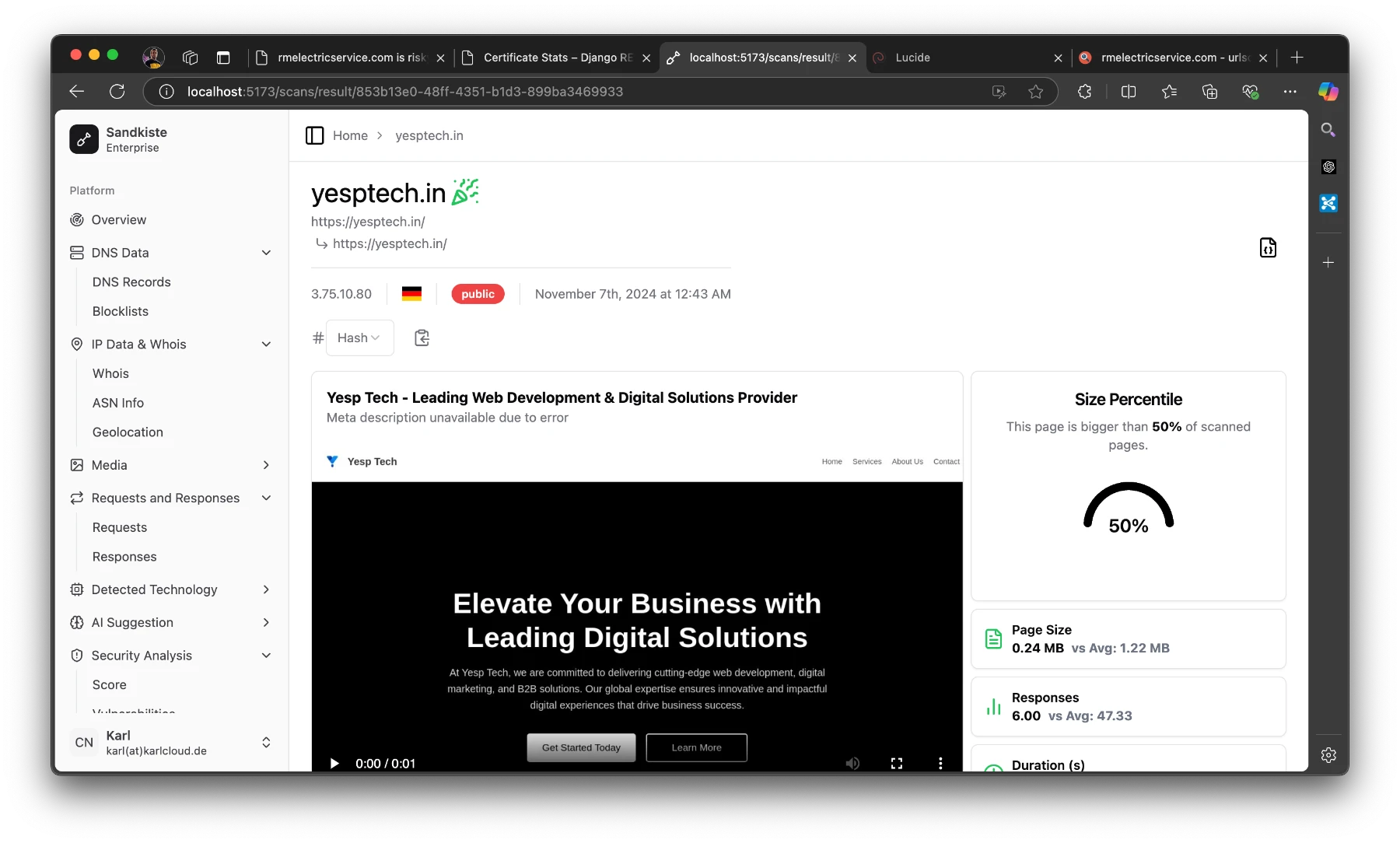
  • Sandkiste.io – A Smarter Sandbox for the Web

    Sandkiste.io – A Smarter Sandbox for the Web

    As a principal incident responder, my team and I often face the challenge of analyzing potentially malicious websites quickly and safely. This work is crucial, but it can also be tricky, especially when it risks compromising our test environments. Burning through test VMs every time we need to inspect a suspicious URL is far from efficient.

    There are some great tools out there to handle this, many of which are free and widely used, such as:

    • urlscan.io – A tool for visualizing and understanding web requests.
    • VirusTotal – Renowned for its file and URL scanning capabilities.
    • Joe Sandbox – A powerful tool for detailed malware analysis.
    • Web-Check – Another useful resource for URL scanning.

    While these tools are fantastic for general purposes, I found myself needing something more tailored to my team’s specific needs. We needed a solution that was straightforward, efficient, and customizable—something that fit seamlessly into our workflows.

    So, I decided to create it myself: Sandkiste.io. My goal was to build a smarter, more accessible sandbox for the web that not only matches the functionality of existing tools but offers the simplicity and flexibility we required for our day-to-day incident response tasks with advanced features (and a beautiful UI 🤩!).

    Sandkiste.io is part of a larger vision I’ve been working on through my Exploit.to platform, where I’ve built a collection of security-focused tools designed to make life easier for incident responders, analysts, and cybersecurity enthusiasts. This project wasn’t just a standalone idea—it was branded under the Exploit.to umbrella, aligning with my goal of creating practical and accessible solutions for security challenges.

    The Exploit.to logo

    If you haven’t explored Exploit.to, it’s worth checking out. The website hosts a range of open-source intelligence (OSINT) tools that are not only free but also incredibly handy for tasks like gathering public information, analyzing potential threats, and streamlining security workflows. You can find these tools here: https://exploit.to/tools/osint/.

    Technologies Behind Sandkiste.io: Building a Robust and Scalable Solution

    Sandkiste.io has been, and continues to be, an ambitious project that combines a variety of technologies to deliver speed, reliability, and flexibility. Like many big ideas, it started small—initially leveraging RabbitMQcustom Golang scripts, and chromedp to handle tasks like web analysis. However, as the project evolved and my vision grew clearer, I transitioned to my favorite tech stack, which offers the perfect blend of power and simplicity.

    Here’s the current stack powering Sandkiste.io:

    Django & Django REST Framework

    At the heart of the application is Django, a Python-based web framework known for its scalability, security, and developer-friendly features. Coupled with Django REST Framework (DRF), it provides a solid foundation for building robust APIs, ensuring smooth communication between the backend and frontend.

    Celery

    For task management, Celery comes into play. It handles asynchronous and scheduled tasks, ensuring the system can process complex workloads—like analyzing multiple URLs—without slowing down the user experience. It is easily integrated into Django and the developer experience and ecosystem around it is amazing.

    Redis

    Redis acts as the message broker for Celery and provides caching support. Its lightning-fast performance ensures tasks are queued and processed efficiently. Redis is and has been my go to although I did enjoy RabbitMQ a lot.

    PostgreSQL

    For the database, I chose PostgreSQL, a reliable and feature-rich relational database system. Its advanced capabilities, like full-text search and JSONB support, make it ideal for handling complex data queries. The full-text search works perfect with Django, here is a very detailed post about it.

    FastAPI

    FastAPI adds speed and flexibility to certain parts of the system, particularly where high-performance APIs are needed. Its modern Python syntax and automatic OpenAPI documentation make it a joy to work with. It is used to decouple the Scraper logic, since I wanted this to be a standalone project called “Scraproxy“.

    Playwright

    For web scraping and analysis, Playwright is the backbone. It’s a modern alternative to Selenium, offering cross-browser support and powerful features for interacting with websites in a headless (or visible) manner. This ensures that even complex, JavaScript-heavy sites can be accurately analyzed. The killer feature is how easy it is to capture a video and record network activity, which are basically the two main features needed here.

    React with Tailwind CSS and shadcn/ui

    On the frontend, I use React for building dynamic user interfaces. Paired with TailwindCSS, it enables rapid UI development with a clean, responsive design. shadcn/ui (a component library based on Radix) further enhances the frontend by providing pre-styled, accessible components that align with modern design principles.

    This combination of technologies allows Sandkiste.io to be fast, scalable, and user-friendly, handling everything from backend processing to an intuitive frontend experience. Whether you’re inspecting URLs, performing in-depth analysis, or simply navigating the site, this stack ensures a seamless experience. I also have the most experience with React and Tailwind 😁.

    Features of Sandkiste.io: What It Can Do

    Now that you know the technologies behind Sandkiste.io, let me walk you through what this platform is capable of. Here are the key features that make Sandkiste.io a powerful tool for analyzing and inspecting websites safely and effectively:

    Certificate Lookups

    One of the fundamental features is the ability to perform certificate lookups. This lets you quickly fetch and review SSL/TLS certificates for a given domain. It’s an essential tool for verifying the authenticity of websites, identifying misconfigurations, or detecting expired or suspicious certificates. We use it a lot to find possibly generated subdomains and to get a better picture of the adversary infrastructure, it helps with recon in general. I get the info from crt.sh, they offer an exposed SQL database for these lookups.

    DNS Records

    Another key feature of Sandkiste.io is the ability to perform DNS records lookups. By analyzing a domain’s DNS records, you can uncover valuable insights about the infrastructure behind it, which can often reveal patterns or tools used by adversaries.

    DNS records provide critical information about how a domain is set up and where it points. For cybersecurity professionals, this can offer clues about:

    • Hosting Services: Identifying the hosting provider or server locations used by the adversary.
    • Mail Servers: Spotting potentially malicious email setups through MX (Mail Exchange) records.
    • Subdomains: Finding hidden or exposed subdomains that may indicate a larger infrastructure or staging areas.
    • IP Addresses: Tracing A and AAAA records to uncover the IP addresses linked to a domain, which can sometimes reveal clusters of malicious activity.
    • DNS Security Practices: Observing whether DNSSEC is implemented, which might highlight the sophistication (or lack thereof) of the adversary’s setup.

    By checking DNS records, you not only gain insights into the domain itself but also start piecing together the tools and services the adversary relies on. This can be invaluable for identifying common patterns in malicious campaigns or for spotting weak points in their setup that you can exploit to mitigate threats.

    HTTP Requests and Responses Analysis

    One of the core features of Sandkiste.io is the ability to analyze HTTP requests and responses. This functionality is a critical part of the platform, as it allows you to dive deep into what’s happening behind the scenes when a webpage is loaded. It reveals the files, scripts, and external resources that the website requests—many of which users never notice.

    When you visit a webpage, the browser makes numerous background requests to load additional resources like:

    • JavaScript files
    • CSS stylesheets
    • Images
    • APIs
    • Third-party scripts or trackers

    These requests often tell a hidden story about the behavior of the website. Sandkiste captures and logs every requests. Every HTTP request made by the website is logged, along with its corresponding response. (Jup, we store the raw data as well). For security professionals, monitoring and understanding these requests is essential because:

    • Malicious Payloads: Background scripts may contain harmful code or trigger the download of malware.
    • Unauthorized Data Exfiltration: The site might be sending user data to untrusted or unexpected endpoints.
    • Suspicious Third-Party Connections: You can spot connections to suspicious domains, which might indicate phishing attempts, tracking, or other malicious activities.
    • Alerts for Security Teams: Many alerts in security monitoring tools stem from these unnoticed, automatic requests that trigger red flags.

    Security Blocklist Check

    The Security Blocklist Check is another standout feature of Sandkiste.io, inspired by the great work at web-check.xyz. The concept revolves around leveraging malware-blocking DNS servers to verify if a domain is blacklisted. But I took it a step further to make it even more powerful and insightful.

    Instead of simply checking whether a domain is blocked, Sandkiste.io enhances the process by using a self-hosted AdGuard DNS server. This server doesn’t just flag blocked domains—it captures detailed logs to provide deeper insights. By capturing logs from the DNS server, Sandkiste.io doesn’t just say “this domain is blacklisted.” It identifies why it’s flagged and where the block originated, this enables me to assign categories to the domains. The overall scores tells you very quickly if the page is safe or not.

    Video of the Session

    One of the most practical features of Sandkiste.io is the ability to create a video recording of the session. This feature was the primary reason I built the platform—because a single screenshot often falls short of telling the full story. With a video, you gain a complete, dynamic view of what happens during a browsing session.

    Static screenshots capture a single moment in time, but they don’t show the sequence of events that can provide critical insights, such as:

    • Pop-ups and Redirects: Videos reveal if and when pop-ups appear or redirects occur, helping analysts trace how users might be funneled into malicious websites or phishing pages.
    • Timing of Requests: Understanding when specific requests are triggered can pinpoint what actions caused them, such as loading an iframe, clicking a link, or executing a script.
    • Visualized Responses: By seeing the full process—what loads, how it behaves, and the result—you get a better grasp of the website’s functionality and intent.
    • Recreating the User Journey: Videos enable you to recreate the experience of a user who might have interacted with the target website, helping you diagnose what happened step by step.

    A video provides a much clearer picture of the target website’s behavior than static tools alone.

    How Sandkiste.io Works: From Start to Insight

    Using Sandkiste.io is designed to be intuitive and efficient, guiding you through the analysis process step by step while delivering detailed, actionable insights.

    You kick things off by simply starting a scan. Once initiated, you’re directed to a loading page, where you can see which tasks (or “workers”) are still running in the background.

    This page keeps you informed without overwhelming you with unnecessary technical details.

    The Results Page

    Once the scan is complete, you’re automatically redirected to the results page, where the real analysis begins. Let’s break down what you’ll see here:

    Video Playback

    At the top, you’ll find a video recording of the session, showing everything that happened after the target webpage was loaded. This includes:

    • Pop-ups and redirects.
    • The sequence of loaded resources (scripts, images, etc.).
    • Any suspicious behavior, such as unexpected downloads or external connections.

    This video gives you a visual recap of the session, making it easier to understand how the website behaves and identify potential threats.

    Detected Technologies

    Below the video, you’ll see a section listing the technologies detected. These are inferred from response headers and other site metadata, and they can include:

    • Web frameworks (e.g., Django, WordPress).
    • Server information (e.g., Nginx, Apache).

    This data is invaluable for understanding the website’s infrastructure and spotting patterns that could hint at malicious setups.

    Statistics Panel

    On the right side of the results page, there’s a statistics panel with several semi-technical but insightful metrics. Here’s what you can learn:

    • Size Percentile:
      • Indicates how the size of the page compares to other pages.
      • Why it matters: Unusually large pages can be suspicious, as they might contain obfuscated code or hidden malware.
    • Number of Responses:
      • Shows how many requests and responses were exchanged with the server.
      • Why it matters: A high number of responses could indicate excessive tracking, unnecessary redirects, or hidden third-party connections.
    • Duration to “Network Idle”:
      • Measures how long it took for the page to fully load and stop making network requests.
      • Why it matters: Some pages continue running scripts in the background even after appearing fully loaded, which can signal malicious or resource-intensive behavior.
    • Redirect Chain Analysis:
      • A list of all redirects encountered during the session.
      • Why it matters: A long chain of redirects is a common tactic in phishing, ad fraud, or malware distribution campaigns.

    By combining these insights—visual evidence from the video, infrastructure details from detected technologies, and behavioral stats from the metrics—you get a comprehensive view of the website’s behavior. This layered approach helps security analysts identify potential threats with greater accuracy and confidence.

    At the top of the page, you’ll see the starting URL and the final URL you were redirected to.

    • “Public” means that others can view the scan.
    • The German flag indicates that the page is hosted in Germany.
    • The IP address shows the final server we landed on.

    The party emoji signifies that the page is safe; if it weren’t, you’d see a red skull (spooky!). Earlier, I explained the criteria for flagging a page as good or bad.

    On the “Responses” page I mentioned earlier, you can take a closer look at them. Here, you can see exactly where the redirects are coming from and going to. I’ve added a red shield icon to clearly indicate when HTTP is used instead of HTTPS.

    As an analyst, it’s pretty common to review potentially malicious scripts. Clicking on one of the results will display the raw response safely. In the image below, I clicked on that long JavaScript URL (normally a risky move, but in Sandkiste, every link is completely safe!).

    Conclusion

    And that’s the story of Sandkiste.io, a project I built over the course of a month in my spare time. While the concept itself was exciting, the execution came with its own set of challenges. For me, the toughest part was achieving a real-time feel for the user experience while ensuring the asynchronous jobs running in the background were seamlessly synced back together. It required a deep dive into task coordination and real-time updates, but it taught me lessons that I now use with ease.

    Currently, Sandkiste.io is still in beta and runs locally within our company’s network. It’s used internally by my team to streamline our work and enhance our incident response capabilities. Though it’s not yet available to the public, it has already proven its value in simplifying complex tasks and delivering insights that traditional tools couldn’t match.

    Future Possibilities

    While it’s an internal tool for now, I can’t help but imagine where this could go.

    For now, Sandkiste.io remains a testament to what can be built with focus, creativity, and a drive to solve real-world problems. Whether it ever goes public or not, this project has been a milestone in my journey, and I’m proud of what it has already achieved. Who knows—maybe the best is yet to come!

  • Changing the Server response header in Nginx Proxy Manager

    Changing the Server response header in Nginx Proxy Manager

    This is going to be a very short post.

    If you deployed Nginx Proxy Manager via Docker in your home directory you can edit this file with

    nano ~/data/nginx/custom/http.conf

    All you need to do is add the following at the top:

    http.conf
    more_set_headers 'Server: CuteKitten';

    Then, restart your Nginx Proxy Manager. If you’re using Docker, like I am, a simple docker compose restart will do the trick.

    With this, the custom Server header will be applied to every request, including those to the Nginx Proxy Manager UI itself. If you check the response headers of this website, you’ll see the header I set—proof of how easy and effective this customization can be!


    Understanding more_set_headers vs add_header

    When working with Nginx Proxy Manager, you may encounter two ways to handle HTTP headers:

    • add_header
    • more_set_headers

    What is add_header?

    add_header is a built-in Nginx directive that allows you to add new headers to your HTTP responses. It’s great for straightforward use cases where you just want to include additional information in your response headers.

    What is more_set_headers?

    more_set_headers is part of the “headers_more” module, an extension not included in standard Nginx but available out of the box with Nginx Proxy Manager (since it uses OpenResty). This directive gives you much more flexibility:

    • It can addoverwrite, or remove headers entirely.
    • It works seamlessly with Nginx Proxy Manager, so there’s no need to install anything extra.

    For more technical details, you can check out the official headers_more documentation.

    When to Use add_header or more_set_headers

    Here’s a quick guide to help you decide:

    Use add_header if:

    • You are just adding new headers to responses.
    • You don’t need to modify or remove existing headers.

    Example:

    add_header X-Frame-Options SAMEORIGIN;

    Use more_set_headers if:

    • You need to replace or remove existing headers, such as Server or X-Powered-By.
    • You want headers to apply to all responses, including error responses (e.g., 404, 500).

    Example:

    # Replace the default Nginx Server header
    more_set_headers "Server: MyCustomServer";

    Why Use more_set_headers?

    The key advantage of more_set_headers is that it provides full control over your headers. For example:

    • If you want to customize the Server header, add_header won’t work because the Server header is already set internally by Nginx, you would have to remove it first.
    • more_set_headers can replace the Server header or even remove it entirely, which is particularly useful for security or branding purposes.

    Since Nginx Proxy Manager includes the headers_more module by default, using more_set_headers is effortless and highly recommended for advanced header management.

    A Note on Security

    Many believe that masking or modifying the Server header improves security by hiding the server software you’re using. The idea is that attackers who can’t easily identify your web server (e.g., Nginx, Apache, OpenResty) or its version won’t know which exploits to try.

    While this may sound logical, it’s not a foolproof defense:

    • Why It May Be True: Obscuring server details could deter opportunistic attackers who rely on automated tools that scan for specific server types or versions.
    • Why It May Be False: Determined attackers can often gather enough information from other headers, server behavior, or fingerprinting techniques to deduce what you’re running, regardless of the Server header.

    Ultimately, changing the Server header should be seen as one small layer in a broader security strategy, not as a standalone solution. Real security comes from keeping your software updated, implementing proper access controls, and configuring firewalls—not just masking headers.

  • Securing Your Debian Server

    Securing Your Debian Server

    Hey there, server samurais and cyber sentinels! Ready to transform your Debian server into an impregnable fortress? Whether you’re a seasoned sysadmin or a newbie just dipping your toes into the world of server security, this guide is your one-stop shop for all things safety on the wild, wild web. Buckle up, because we’re about to embark on a journey full of scripts, tips, and jokes to keep things light and fun. There are many good guides on this online, I decided to add another one with the things I usually do. Let’s dive in!

    Initial Setup: The First Line of Defense

    Imagine setting up your server like moving into a new house. You wouldn’t leave the door wide open, right? The same logic applies here.

    Update Your System

    Outdated software is like a welcome mat for hackers. Run the following commands to get everything current:

    Bash
    sudo apt update && sudo apt upgrade -y

    Create a New User

    Root users are like the king of the castle. Let’s create a new user with sudo privileges:

    Bash
    sudo adduser yourusername
    sudo usermod -aG sudo yourusername

    Now, switch to your newly crowned user:

    Bash
    su - yourusername

    Securing SSH: Locking Down Your Castle Gates

    SSH (Secure Shell) is the key to your castle gates. Leaving it unprotected is like leaving the keys under the doormat.

    Disable Root Login

    Edit the SSH configuration file:

    Bash
    sudo nano /etc/ssh/sshd_config

    Change PermitRootLogin to no:

    Bash
    PermitRootLogin no

    Change the Default SSH Port

    Edit the SSH configuration file:

    Bash
    sudo nano /etc/ssh/sshd_config

    Change the port to a number between 1024 and 65535 (e.g., 2222):

    Bash
    Port 2222

    Restart the SSH service:

    Bash
    sudo systemctl restart ssh

    There is actually some controversy about security through obscurity, in my long tenure as an analyst and incident responser I believe less automated “easy” attacks do improve security.

    Set Up SSH Keys

    Generate a key pair using elliptic curve cryptography:

    Bash
    ssh-keygen -t ed25519 -C "[email protected]"

    Copy the public key to your server:

    Bash
    ssh-copy-id yourusername@yourserver -p 2222

    Disable password authentication:

    Bash
    sudo nano /etc/ssh/sshd_config

    Change PasswordAuthentication to no:

    Bash
    PasswordAuthentication no

    Restart SSH:

    Bash
    sudo systemctl restart ssh

    For more details, refer to the sshd_config man page.

    Firewall Configuration: Building the Great Wall

    A firewall is like the Great Wall of China for your server. Let’s set up UFW (Uncomplicated Firewall).

    Install UFW

    Install UFW if it’s not already installed:

    Bash
    sudo apt install ufw -y

    Allow SSH

    Allow SSH connections on your custom port:

    Bash
    sudo ufw allow 2222/tcp
    # add more services if you are hosting anything like HTTP/HTTPS

    Enable the Firewall

    Enable the firewall and check its status:

    Bash
    sudo ufw enable
    sudo ufw status

    For more information, check out the UFW man page.

    Intrusion Detection Systems: The Watchful Eye

    An Intrusion Detection System (IDS) is like a guard dog that barks when something suspicious happens.

    Install Fail2Ban

    Fail2Ban protects against brute force attacks. Install it with:

    Bash
    sudo apt install fail2ban -y

    Configure Fail2Ban

    Edit the configuration file:

    Bash
    sudo nano /etc/fail2ban/jail.local

    Add the following content:

    Bash
    [sshd]
    enabled = true
    port = 2222
    logpath = %(sshd_log)s
    maxretry = 3

    Restart Fail2Ban:

    Bash
    sudo systemctl restart fail2ban

    For more details, refer to the Fail2Ban man page.

    Regular Updates and Patching: Keeping the Armor Shiny

    A knight with rusty armor won’t last long in battle. Keep your server’s software up to date.

    Enable Unattended Upgrades

    Debian can automatically install security updates. Enable this feature:

    Bash
    sudo apt install unattended-upgrades -y
    sudo dpkg-reconfigure --priority=low unattended-upgrades

    Edit the configuration:

    Bash
    sudo nano /etc/apt/apt.conf.d/50unattended-upgrades

    Ensure the following line is uncommented:

    Bash
    "${distro_id}:${distro_codename}-security";

    For more details, refer to the unattended-upgrades man page.

    Again there is also some controversy about this. Most people are afraid that they wake up one night and all their servers are down, because a botched automated update. In my non-professional live with my home IT, this has never happened and even professionally, if we are just talking security updates of an OS like Debian, I haven’t seen it, yet.

    User Management: Only the Knights in the Realm

    Not everyone needs the keys to the kingdom. Ensure only trusted users have access. On a fresh install probably unnecessary, but good housekeeping.

    Review and Remove Unnecessary Users

    List all users:

    Bash
    cut -d: -f1 /etc/passwd

    Remove any unnecessary users:

    Bash
    sudo deluser username

    Implement Strong Password Policies

    Enforce strong passwords:

    Bash
    sudo apt install libpam-pwquality -y

    Edit the PAM configuration file:

    Bash
    sudo nano /etc/pam.d/common-password

    Add the following line:

    Bash
    password requisite pam_pwquality.so retry=3 minlen=12 difok=3

    For more details, refer to the pam_pwquality man page.

    File and Directory Permissions: Guarding the Treasure

    Permissions are like guards watching over the royal treasure. Make sure they’re doing their job.

    Secure /etc Directory

    Ensure the /etc directory is not writable by anyone except root:

    Bash
    sudo chmod -R go-w /etc

    This is heavily dependent on your distribution and may be a bad idea. I use it for locked down environments like Debian LXC that only do one thing.

    Set Permissions for User Home Directories

    Ensure user home directories are only accessible by their owners:

    Bash
    sudo chmod 700 /home/yourusername

    For more details, refer to the chmod man page.

    Automatic Backups: Preparing for the Worst

    Even the best fortress can be breached. Regular backups ensure you can recover from any disaster.

    Full disclosure: I have had a very bad data loss experience with rsync and have since switched to Borg. I can also recommend restic. This had nothing to do with rsync in itself, rather how easy it is to mess up.

    Install rsync

    rsync is a powerful tool for creating backups. Install it with:

    Bash
    sudo apt install rsync -y

    Create a Backup Script

    Create a script to backup your important files:

    Bash
    nano ~/backup.sh

    Add the following content:

    Bash
    #!/bin/bash
    rsync -a --delete /var/www/ /backup/var/www/
    rsync -a --delete /home/yourusername/ /backup/home/yourusername/

    Make the script executable:

    Bash
    chmod +x ~/backup.sh

    Schedule the Backup

    Use cron to schedule the backup to run daily:

    Bash
    crontab -e

    Add the following line:

    Bash
    0 2 * * * /home/yourusername/backup.sh

    For more details on cron, refer to the crontab man page.

    For longer backup jobs you should switch to a service with timer rather than cron. Here is a post from another blog about it. Since my data has grown to multiple terabyte this is what I do now too

    Advanced Security Best Practices

    Enable Two-Factor Authentication (2FA)

    Adding an extra layer of security with 2FA can significantly enhance your server’s protection. Use tools like Google Authenticator or Authy. I had this on an Ubuntu server for a while and thought it was kind of cool.

    1. Install the required packages:
    Bash
    sudo apt install libpam-google-authenticator -y
    1. Configure each user for 2FA:
    Bash
    google-authenticator
    1. Update the PAM configuration:
    Bash
    sudo nano /etc/pam.d/sshd

    Add the following line:

    Bash
    auth required pam_google_authenticator.so
    1. Update the SSH configuration to require 2FA:
    Bash
    sudo nano /etc/ssh/sshd_config

    Ensure the following lines are set:

    Bash
    ChallengeResponseAuthentication yes
    AuthenticationMethods publickey,keyboard-interactive

    Restart SSH:

    Bash
    sudo systemctl restart ssh

    Implement AppArmor

    AppArmor provides mandatory access control and can restrict programs to a limited set of resources.

    1. Install AppArmor:
    Bash
    sudo apt install apparmor apparmor-profiles apparmor-utils -y
    1. Enable and start AppArmor:
    Bash
    sudo systemctl enable apparmor
    sudo systemctl start apparmor

    For more details, refer to the AppArmor man page.

    Conclusion: The Crown Jewel of Security

    Congratulations, noble guardian! You’ve fortified your Debian server into a digital fortress. By following these steps, you’ve implemented strong security practices, ensuring your server is well-protected against common threats. Remember, security is an ongoing process, and staying vigilant is key to maintaining your kingdom’s safety.

    Happy guarding, and may your server reign long and prosper!