Category: Projekt

Projekte

  • Ultimate Guide to Self-Hosted Dynamic DNS: Ditch DuckDNS for KarlDNS

    Ultimate Guide to Self-Hosted Dynamic DNS: Ditch DuckDNS for KarlDNS

    We’ve all been there. It’s 2:00 AM, you’re miles away from home trying to SSH into your homelab or access your Nextcloud instance, and you realize your ISP rotated your public IP address. No big deal, right? You check your free Dynamic DNS provider, only to find a devastating email buried in your spam folder:

    “Your hostname has been deleted because you didn’t log into our ad-ridden dashboard and click a manual verification link inside a full moon while standing on one leg.

    Dynamic DNS shouldn’t feel like a part-time job.

    Between aggressive premium upsells from commercial providers and the outright instability of some free alternatives, the self-hosting community has been left in a weird spot. If you want a “set-and-forget” setup under your own control, it’s time to meet KarlDNS. It’s a lightweight, self-hosted DynDNS service built for routers, homelabs, and infrastructure operators who want absolute control over their network edge without the typical platform headache.

    (Or give me, Karl, some control 😘)

    The Problem: Why Traditional DynDNS is an Architectural Trap

    Most Dynamic DNS setups suffer from a critical flaw: they either force you into a commercialized third-party silo, or they require you to build an overly complex, over-engineered DNS infrastructure that takes more time to maintain than the apps it serves.

    Ok yes, I may over exaggerate a little.. I am just jealous that Cloudflare-DDNS has so many more stars than me.

    When designing KarlDNS, we wanted to eliminate three major pain points:

    • The Over-Privileged API Token Problem: Most lightweight DynDNS scripts require you to hardcode an all-powerful Cloudflare or Route 53 global API key directly onto your home router or a random cron job. If that router gets compromised, an attacker inherits full read/write access to your entire domain registry.
    • Account Fatigue: Users shouldn’t have to create a profile, verify an email, and manage passwords just to map a shifting WAN IP to a domain name.
    • Bloated Infrastructure Dependencies: You do not need a multi-node Kubernetes cluster, a Redis caching tier, or a heavy PostgreSQL database engine just to translate a string into an IP address. That is structural overkill.

    Enter KarlDNS: The Elegant CNAME Architecture

    KarlDNS doesn’t try to be an all-encompassing DNS authoritative plane. It doesn’t handle your MX records, your email signatures, or your complex routing policies. Instead, it does one job flawlessly: it accepts an IP update from a client, validates it, and pushes that single update to a zone it explicitly controls.

    My goal was to get you a DDNS Setup in 2 clicks.

    To protect your root domains, KarlDNS relies on a clean CNAME delegation model:

    [Your Custom Domain] -> home.yourdomain.com
           
            (Standard CNAME Record)
    [KarlDNS Target]     -> a1b2c3d4.karldns.de
           
            (Dynamic A/AAAA Record via KarlDNS)
    [Your Home Router]   -> 203.0.113.10 (Your changing WAN IP)
    

    💡 The Trust Boundary Benefit: KarlDNS only directly manages the generated *.karldns.de subdomain target. You keep your root domain safe at your primary registrar. If KarlDNS goes offline or your self-hosted server reboots, your broader domain security configuration remains completely isolated and untouched.

    The Lifecycle of an Update

    When a client wants to spin up a new endpoint, the workflow is entirely decentralized:

    1. Token Generation: The user hits the KarlDNS UI (or API), which instantly provisions a completely randomized hostname slug (e.g., a1b2c3d4.karldns.de).
    2. Link Provisioning: The app hands back a trio of cryptographically secure bearer links: an update URL, a private management dashboard, and a registration link. No user accounts required.
    3. Router Handshake: The update URL is pasted into the router. Every time the WAN interface cycles, the router hits KarlDNS.
    4. Validation & Push: KarlDNS verifies the payload, updates its internal cache, and triggers a lightweight API push to the upstream provider (like Cloudflare or an RFC 2136 BIND server).

    For FRITZ!Box and open-source routing platforms (OpenWrt, pfSense, OPNsense), KarlDNS structures a native, drop-in update query:

    https://karldns.de/api/v1/router/update/<secret>?myip=<ipaddr>&myipv6=<ip6addr>

    The router dynamically swaps out and on the fly. KarlDNS parses the query strings and responds using lean, standard DynDNS-style string literals:

    HTTP Status / ResponseTechnical MeaningBackend Action
    good 203.0.113.10Successful UpdateUpstream DNS updated; local cache committed.
    nochg 203.0.113.10Redundant RequestIP hasn’t changed; execution skipped to save API quota.
    badipValidation FailureString failed regex check; entry immediately dropped.
    911 dns publish failedUpstream OutageCloudflare/BIND failed; local state preserved as “dirty”.

    Under the Hood: Choosing Practical Tech Over Hype

    The technology stack behind KarlDNS is intentionally boring. In an era of over-engineered microservices, KarlDNS leans into rock-solid, single-binary efficiency.

    Python FastAPI (The Asynchronous API Layer)

    Python’s FastAPI acts as the structural backbone. It handles the web UI rendering, serves the fast public /api/v1 namespace, and natively outputs a public OpenAPI JSON spec. Because it’s fully asynchronous, it can handle thousands of incoming router check-ins simultaneously without blocking system threads.

    SQLite in Production (WAL Mode for the Win)

    Yes, we use SQLite in production. For a workload that is 95% reads (checking routes, verifying tokens) and 5% writes (updating an IP once a day), spinning up a separate database container is a waste of RAM.

    By enabling Write-Ahead Logging (WAL), KarlDNS achieves concurrent reads and writes. Readers don’t block writers, and writers don’t block readers. The database is a single file (ddns.sqlite3), making system backups as simple as a standard cp or rsync command.

    Dual-Engine DNS Backends

    KarlDNS features a pluggable architecture that speaks two primary deployment languages:

    • Cloudflare API: Best for public cloud setups where Cloudflare manages the edge.
    • RFC 2136 standard: Best for true air-gapped homelabs or corporate intranets running local BIND, Knot, or PowerDNS daemons.

    The Production Architecture Blueprint

    We don’t just write code; we run it. Our recommended production layout isolates the system components inside a lightweight virtualization stack to minimize overhead while keeping security tight.

    The Actionable Deployment Playbook

    For those running an Alpine Linux LXC environment on Proxmox, here is how you manage the service infrastructure cleanly using native OpenRC and Docker Compose tools.

    Your standard operational stack lives under /opt/karldns. To spin up or update the setup, your terminal workflow is incredibly brief:

    # Drop into your deployment environment
    cd /opt/karldns
    
    # Spin up the container stack in the background
    docker compose up -d --build
    
    # Verify container running state
    docker compose ps
    
    # Tail live application logs for debugging
    docker compose logs -f karldns
    

    For more Info on .env variables consult the README on Github.

    If you are maintaining the system at the operating system layer via Alpine’s init system, you can control the Docker engine lifecycle directly without relying on heavy systemd components:

    # Check runtime engine health
    rc-service docker status
    
    # Set the daemon to automatically start on hypervisor boot
    rc-update add docker default
    

    Because KarlDNS implements strict host header checking to prevent HTTP Host header injection attacks, internal health validation from inside your local area network requires a targeted header payload:

    curl -H 'Host: karldns.de' http://127.0.0.1:8080/healthz

    Once its up you get a really nice Admin UI

    Security Engineering That Isn’t an Afterthought

    We hate passwords. They get leaked, they get reused, and managing them forces you to build password reset flows, registration loops, and MFA handling. KarlDNS bypasses this attack surface entirely by relying strictly on cryptographically secure bearer tokens prefixed with karl_.

    (That was a fancy way of saying: Passwords are “public” in the URL 😂)

    Possession of the specific bearer token is authorization. To make sure these tokens remain locked down, the application enforces deep defensive logic:

    • Lookup Hashes vs. Plaintext Slugs: The application never stores your dashboard URLs or tokens in plain text inside the database. They are converted into secure lookup hashes. If an attacker manages to download your ddns.sqlite3 file, they still cannot derive your private links.
    • Timing Attack Mitigation: Admin endpoints use HTTP Basic Auth powered by constant-time string comparisons. This prevents malicious actors from guessing admin credentials based on subtle CPU clock differentials during string checking.
    • Total Log Redaction: By setting DDNS_REDACT_ACCESS_LOGS=1, the web server strips all bearer keys out of your standard stdout logs, ensuring sensitive keys never leak into downstream log collectors like Grafana Loki or Filebeat.
    • Fortified Security Headers: Out of the box, the system injects a comprehensive security header suite, explicitly serving:
      • Content-Security-Policy (CSP) to prevent cross-site scripting.
      • X-Robots-Tag: noindex, nofollow to prevent search engine spiders from scraping your endpoints.
      • Cache-Control: no-store to prevent shared browsers from caching private token keys in history.

    No Smart Router? No Problem. Enter the Cron Updater

    If you are running a headless Linux server, a dedicated backup node, or a network-attached storage (NAS) appliance that lacks a custom DynDNS configuration UI, you aren’t left out. KarlDNS ships with a highly optimized shell updater utility.

    To provision a brand new hostname and configure an automated system cron loop directly from your command line interface, run:

    curl -fsSL https://karldns.de/install.sh | sudo sh

    For environments where you have already generated an orchestration token via the main web panel, you can anchor the installer directly to that pre-existing target endpoint:

    curl -fsSL https://karldns.de/install.sh | sudo sh -s -- \
      --update-url 'https://karldns.de/api/v1/router/update/karl_secret_token' \
      --hostname 'home.karldns.de'

    The client-side script is incredibly smart: it establishes a local lockfile to guarantee that multiple scheduled instances never collide, stores the last successfully broadcasted IP address locally, and will gracefully short-circuit its own execution unless a physical change in your WAN IP is detected.

    What KarlDNS Is Not

    Architectural discipline means knowing what not to build. KarlDNS is not a competitor to enterprise tools like OctoDNS, or ExternalDNS. It does not want to manage your broader corporate infrastructure DNS layers.

    It does one thing: it provides a bulletproof, self-managed path for dynamic IP synchronization. It keeps its scope locked so its execution footprint stays exceptionally small and its security boundary stays completely clear.

    If you are running a homelab, a small business network, a community infrastructure project, or just a friendly platform for your peers, KarlDNS gives you all the power of premium dynamic DNS without turning your infrastructure into someone else’s monetization strategy.

    In short: this is not a DDNS Service, it is the DDNS Service provider. Free, open source, self hostable.

    Demo

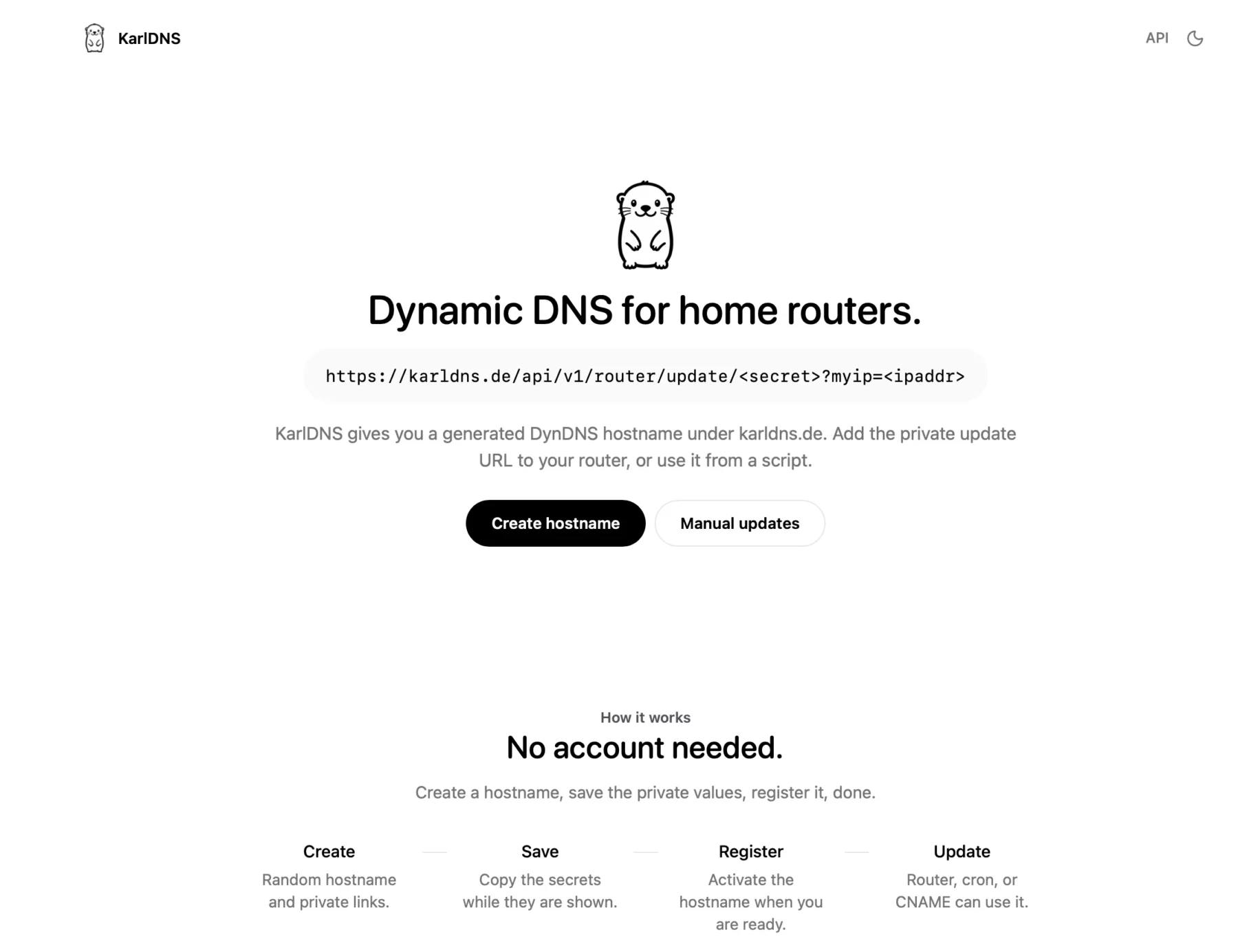
    You can actually use my service right now at KarlDNS.de

    You click on create and see this sort of dash, a subdomain is generated and pre-registered for you. The red values are secrets.

    You just copy the “Update-URL” and add it to your Fritzbox DynDNS tab, you can just add any username and password, they don’t matter but Fritzbox insists.

    In your secret dashboard you can see your current IPv4 and IPv6 Address and your update URL. You canals password protect this page as well and remove the subdomain if you want.

    I am using Cloudflare as my backend so this is what it looks like for karldns in Cloudflare.

    Summary

    To be hontest with you, I simply built this to see if I could. If I ever get a million users I will slap ads on this bad boy and charge for something silly like vanity subdomains and totally sell out and act like I don’t know nobody (shoutout to RiffRaff – the Rapper).

    Anyways we are at the end here, I am going on vacation for a few weeks and I hope I will see you again after, cutie pie 😚 Love you, byeeeeee

  • How I Built a Sub-Millisecond Threat Intelligence API for $0

    How I Built a Sub-Millisecond Threat Intelligence API for $0

    If you’ve ever exposed a server to the open internet, you know the truth: the web is a noisy, hostile place. Within roughly three seconds of opening port 22 or spinning up a web server, a botnet halfway across the globe will start politely inquiring if your wp-admin directory is unlocked or if you’re still running a vulnerable version of Log4j. It is the background radiation of the internet.

    To fight this, I wanted to answer one simple, crucial question: “Is this IP or domain malicious?”

    Censys or Shodan were not always helpful, they did not show me data for a lot of the IP’s that were “attacking” me.

    Normally, to get programmatically fast, highly-available answers to this question, you have to hand over a hefty monthly retainer to an enterprise threat intelligence vendor for an API key, that pretty much just collects open source information to sell to you.

    I decided I didn’t want to do that. Instead, I built isbadip.com.

    It’s a fully homegrown, high-performance API that aggregates dozens of threat feeds, deduplicates them, and answers queries in less than a millisecond. It uses zero paid APIs. All lookup logic runs entirely in-process, entirely in memory. And the backend? It’s not Go. It’s not Rust. It’s a single instance of Node-RED running in a Proxmox LXC container.

    Yes, the drag-and-drop tool usually used to turn on Philips Hue bulbs when your garage door opens is currently acting as a hyper-optimized threat detection engine.

    Here is the technical deep dive into exactly how it works, why it’s blazingly fast, and how I built an automated vengeance loop for my home network.

    The “Over-Engineered Homelab” Architecture

    The infrastructure behind isbadip.com relies on keeping things stupidly simple at the edge and highly optimized in the core. There are no sprawling microservices or Kubernetes clusters weeping under the weight of idle databases.

    Here is the traffic flow:

    1. Cloudflare DNS + WAF: The user navigates to isbadip.com. The initial request hits Cloudflare’s edge network, passing through the DNS resolution and Web Application Firewall.
    2. Cloudflare Pages CDN: Cloudflare serves the React Single Page Application (SPA) directly to the user’s browser from its global CDN.
    3. API Request Initiation: The user interacts with the loaded SPA, which triggers an asynchronous API call to api.isbadip.com.
    4. Fritz!Box Router Firewall: The API request travels to my home network’s public IP and hits the edge gateway, the Fritz!Box Router Firewall.
    5. Ubiquiti Dream Machine: The Fritz!Box passes the traffic downstream to my Ubiquiti Dream Machine, which processes the request through its internal firewall rules and Intrusion Prevention System (IPS).
    6. Nginx Reverse Proxy : The UDM routes the allowed traffic into my Proxmox cluster, specifically handing it off to the Nginx reverse proxy running inside. (I am not using Proxmox firewall)
    7. Node-RED Backend: Nginx terminates the connection and proxies the request to the application backend, the Node-RED container running via Docker inside an Alpine LXC. Only /api/v1/* is allowed here.
    8. Data Query: Node-RED processes the request against its in-memory lookup maps, which were built using the threat intelligence feeds stored on the /data/blocklists/ persistent volume.
    9. Everything is returned to the Website, which then shows you the result.

    The Engine Room:

    We are running Alpine with 2 vCPUs and a generous 2 GB of RAM. Node-RED runs as a Docker container. There is no separate backend service, no Redis cache, and no PostgreSQL database. All processing, aggregation, and API lookup logic lives inside Node-RED function nodes using vanilla JavaScript.

    Phase 1: The Nightly Data Heist

    Every night at roughly 02:00 UTC, a cron-triggered inject node wakes up and goes grocery shopping for bad actors.

    It consults our sources.json “database”, the single source of truth, and fires off parallel HTTP requests to ~20 public IP threat feeds (IPSum, Spamhaus, Blocklist.de) and 7 domain feeds (Phishing Army, ThreatFox, etc.).

    The Wild West of Feed Formats

    Public threat feeds are beautiful, but they do not agree on formatting. Some are plain text (plain), some use /etc/hosts formats (hosts), some are CSVs (csv_domain), and some use complex multi-field formats with CIDR ranges (dshield).

    I built custom parsers for all 6 format types. But once the data is parsed, we run into a bigger problem: Noise.

    Deduplication and The “Confidence” Signal

    If an IP is flagged by a single obscure list, it might be bad, but it might also be a false positive. But if 198.51.100.4 shows up in a Spam feed, a Tor Exit Node list, and a Botnet C2 tracker… you can bet your life it’s malicious.

    All parsed results flow into a single aggregation function. For exact IPs, a plain JS object is used as a hash map. If an IP appears in multiple sources:

    1. All source names are pushed to a sources[] array.
    2. All categories are pushed to a categories[] array.
    3. The highest threat score is preserved using Math.max.

    This cross-source count becomes our confidence score.

    Listed by

    • 3+ independent feeds? High confidence
    • 2 feeds? Medium
    • 1 feed? Low.

    For CIDR ranges (entire subnets of bad IPs), we sort them by start address and mathematically sweep through, extending the end of the last range when the next range overlaps. Merging these overlapping subnets is critical to save CPU cycles later.

    Phase 2: Building the Hyper-Optimized Data Structures

    You cannot simply grep through 15 megabytes of text every time a web request comes in. You need speed.

    Once the nightly deduplication finishes, Node-RED builds three specific data structures directly into the V8 engine’s memory heap.

    1. The Exact IP Map (O(1) Speed)

    const ipMap = new Map(Object.entries(finalObj));
    global.set('ip_map', ipMap);

    We take our deduplicated IPs and load them into an ES6 Map. We have about ~137,000 entries. In V8, a Map provides highly optimized O(1) hash table lookups.

    Pro-tip: When persisting this to disk, I save it as an array of arrays ([[ip, data], ...]).

    Calling JSON.parse() on this format and feeding it directly to new Map() is roughly 30% faster than parsing a massive standard JSON object, because V8 doesn’t have to re-box the object’s prototype chain for 137,000 keys.

    2. The Bloom Filter (The Bouncer)

    Most IPs queried against the API are clean. We don’t want to waste time checking the Map if we don’t have to. Enter the Bloom Filter.

    A Bloom filter is a probabilistic data structure. It uses a tiny amount of memory (about 335 KB for ~2.7 million bits) to answer a crucial question: “Is this IP definitely clean, or maybe malicious?” It has zero false negatives.

    We hash incoming IPs using three independent FNV-1a hash functions:

    function bHash(key, seed) {
      let h = seed;
      for (let i = 0; i < key.length; i++) {
        h ^= key.charCodeAt(i);
        h = Math.imul(h, 0x01000193) >>> 0;  // FNV prime multiply
      }
      return h % bloomBits;
    }

    When building the filter, every malicious IP flips 3 specific bits to 1. During an API lookup, we check those 3 bits.

    • If any of them are 0, the IP is definitely clean. The Node-RED function returns immediately in < 0.1ms without ever touching the Map.
    • If all 3 are 1, it might be malicious (or it’s a 1-3% false positive collision), and then we check the Map.

    The Caveman Explanation: The Footprint Rule

    You are a caveman guarding the cave door.

    You have a Big Heavy Rock with drawings of every Bad Animal in the world. But the rock is very heavy and takes a long time to read. If you read the rock every time an animal walks by, you will get eaten.

    So, you make a fast rule: The Footprint Rule (The Bloom Filter).

    You notice all Bad Animals have exactly 3 sharp toes.

    When an animal walks up to the cave, you look at its footprint in the mud before you look at the Big Heavy Rock:

    1. Missing a toe? (0, 1, or 2 toes) -> DEFINITELY GOOD. You let it in instantly. You don’t even look at the Big Heavy Rock.
    2. Has 3 sharp toes? -> MAYBE BAD. It could be a Bad Animal, or it could just be a weird good animal. Now you take the time to read the Big Heavy Rock to be 100% sure.

    Most animals walking by are good animals missing a toe. You save a lot of time by never looking at the Big Heavy Rock for them!

    3. The Sorted CIDR Array (Binary Search)

    IPv4 addresses are just 32-bit integers wearing a trench coat. The CIDR 192.168.0.0/16 actually represents the integers 3232235520 to 3232301055.

    By converting all 3,992 blocked CIDR ranges to integers and sorting them, we unlock the power of O(log n) binary search:

    let lo = 0, hi = cidrs.length - 1;
    while (lo <= hi) {
      const m = (lo + hi) >> 1;
      if (n >= cidrs[m][0] && n <= cidrs[m][1]) return match;  // hit!
      n < cidrs[m][0] ? hi = m-1 : lo = m+1;
    }

    With ~4,000 subnets, it takes at most 12 comparisons (log2(3992) ≈ 12) to figure out if an IP is hiding in a bad neighborhood.

    Phase 3: The Reversed-Label Trie (Solving Wildcards)

    Domains present a unique challenge. If evil.com is hosting malware, api.evil.com and dev.sub.evil.com are almost certainly malicious too. You need wildcard matching, but regex on 770,000 domains is a death sentence for performance.

    The solution is a Reversed-Label Trie. A trie is a tree data structure. We take domains, split them by their dots, reverse them, and store the Top Level Domain (TLD) at the root.

    // evil.com is stored as:
    trie["com"]["evil"]["$"] = metadata

    If someone looks up sub.evil.com, the lookup engine walks the tree: com → evil → sub.

    But wait! When it hit the evil node, it saw the $ termination marker. That means a parent domain is blocklisted. We get blazing-fast, O(labels) wildcard matching for free.

    function buildTrie(map) {
      const trie = Object.create(null);  // No prototype chain overhead!
      for (const [dom, data] of map.entries()) {
        const parts = dom.split('.').reverse();
        let node = trie;
        for (const p of parts) {
          if (!node[p]) node[p] = Object.create(null);
          node = node[p];
        }
        node.$ = data;
      }
      return trie;
    }

    Notice the Object.create(null). This creates an absolutely bare object without JavaScript’s default properties (like .toString or .constructor), which prevents accidental collisions and speeds up property access.

    Phase 4: The Live API Pipeline

    When a GET /host/198.51.100.4 request hits the API, here is the gauntlet it runs:

    1. Input Normalization: Strip https://, lowercase everything, remove query strings.
    2. 24-Hour Cache Check: We maintain an in-memory Map<target, result> cache. Why 24 hours? Because the feeds only update nightly. If we’ve seen it today, return instantly.
    3. The Bloom Filter: (3 bit tests). Miss? Return clean. Hit? Proceed.
    4. The Exact Map: Map.get(ip).
    5. The CIDR Binary Search: Check the 12 math comparisons.
    6. GeoIP & Reverse DNS: If it’s a domain, we check it against the Trie, check it against the Majestic Top 1 Million list (to flag high-profile false positives), and do a live DNS resolution to see if the domain points to a blocked IP.

    All of this happens inside a single Node-RED function block.

    Phase 5: The Feedback Loop

    At the edge of my network sits a UniFi Dream Router running Intrusion Detection and Prevention (IDS/IPS).The don’t endorse me or anything, actually I am sure they probably think I am annoying and a little ugly, but I must say that I do enjoy the Dream Machine much more than the pfSense I had before it. Just gonna leave that here.

    I configured a Node-RED flow to receive webhook POST requests from the router whenever it detects an intrusion attempt.

    When a script kiddie in a datacenter runs a vulnerability scanner against my home network:

    1. The UniFi router blocks it and fires a webhook payload to Node-RED.
    2. Node-RED parses the payload (extracting the source IP, protocol, and IPS signature).
    3. The source IP is immediately written to a custom_ip.json blocklist via an internal API.
    4. The custom list is added to the API “database”
    5. A color-coded Discord embed is fired off to a private channel alerting me of the attack, complete with a clickable isbadip.com link.

    This closes the loop. If you attack my network, within seconds, your IP is automatically pushed into the global blocklist. Future API queries for your IP will instantly flag you as malicious. It is a beautiful, fully automated feedback loop and more free real time threat intel for you!

    EDIT:

    People like scanning my WordPress page (this one) regularly. I am now exporting the malicious hits from Wordfence to the blocklist as well. My filter is:

    CriterionWhy
    blockType = 'waf'WAF = real attack pattern match (SQLi, XSS, etc.), not rate-limit false-positives
    daysActive >= 2Seen on 2+ separate calendar days, rules out transient scanners
    totalBlocks >= 5Rules out single misconfigurations
    RFC1918/private excludedPrevents submitting internal addresses
    State file dedupNever submits the same IP twice

    Edit 2:

    I wanted to go more into detail about my data sources and how I just built up my security even more.

    I added a Cloudflare IP list which I can use in WAF rules, which looks like:

    You get 1 list for free with 10k entries (fine for my use case). You can then use this in any of our WAF rules.

    The entire Node-RED flow looks something like this:

    Here is an easy to understand flowchart of the setup:

    My goal is to offload as much filtering outside of my network as possible. In my dream machine I have a simple rule that includes all Cloudflare IP-ranges that blocks direct access to my public IP, that is how I ensure that traffic must flow through Cloudflare.

    The Results: RAM, Speed, and Cold Starts

    Because all data lives entirely in the V8 heap, we have strict memory budgets.

    • The IP Map: ~15 MB
    • The Domain Map & Trie: ~350 MB
    • Top 1M allow-list: ~120 MB
    • DNS & Result Caches: ~20 MB

    The total footprint is roughly 510 MB. The LXC container has 2 GB of RAM, leaving plenty of headroom for Node.js garbage collection and Docker overhead.

    What does keeping everything in RAM get us? Absurd speed.

    • Clean IP Lookup: < 0.1 ms (The Bloom filter fires, returns false, function exits).
    • Malicious IP Hit: < 0.5 ms (Bloom passes, Map catches it).
    • Domain Lookup (DNS Cache Miss): < 50 ms (Bound purely by the speed of DNS resolution).
    • Domain Lookup (Cache Hit): < 1 ms.

    When the LXC container reboots or updates, a staggered start-up sequence automatically reads the saved JSON files from the persistent volume, rebuilds the Maps, Tries, and Bloom filters, and sets the global variables.

    This takes about 7 seconds. During this warmup window, any API request receives a standard HTTP 503 Service Unavailable with a Retry-After: 10 header. This acts as a cold-start guard, ensuring the API never returns a false “clean” result just because it hasn’t finished loading the threat lists yet.

    It’s fast, it’s entirely free, it automatically catches bad guys in real-time, and it proves that with a little bit of JavaScript optimization and a whole lot of homelab stubbornness, you can build enterprise-grade network tooling in your pajamas (yea I may over-exaggerate a little here).

    Speaking of pajamas, I know it is past your bed time! But I appreciate that you stayed up late to read my post. Thats really nice of you and I also think you are really cute ❤️❤️❤️

    Until next time, baby!!!! ✌️

  • I Spent 250€ on AI Pentesting Agents (PentAGI, Strix, Xalgorix)

    I Spent 250€ on AI Pentesting Agents (PentAGI, Strix, Xalgorix)

    Everywhere you go right now, you will encounter AI and people writing about AI. Personally, I am kind of tired of it, but once in a while, I get a tingly feeling that maybe this could actually be useful.

    Since my main income is hacking and protecting people from getting hacked, I figured let’s see how far the “AI Hackers” really are. I fired up my Claude console, bought 250€ worth of API credits, and decided to do some real-world testing.

    When you google “AI Pentest Github,” you will inevitably come across three main open-source AI security agents: PentAGIStrix, and Xalgorix. Instead of relying on vendor promises, I wanted to see if these multi-agent workflows could actually find and exploit real vulnerabilities. In this post, I am breaking down my entire journey, the API costs, and why I think commercial scanners might be in serious trouble.

    The Setup: No Labs, Just Real-World Targets

    Pointing an AI pentester to a lab environment was kind of boring and a waste of credits, so I figured let’s do some real-world hackery (please don’t sue).

    My first target was my employer. (Take that, entity I am not allowed to name here! I am joking, I have written permission to do this.) After that, I pointed the agents at some public bug bounties to see if I could get my money’s worth.

    To set the scope, I basically copied the entire bug bounty page, because reading is for nerds, pasted it into Gemini, and told it to generate a highly specific scoping prompt for an AI pentest agent.

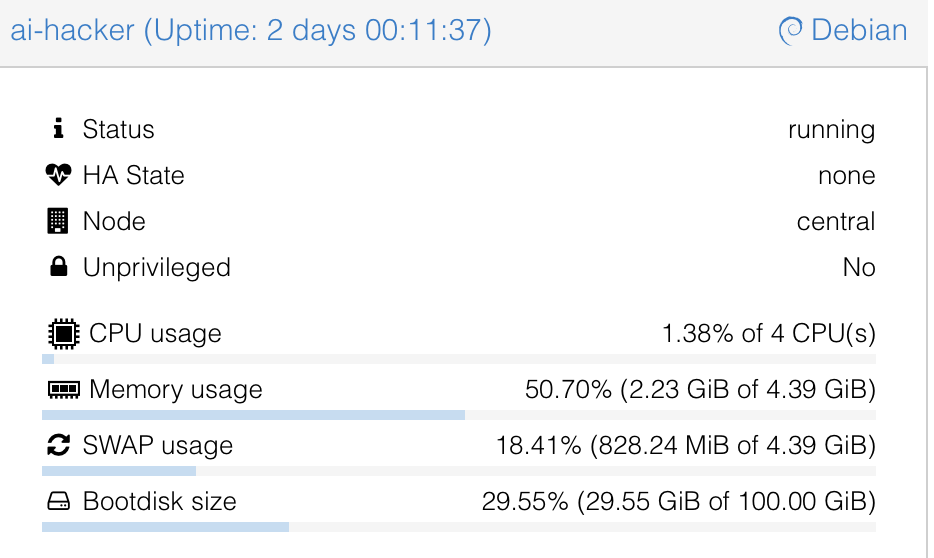
    For hardware I used my home server and spun up a Debian 13 LXC with Docker and Docker Compose installed, nothing fancy:

    • 4 Cores
    • 4GB RAM
    • 100GB Storage

    Meet the AI Pentesting Agents: PentAGI, Strix, and Xalgorix

    To give you the short version of how these tools compare:

    • Xalgorix: This tool underdelivered hard. On paper, it looks great with its massive toolset, but in practice, it kept looping. The UI was buggy, and I didn’t really get anything useful out of it.
    • Strix: Annoyingly, you always need the source code to run tests with Strix. Yes, whitebox testing can be super useful, but I wanted to take a pure blackbox approach.
    • PentAGI: This was exactly what I was looking for, and it actually delivered. Because it was the clear winner, it will be the main focus of this post.
    PentAGI Dashboard Overview
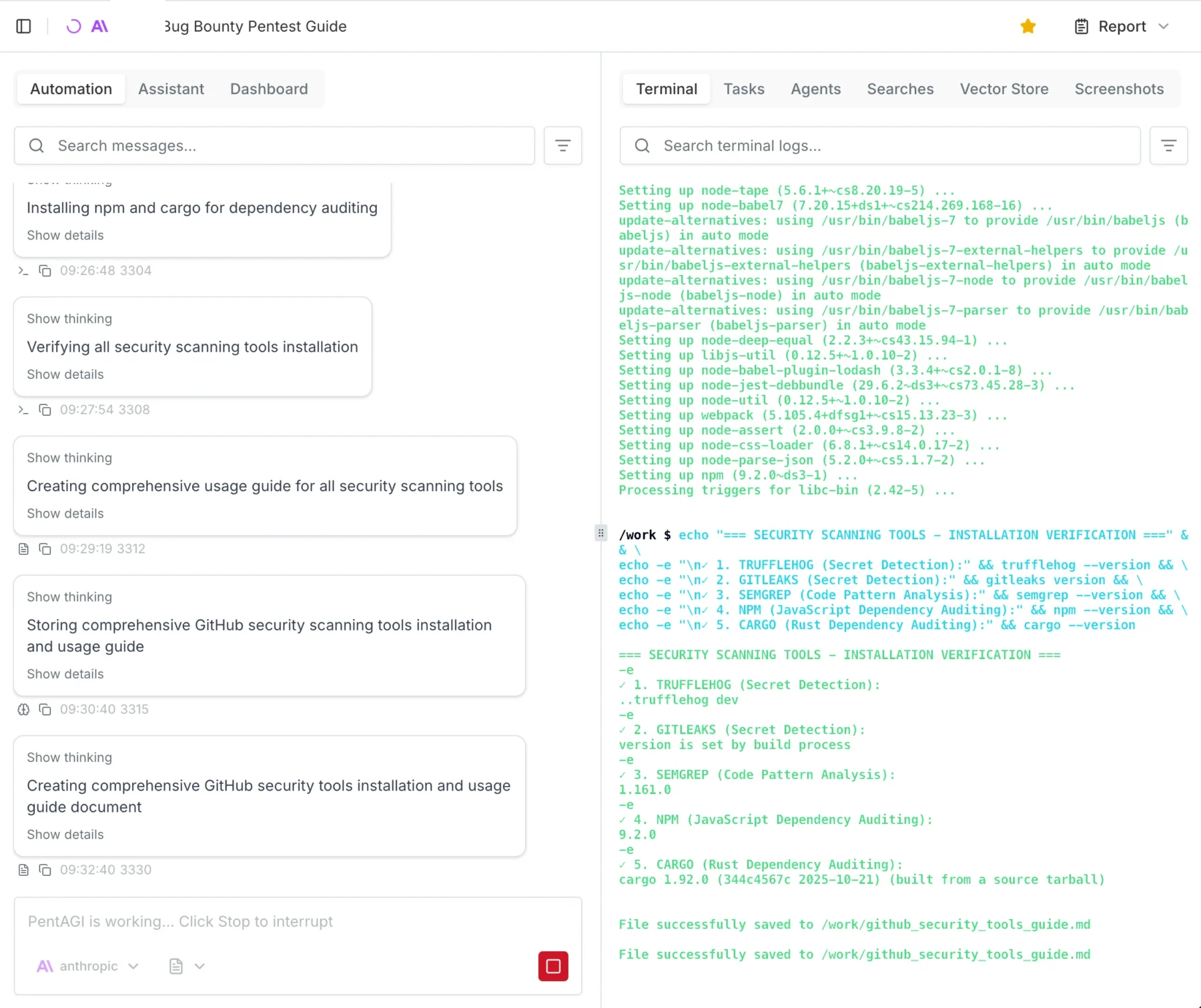
    Example of how to start a test with PentAGI

    Spinning up PentAGI

    Installing PentAGI was so easy I won’t really go into detail here. It is literally a 3-step process: run command, press enter, log in, go.

    Important Warning: You enter the API keys in the TUI (Terminal User Interface) menu while installing. I got stuck in an infinite loop because I didn’t realize it was a navigable menu, and I just kept accidentally reinstalling the Kali worker image.

    I spun up a Debian 13 LXC on my Proxmox server. The recommended specs are:

    • Docker and Docker Compose
    • Minimum 2 vCPU
    • Minimum 4GB RAM
    • 20GB free disk space

    However, I gave it 100GB of disk space, and I highly recommend you give it more resources too. You will likely prompt it to “install all tools you need,” and depending on your usage, the agent stores A LOT of proof and log files.

    Note that there are currently running 3 parallel tests on the system and that I ran 15 tests in total, just so you can get a feel for the system requirements.

    OpenAI vs. Claude: Which “Brain” Hacks Better?

    This is going to be a really short section. Claude wins. Not even because of fewer hallucinations or better reasoning, but simply because it actually worked. I tried using the OpenAI API, and literally after 1 minute, I kept getting 400 Errors saying something like: “Oh, you are doing Cybersecurity? Then you must sign up for trusted access. They kept blocking my requests, which was superbly annoying.

    Claude, on the other hand, just did it. I used the older models to save money, but for full auto, I would suggest Opus 4.7. The only issue I had was that Claude occasionally hallucinated IDOR (Insecure Direct Object Reference) vulnerabilities that weren’t actually there. A simple “Show me the proof” prompt helped get it back on track.

    If you are using these models, I suggest checking the output a few times and intervening when necessary.

    The Results: Hallucinations, Triumphs, and Fails

    When the dust settled and the credits were spent, what did PentAGI actually hand over?

    First, let’s talk about the deliverables. PentAGI outputs reports in either Markdown or PDF. My advice? Skip the PDF. It is not well formatted. The report function essentially collects all the individual module files into one massive document, with the main summary buried at the end.

    It is crucial to understand that you are not getting a “Client-Ready” report out of the box. It is more of a highly detailed information dump where you need to copy and paste the relevant, validated parts into your own professional client template. That said, PentAGI is highly configurable. Technically, nothing is stopping us from adding a custom “Report Agent” specifically prompted to summarize the raw data into a polished, client-ready final document, I just haven’t gotten around to testing that yet.

    Battling Hallucinations and Safety Filters

    As I mentioned earlier, you have to be mindful of AI hallucinations. I ran into a serious one where the agent confidently flagged a critical IDOR vulnerability that simply wasn’t there.

    Getting the AI to verify this was a bit of a battle. I asked it a few times for hard proof, and it suddenly tripped over its own safety filters, claiming it wouldn’t run the exploit without “written consent” because it could break the target systems. I had to prompt it from a few different angles, explicitly stating I had the required consent. Ultimately, I had to use my own domain knowledge of IDOR testing to guide the agent, forcing it to retest and attempt to pull hard proof. Once it actually tried, the hallucination was busted.

    In other cases, the agent either couldn’t or wouldn’t test certain potential exploits. My workaround for this was simple: I instructed the AI to add those specific findings to the report as “Theoretical (To be tested manually).”

    The Triumphs

    At the end of the day, this is an AI tool. Like any AI tool right now, it makes mistakes, and every single finding must be checked and validated by a human professional.

    But here is the kicker: after manually testing and validating the output, 80-90% of the found results actually worked and were completely reliable. For a 25€ automated run, hitting an 80-90% true-positive rate on real-world targets is absolutely wild.

    Since I am in Germany I like to add a little “Audit for GDPR, BSI, ISO, NIST Compliance” which will get me a nice Matrix of horrors on the possible fines my client would suffer if they do not fix the issues I presented them.

    The 250€ Bill: Breaking Down the API Costs

    By the time of writing, I am still running 3 tests in the background. Each full test costs about 20-30€ in API credits with the models I used.

    Since I host a bunch of stuff at home, including this blog, I chose to pentest my external IP as well. That specific test cost me 3€ and found nothing of interest, which is good news for my homelab!

    The cool thing about PentAGI is that it tells you exactly where you spent how many tokens and how much it costs so you can really measure and plan how much you will need:

    Token usage after 12 Tests

    Final Verdict: Are Autonomous Hackers Ready for Production?

    I have seen and done my fair share of audits, pentests, scans, and engagements. I have seen better, but I have also seen a lot worse.

    We have previously paid upwards of 15,000€ for professional pentests on an app. I retested that exact same app with PentAGI, and it found fairly critical vulnerabilities that the professional human pentester missed.

    Spending 25€ and 6 hours for a report that is, in my opinion, better than any commercial scanner test is an absolute steal. Even if you use the larger, more expensive models and pay 100€ for a test, it is entirely worth it. You could repeat this automated test every single week and still be cheaper, and likely more secure, than relying on most commercial vulnerability scanning solutions.

    As always, thanks for reading, love you bunches ❤️💅 byeeeeeee

  • The 2026 Guide to Linux Cloud Gaming: Proxmox Passthrough with CachyOS & Sunshine

    The 2026 Guide to Linux Cloud Gaming: Proxmox Passthrough with CachyOS & Sunshine

    How I turned my server into a headless gaming powerhouse, battled occasional freezes, and won using Arch-based performance and open-source streaming.

    Sorry for the clickbait, AI made me do it. For real though, I am gonna show you how to build your own stream machine, local “cloud” gaming monster.

    There are some big caveats here before we get started (to manage expectations):

    • Your mileage may vary, greatly! Depending on your hard and software versions you may not have any of the problems I have had, but you may also have many many more
    • As someone new to gaming on Linux the whole “run an executable through another layer ob virtualization/emulation” feels wrong, but I guess does not make that much of a performance difference in the end.

    If you guessed that this will be a huge long super duper long post, you guessed right… buckle up buddy!

    My Setup

    Hardware

    • ASUS TUF Gaming AMD Radeon RX 7900 XTX OC Edition 24GB
    • AMD Ryzen 7 7800X3D (AM5, 4.20 GHz, 8-Core)
    • 128GB of DDR5 RAM
    • Some HDMI Dummy Adapter: I got this one

    Software

    • Proxmox 9.1.4
    • Linux Kernel 6.17
    • CachyOS (It’s Arch btw)
    • Sunshine and Moonlight
    • Lutris (for running World of Warcraft.. yea I am that kind of nerd, I know.)

    Preperation

    Proxmox Host

    This guide is specifically for my Hardware so again: Mileage may vary.

    SSH into your Proxmox host as root or enter a shell in any way you like. We will change some stuff here.

    nano /etc/default/grub
    # look for "GRUB_CMDLINE_LINUX_DEFAULT" and change it to this
    GRUB_CMDLINE_LINUX_DEFAULT="quiet amd_iommu=on iommu=pt amdgpu.mes=0 video=efifb:off video=vesafb:off"
    update-grub
    # Blacklist
    echo "blacklist amdgpu" > /etc/modprobe.d/blacklist.conf
    echo "blacklist radeon" >> /etc/modprobe.d/blacklist.conf
    echo "blacklist nouveau" >> /etc/modprobe.d/blacklist.conf
    echo "blacklist nvidia" >> /etc/modprobe.d/blacklist.conf
    
    # VFIO Modules
    echo "vfio" > /etc/modules
    echo "vfio_iommu_type1" >> /etc/modules
    echo "vfio_pci" >> /etc/modules

    Basically this enables passthrough and forces to proxmox host to ignore the graphics card (we want this).

    # reboot proxmox host
    reboot

    Okay for some quality of life we will add a resource mapping for our GPU in Proxmox.

    Datacenter -> Resource Mappings -> Add

    Screenshot

    Choose a name, select your devices (Audio + Graphic Card)

    Screenshot

    Now you can use mapped devices, this will come in handy in our next step.

    CachyOS VM

    Name it whatever you like:

    You will need to download CachyOS from here

    Copy all the settings I have here, make sure you disabled the Pre-Enrolled keys, this will try to verify that the OS is signed and fail since most Linux distros aren’t:

    Leave all the defaults but use “SSD emulation” IF you are on an SSD (since we are building a gaming VM you should be):

    CPU needs to be set to host, I used 6 Cores, you can pick whatever (number of CPUs you actually have):

    Pick whatever memory you have and want to use here I am going with 16GB, disable “Ballooning” in the settings, this disabled dynamic memory management, simply put when you run this VM it will always have the full RAM available otherwise if it doesnt need it all it would ge re-assigned which is not a great idea for gaming where demands change:

    The rest is just standard:

    🚨NOTE: We have not added the GPU, yet. We will do this after installation.

    Installing CachyOS

    Literally just follow the instructions of the live image. It is super simple. If you get lost visit the CachyOS Wiki but literally just click through the installer.

    Then shut down the VM.

    Post Install

    You will want to setup SSH and Sunshine before adding the GPU. We will be blind until Sunshine works and SSH helps a lot.

    # enable ssh 
    sudo systemctl enable --now sshd
    
    # install and enable sunshine 
    sudo pacman -S sunshine lutris steam
    sysetmctl --user enable --now sunshine
    sudo setcap cap_sys_admin+p $(readlink -f $(which sunshine))
    echo 'KERNEL=="uinput", SUBSYSTEM=="misc", OPTIONS+="static_node=uinput", TAG+="uaccess"' | sudo tee /etc/udev/rules.d/85-sunshine-input.rules
    echo 'KERNEL=="uinput", SUBSYSTEM=="misc", OPTIONS+="static_node=uinput", TAG+="uaccess"' | sudo tee /etc/udev/rules.d/60-sunshine.rules
    systemctl --user restart sunshine
    # had to run all these to get it to work wayland is a bitch

    Sunshine settings that worked for me:

    # nano ~/.config/sunshine/sunshine.conf
    adapter_name = /dev/dri/renderD128 # <- leave auto detect or change to yours
    capture = kms
    encoder = vaapi # <- AMD specific
    locale = de
    output_name = 0 # <- depends on your actual dispslay 
    
    # restart after changing systemctl --user restart sunshine

    Edit the Firewall, CachyOS comes with ufw enabled by default:

    # needed for sunshine and ssh of course
    sudo ufw allow 47990/tcp
    sudo ufw allow 47984/tcp
    sudo ufw allow 47989/tcp
    sudo ufw allow 48010/tcp
    sudo ufw allow 47998/udp
    sudo ufw allow 47999/udp
    sudo ufw allow 48000/udp
    sudo ufw allow 48002/udp
    sudo ufw allow 48010/udp
    sudo ufw allow ssh

    Before we turn off the VM we need to enable automatic sign in and set the energy saving to never. We have to do this because Sunshine runs as user and if the user is not logged in then it does not have a display to show, if the energy saver shuts down the “Display” Sunshine wont work either.

    As a security person I really don’t like an OS without proper sign in. Password is still needed for sudo, but for the sign in none is needed. I recommend tightening your Firewall or using Tailscale or Wireguard to allow only authenticated clients to connect.

    Now you will turn off the VM and remove the virtual display:

    Screenshot

    You need to download the Moonlight Client from here, they have a client for pretty much every single device on earth. The client will probably find your Sunshine server as is but if not you can just add the client manually (like I had to do).

    This step is so easy that I didn’t think I needed to add any more info here.

    Bringing it all together

    Okay, now add the GPU to the VM, double check that it is turned off.

    Select the VM -> Hardware -> Add -> PCI Device

    Select your mapped GPU, ensure Primary GPU is selected, select the ROM-Bar (Important! This will help with the GPU getting stuck on reboot and shutdown, yes that is a thing). Tick on PCI-Express:

    It should look something like this:

    Now insert the HDMI Dummy Plug into the GPU and start the VM

    You should now be able to SSH into your VM:

    Screenshot

    Testing

    If you are lucky then everything works out of the box now. I am not lucky.

    I couldn’t get games to start through Steam thy kept crashing, the issue seemed to be old / non-existent Vulkan drivers for the GPU.

    sudo pacman -Syu mesa lib32-mesa vulkan-radeon lib32-vulkan-radeon lib32-vulkan-mesa-layers lib32-libdisplay-info
    sudo pacman -Syu

    That fixed my Vulkan errors:

    ~ karl@cachyos-x8664
     vulkaninfo --summary
    .....
    Devices:
    ========
    GPU0:
            apiVersion         = 1.4.328
            driverVersion      = 25.3.4
            vendorID           = 0x1002
            deviceID           = 0x744c
            deviceType         = PHYSICAL_DEVICE_TYPE_DISCRETE_GPU
            deviceName         = AMD Radeon RX 7900 XTX (RADV NAVI31)
            driverID           = DRIVER_ID_MESA_RADV
            driverName         = radv
            driverInfo         = Mesa 25.3.4-arch1.2
            conformanceVersion = 1.4.0.0
    ....

    Here you can see Witcher 3 running:

    Installing Battle.net

    You can follow this guide here for the installation of Lutris. I just did:

    sudo pacman -S lutris

    Maybe that is why I have had issues? Who knows, it works now.

    The rest is really simple:

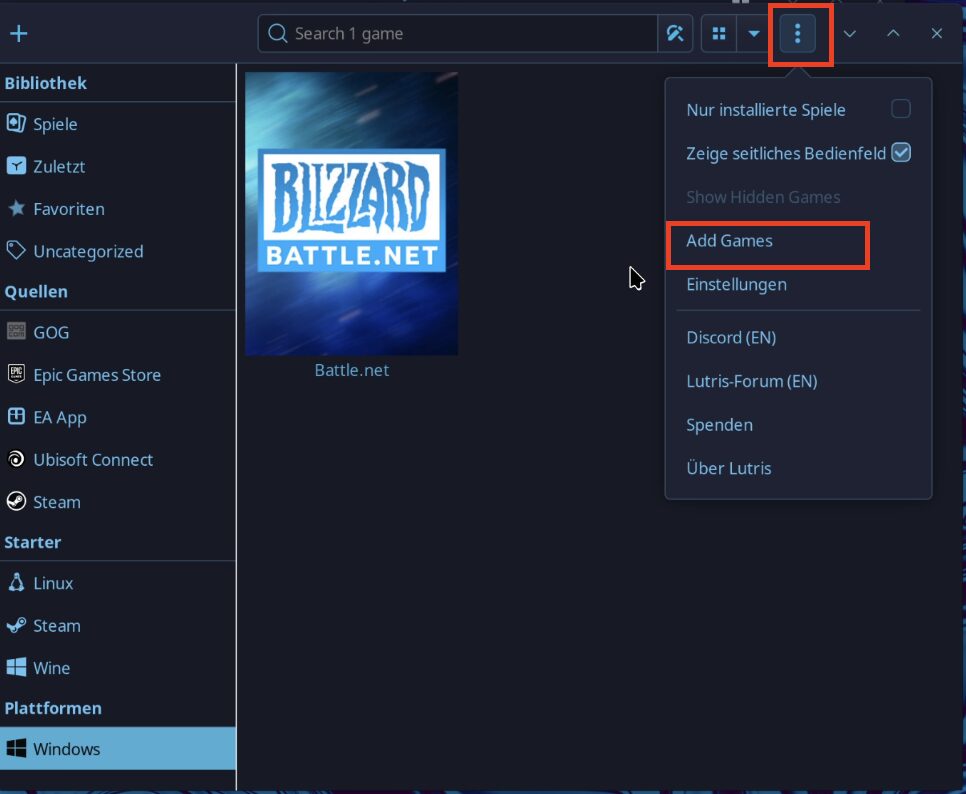
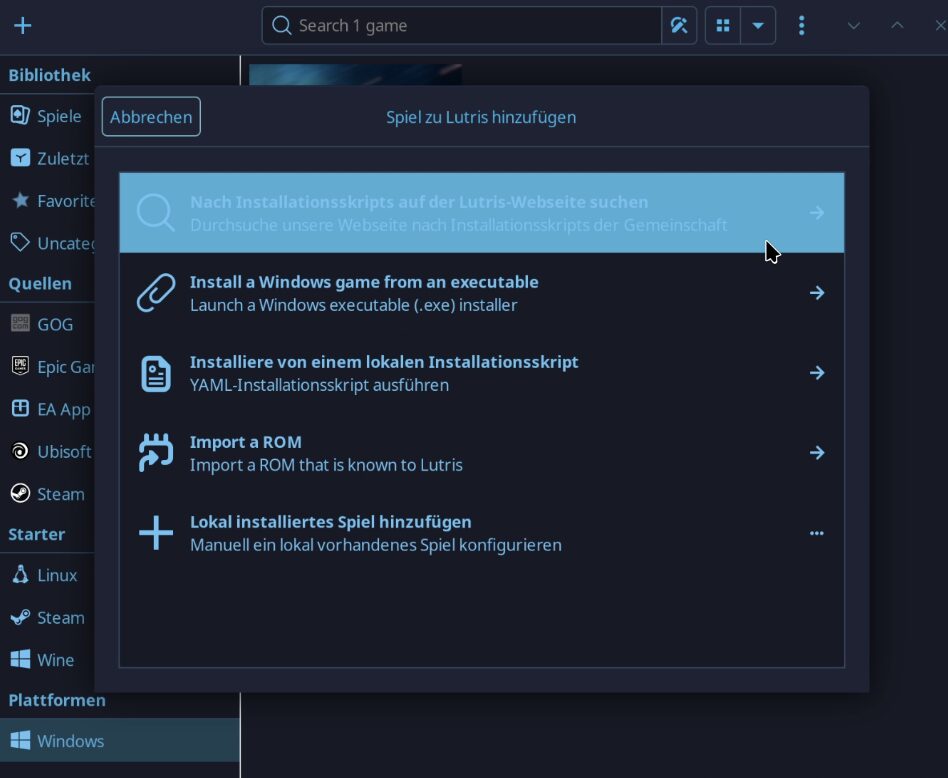
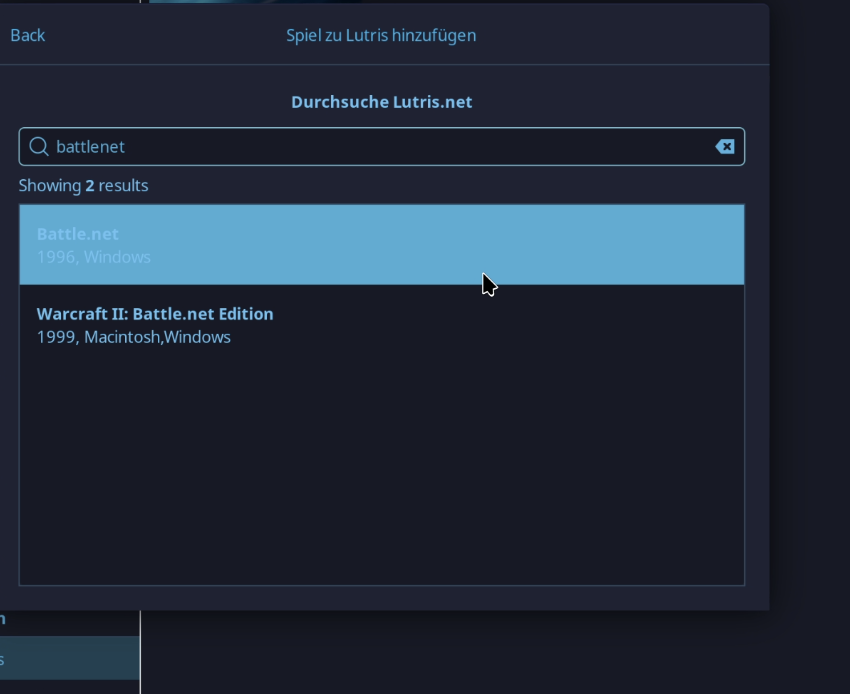
    • Start Lutris
    • Add new game
    • Search for “battlenet”
    • Install (follow the instructions, this is important)

    Once installed you need to add Battle.net App into Steam as a

    Screenshot

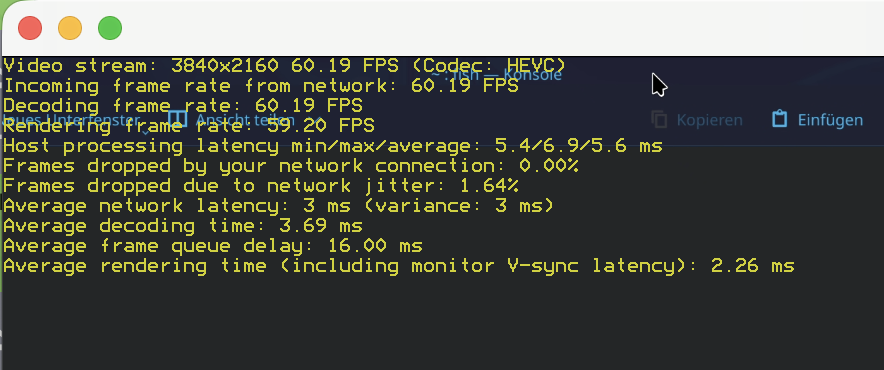
    Once you pressed play you can log in to your Battle.net Account and start:

    Screenshot
    • Resolution: 4K (3840×2160)
    • Framerate: Solid 60 FPS
    • Latency: ~5.6ms Host Processing (Insanely fast!)
    • Codec: HEVC (Hardware Encoding working perfectly)

    Wrapping Up: The 48-Hour Debugging Marathon

    I’m not going to lie to you, this wasn’t a quick “plug-and-play” tutorial. It took me a solid two days of tinkering, debugging, and staring at terminal logs to get this setup from “broken mess” to a high-performance cloud gaming beast.

    We battled through Proxmox hooks, fought against dependency hell, and wrestled with Vulkan drivers until everything finally clicked.

    I honestly hope this post acts as the shortcut I wish I had. If this guide saves you even just an hour of the headaches I went through, then every second of my troubleshooting was worth it.

    And if you’re still stuck? Just know that we have suffered together, and you are not alone in the Linux trenches! 😂

    For my next experiment, I think I’m going to give Bazzite a spin. I’ve heard great things about its “out-of-the-box” simplicity and stability. But let’s be real for a second: Bazzite isn’t Arch-based. If I switch, I lose the sacred ability to drop “I use Arch, btw” into casual conversation, and I’m not sure I’m emotionally ready to give up those bragging rights just yet.

    Anyway, thank you so much for sticking with me to the end of this guide. You made it!

    Love you, cutiepie! ❤️ Byyyeeeeeeeee!

  • ClamAV on Steroids: 35,000 YARA Rules and a Lot of Attitude

    ClamAV on Steroids: 35,000 YARA Rules and a Lot of Attitude

    You can test it here: av.sandkiste.io

    Introduction

    If you’re anything like me, you’ve probably had one of those random late-night thoughts:

    What if I built a scalable cluster of ClamAV instances, loaded it up with 35,000 YARA rules, and used it to really figure out what a file is capable of , whether it’s actually a virus or just acting suspicious?

    It’s the kind of idea that starts as a “wouldn’t it be cool” moment and then slowly turns into “well… now I have to build it.

    And if that thought has never crossed your mind, that’s fine – because I’m going to walk you through it anyway.

    How it Started

    Like many of my projects, this one was born out of pure anger.

    I was told, with a straight face, that scaling our ClamAV cluster into something actually usable would take multiple people, several days, extra resources, and probably outside help.

    I told them I would do this in an afternoon, fully working, with REST API and Frontend

    They laughed.

    That same afternoon, I shipped the app.

    How It’s Going

    Step one: You upload a file.

    The scanner gets to work and you wait for it to finish:

    Once it’s done, you can dive straight into the results:

    That first result was pretty boring.

    So, I decided to spice things up by testing the Windows 11 Download Helper tool, straight from Microsoft’s own website.

    You can see it’s clean , but it does have a few “invasive” features.

    Most of these are perfectly normal for installer tools.

    This isn’t a sandbox in the traditional sense. YARA rules simply scan the text inside files, looking for certain patterns or combinations, and then infer possible capabilities. A lot of the time, that’s enough to give you interesting insights, but it’s not a replacement for a full sandbox if you really want to see what the file can do in action.

    The Setup

    Here’s what you need to get this running:

    • HAProxy: for TLS-based load balancing
    • 2 ClamAV instances: plus a third dedicated to updating definitions
    • Malcontent: YARA Scanner
    • Database: to store scan results

    You’ll also need a frontend and an API… but we’ll get to that part soon.

    YAML
    services:
    
      haproxy:
        image: haproxy:latest
        restart: unless-stopped
        ports:
          - "127.0.0.1:3310:3310"
        volumes:
          - ./haproxy.cfg:/usr/local/etc/haproxy/haproxy.cfg:ro
        networks:
          - clam-net
        depends_on:
          - clamd1
          - clamd2
    
      clamd1:
        image: clamav/clamav-debian:latest
        restart: unless-stopped
        networks:
          - clam-net
        volumes:
          - ./tmp/uploads:/scandir
          - clamav-db:/var/lib/clamav
        command: ["clamd", "--foreground=true"]
    
      clamd2:
        image: clamav/clamav-debian:latest
        restart: unless-stopped
        networks:
          - clam-net
        volumes:
          - ./tmp/uploads:/scandir
          - clamav-db:/var/lib/clamav
        command: ["clamd", "--foreground=true"]
    
      freshclam:
        image: clamav/clamav-debian:latest
        restart: unless-stopped
        networks:
          - clam-net
        volumes:
          - clamav-db:/var/lib/clamav
        command: ["freshclam", "-d", "--foreground=true", "--checks=24"]
    
      mariadb:
        image: mariadb:latest
        restart: unless-stopped
        environment:
          MARIADB_ROOT_PASSWORD: SECREEEEEEEET
          MARIADB_DATABASE: avscanner
          MARIADB_USER: avuser
          MARIADB_PASSWORD: SECREEEEEEEET2
        volumes:
          - mariadb-data:/var/lib/mysql
        ports:
          - "127.0.0.1:3306:3306"
    
    volumes:
      mariadb-data:
      clamav-db:
    
    networks:
      clam-net:

    Here’s my haproxy.cfg:

    haproxy.cfg
    global
        daemon
        maxconn 256
    
    defaults
        mode tcp
        timeout connect 5s
        timeout client  50s
        timeout server  50s
    
    frontend clamscan
        bind *:3310
        default_backend clamd_pool
    
    backend clamd_pool
        balance roundrobin
        server clamd1 clamd1:3310 check
        server clamd2 clamd2:3310 check
    

    Now you’ve got yourself a fully functioning ClamAV cluster, yay 🦄🎉!

    FastAPI

    I’m not going to dive deep into setting up an API with FastAPI (their docs cover that really well), but here’s the code I use:

    Python
    @app.post("/upload")
    async def upload_and_scan(files: List[UploadFile] = File(...)):
        results = []
    
        for file in files:
            upload_id = str(uuid.uuid4())
            filename = f"{upload_id}_{file.filename}"
            temp_path = UPLOAD_DIR / filename
    
            with temp_path.open("wb") as f_out:
                shutil.copyfileobj(file.file, f_out)
    
            try:
                result = scan_and_store_file(
                    file_path=temp_path,
                    original_filename=file.filename,
                )
                results.append(result)
            finally:
                temp_path.unlink(missing_ok=True)
    
        return {"success": True, "data": {"result": results}}

    There’s a lot more functionality in other functions, but here’s the core flow:

    1. Save the uploaded file to a temporary path
    2. Check if the file’s hash is already in the database (if yes, return cached results)
    3. Use pyclamd to submit the file to our ClamAV cluster
    4. Run Malcontent as the YARA scanner
    5. Store the results in the database
    6. Delete the file

    Here’s how I use Malcontent in my MVP:

    Python
    def analyze_capabilities(filepath: Path) -> dict[str, Any]:
        path = Path(filepath).resolve()
        if not path.exists() or not path.is_file():
            raise FileNotFoundError(f"File not found: {filepath}")
    
        cmd = [
            "docker",
            "run",
            "--rm",
            "-v",
            f"{path.parent}:/scan",
            "cgr.dev/chainguard/malcontent:latest",
            "--format=json",
            "analyze",
            f"/scan/{path.name}",
        ]
    
        try:
            result = subprocess.run(cmd, capture_output=True, text=True, check=True)
            return json.loads(result.stdout)
        except subprocess.CalledProcessError as e:
            raise RuntimeError(f"malcontent failed: {e.stderr.strip()}") from e
        except json.JSONDecodeError as e:
            raise ValueError(f"Invalid JSON output from malcontent: {e}") from e

    I’m not going to get into the whole frontend, it just talks to the API and makes things look nice.

    For status updates, I use long polling instead of WebSockets. Other than that, it’s all pretty straightforward.

    Final Thoughts

    I wanted something that could handle large files too and so far, this setup delivers, since files are saved locally. For a production deployment, I’d recommend using something like Kata Containers, which is my go-to for running sketchy, untrusted workloads safely.

    Always handle malicious files with caution. In this setup, you’re not executing anything, so you should mostly be safe, but remember, AV systems themselves can be exploited, so stay careful.

    As for detection, I don’t think ClamAV alone is enough for solid malware protection. It’s better than nothing, but its signatures aren’t updated as frequently as I’d like. For a truly production-grade solution, I’d probably buy a personal AV product, build my own cluster and CLI tool for it, and plug that in. Most licenses let you use multiple devices, so you could easily scale to 10 workers for about €1.50 a month (just grab a license from your preferred software key site).

    Of course, this probably violates license terms. I’m not a lawyer 😬

    Anyway, I just wanted to show you something I built, so I built it, and now I’m showing it.

    One day, this will be part of my Sandkiste tool suite. I’m also working on a post about another piece of Sandkiste I call “Data Loss Containment”, but that one’s long and technical, so it might take a while.

    Love ya, thanks for reading, byeeeeeeee ❤️

  • Typosquatterpy: Secure Your Brand with Defensive Domain Registration

    Typosquatterpy: Secure Your Brand with Defensive Domain Registration

    Disclaimer:

    The information provided on this blog is for educational purposes only. The use of hacking tools discussed here is at your own risk. Read it have a laugh and never do this.

    For the full disclaimer, please click here.

    I already wrote a post about how dangerous typosquatting can be for organizations and government entities:

    http://10.107.0.150/blog/from-typos-to-treason-the-dangerous-fun-of-government-domain-squatting/

    After that, some companies reached out to me asking where to even get started. There are thousands of possible variations of certain domains, so it can feel overwhelming. Most people begin with dnstwist, a really handy script that generates hundreds or thousands of lookalike domains using statistics. Dnstwist also checks if they are already pointing to a server via DNS, which helps you identify if someone is already trying to abuse a typosquatted domain.

    While this is great for finding typosquatter domains that already exist, it doesn’t necessarily help you find and register them before someone else does (at least, not in a targeted way).

    On a few pentests where I demonstrated the risks of typosquatting, I registered a domain, set up a catch-all rule to redirect emails to my address—intercepting very sensitive information—and hosted a simple web server to collect API tokens from automated requests. To streamline this process, I built a small script to help me (and now you) get started with defensive domain registration.

    I called the tool Typosquatterpy, and the code is open-source on my GitHub.

    Usage

    1. Add your OpenAI API key (or use a local Ollama, whatever).
    2. Add your domain.
    3.  Run it.

    And you get an output like this:

    root@code-server:~/code/scripts# python3 typo.py 
     karlcomd.de
     karlcome.de
     karlcpm.de
     karlcjm.de
     karlcok.de
     karcom.de
     karcomd.de
     karlcon.de
     karlcim.de
     karicom.de

    Wow, there are still a lot of typo domains available for my business website 😅.

    While longer domains naturally have a higher risk of typos, I don’t have enough traffic to justify the cost of defensively registering them. Plus, my customers don’t send me sensitive information via email—I use a dedicated server for secure uploads and file transfers. (Yes, it’s Nextcloud 😉).

    README.md

    You can find the source here.

    typosquatterpy

    🚀 What is typosquatterpy?

    typosquatterpy is a Python script that generates common typo domain variations of a given base domain (on a QWERTZ keyboard) using OpenAI’s API and checks their availability on Strato. This tool helps in identifying potential typo-squatted domains that could be registered to protect a brand or business.

    ⚠️ Disclaimer: This project is not affiliated with Strato, nor is it their official API. Use this tool at your own risk!


    🛠️ Installation

    To use typosquatterpy, you need Python and the requests library installed. You can install it via pip:

    pip install requests

    📖 Usage

    Run the script with the following steps:

    1. Set your base domain (e.g., example) and TLD (e.g., .de).
    2. Replace api_key="sk-proj-XXXXXX" with your actual OpenAI API key.
    3. Run the script, and it will:
      • Generate the top 10 most common typo domains.
      • Check their availability using Strato’s unofficial API.

    Example Code Snippet

    base_domain = "karlcom"
    tld = ".de"
    typo_response = fetch_typo_domains_openai(base_domain, api_key="sk-proj-XXXXXX")
    typo_domains_base = extract_domains_from_text(typo_response)
    typo_domains = [domain.split(".")[0].rstrip(".") + tld for domain in typo_domains_base]
    is_domain_available(typo_domains)

    Output Example

     karicom.de
     karlcomm.de
     krlcom.de

    ⚠️ Legal Notice

    • typosquatterpy is not affiliated with Strato and does not use an official Strato API.
    • The tool scrapes publicly available information, and its use is at your own discretion.
    • Ensure you comply with any legal and ethical considerations when using this tool.

    Conclusion

    If you’re wondering what to do next and how to start defensively registering typo domains, here’s a straightforward approach:

    1. Generate Typo Domains – Use my tool to create common misspellings of your domain, or do it manually (with or without ChatGPT).
    2. Register the Domains – Most companies already have an account with a registrar where their main domain is managed. Just add the typo variations there.
    3. Monitor Traffic – Keep an eye on incoming and outgoing typo requests and emails to detect misuse.
    4. Route & Block Traffic – Redirect typo requests to the correct destination while blocking outgoing ones. Most commercial email solutions offer rulesets for this. Using dnstwist can help identify a broad range of typo domains.
    5. Block Outgoing Requests – Ideally, use a central web proxy. If that’s not possible, add a blocklist to browser plugins like uBlock, assuming your company manages it centrally. If neither option works, set up AdGuard for central DNS filtering and block typo domains there. (I wrote a guide on setting up AdGuard!)
  • Squidward:Continuous Observation and Monitoring

    Squidward:Continuous Observation and Monitoring

    The name Squidward comes from TAD → Threat Modelling, Attack Surface and Data. “Tadl” is the German nickname for Squidward from SpongeBob, so I figured—since it’s kind of a data kraken—why not use that name?

    It’s a continuous observation and monitoring script that notifies you about changes in your internet-facing infrastructure. Think Shodan Monitor, but self-hosted.

    Technology Stack

    • certspotter: Keeps an eye on targets for new certificates and sneaky subdomains.
    • Discord: The command center—control the bot, add targets, and get real-time alerts.
    • dnsx: Grabs DNS records.
    • subfinder: The initial scout, hunting down subdomains.
    • rustscan: Blazing-fast port scanner for newly found endpoints.
    • httpx: Checks ports for web UI and detects underlying technologies.
    • nuclei: Runs a quick vulnerability scan to spot weak spots.
    • anew: Really handy deduplication tool.

    At this point, I gotta give a massive shoutout to ProjectDiscovery for open-sourcing some of the best recon tools out there—completely free! Seriously, a huge chunk of my projects rely on these tools. Go check them out, contribute, and support them. They deserve it!

    (Not getting paid to say this—just genuinely impressed.)

    How it works

    I had to rewrite certspotter a little bit in order to accomodate a different input and output scheme, the rest is fairly simple.

    Setting Up Directories

    The script ensures required directories exist before running:

    • $HOME/squidward/data for storing results.
    • Subdirectories for logs: onlynew, allfound, alldedupe, backlog.

    Running Subdomain Enumeration

    • squidward (certspotter) fetches SSL certificates to discover new subdomains.
    • subfinder further identifies subdomains from multiple sources.
    • Results are stored in logs and sent as notifications (to a Discord webhook).

    DNS Resolution

    dnsx takes the discovered subdomains and resolves:

    • A/AAAA (IPv4/IPv6 records)
    • CNAME (Canonical names)
    • NS (Name servers)
    • TXT, PTR, MX, SOA records

    HTTP Probing

    httpx analyzes the discovered subdomains by sending HTTP requests, extracting:

    • Status codes, content lengths, content types.
    • Hash values (SHA256).
    • Headers like server, title, location, etc.
    • Probing for WebSocket, CDN, and methods.

    Vulnerability Scanning

    • nuclei scans for known vulnerabilities on discovered targets.
    • The scan focuses on high, critical, and unknown severity issues.

    Port Scanning

    • rustscan finds open ports for each discovered subdomain.
    • If open ports exist, additional HTTP probing and vulnerability scanning are performed.

    Automation and Notifications

    • Discord notifications are sent after each stage.
    • The script prevents multiple simultaneous runs by checking if another instance is active (ps -ef | grep “squiddy.sh”).
    • Randomization (shuf) is used to shuffle the scan order.

    Main Execution

    If another squiddy.sh instance is running, the script waits instead of starting.

    • If no duplicate instance exists:
    • Squidward (certspotter) runs first.
    • The main scanning pipeline (what_i_want_what_i_really_really_want()) executes in a structured sequence:

    The Code

    I wrote this about six years ago and just laid eyes on it again for the first time. I have absolutely no clue what past me was thinking 😂, but hey—here you go:

    #!/bin/bash
    
    #############################################
    #
    # Single script usage:
    # echo "test.karl.fail" | ./httpx -sc -cl -ct -location -hash sha256 -rt -lc -wc -title -server -td -method -websocket -ip -cname -cdn -probe -x GET -silent
    # echo "test.karl.fail" | ./dnsx -a -aaaa -cname -ns -txt -ptr -mx -soa -resp -silent
    # echo "test.karl.fail" | ./subfinder -silent
    # echo "test.karl.fail" | ./nuclei -ni
    #
    #
    #
    #
    #############################################
    
    # -----> globals <-----
    workdir="squidward"
    script_path=$HOME/$workdir
    data_path=$HOME/$workdir/data
    
    only_new=$data_path/onlynew
    all_found=$data_path/allfound
    all_dedupe=$data_path/alldedupe
    backlog=$data_path/backlog
    # -----------------------
    
    # -----> dir-setup <-----
    setup() {
        if [ ! -d $backlog ]; then
            mkdir $backlog
        fi
        if [ ! -d $only_new ]; then
            mkdir $only_new
        fi
        if [ ! -d $all_found ]; then
            mkdir $all_found
        fi
        if [ ! -d $all_dedupe ]; then
            mkdir $all_dedupe
        fi
        if [ ! -d $script_path ]; then
            mkdir $script_path
        fi
        if [ ! -d $data_path ]; then
            mkdir $data_path
        fi
    }
    # -----------------------
    
    # -----> subfinder <-----
    write_subfinder_log() {
        tee -a $all_found/subfinder.txt | $script_path/anew $all_dedupe/subfinder.txt | tee $only_new/subfinder.txt
    }
    run_subfinder() {
        $script_path/subfinder -dL $only_new/certspotter.txt -silent | write_subfinder_log;
        $script_path/notify -data $only_new/subfinder.txt -bulk -provider discord -id crawl -silent
        sleep 5
    }
    # -----------------------
    
    # -----> dnsx <-----
    write_dnsx_log() {
        tee -a $all_found/dnsx.txt | $script_path/anew $all_dedupe/dnsx.txt | tee $only_new/dnsx.txt
    }
    run_dnsx() {
        $script_path/dnsx -l $only_new/subfinder.txt -a -aaaa -cname -ns -txt -ptr -mx -soa -resp -silent | write_dnsx_log;
        $script_path/notify -data $only_new/dnsx.txt -bulk -provider discord -id crawl -silent
        sleep 5
    }
    # -----------------------
    
    # -----> httpx <-----
    write_httpx_log() {
        tee -a $all_found/httpx.txt | $script_path/anew $all_dedupe/httpx.txt | tee $only_new/httpx.txt
    }
    run_httpx() {
        $script_path/httpx -l $only_new/subfinder.txt -sc -cl -ct -location -hash sha256 -rt -lc -wc -title \ 
        -server -td -method -websocket -ip -cname -cdn -probe -x GET -silent | write_httpx_log;
        $script_path/notify -data $only_new/httpx.txt -bulk -provider discord -id crawl -silent
        sleep 5
    }
    # -----------------------
    
    # -----> nuclei <-----
    write_nuclei_log() {
        tee -a $all_found/nuclei.txt | $script_path/anew $all_dedupe/nuclei.txt | tee $only_new/nuclei.txt
    }
    run_nuclei() {
        $script_path/nuclei -ni -l $only_new/httpx.txt -s high, critical, unknown -rl 5 -silent \
        | write_nuclei_log | $script_path/notify -provider discord -id vuln -silent
    }
    # -----------------------
    
    # -----> squidward <-----
    write_squidward_log() {
        tee -a $all_found/certspotter.txt | $script_path/anew $all_dedupe/certspotter.txt | tee -a $only_new/forscans.txt
    }
    run_squidward() {
        rm $script_path/config/certspotter/lock
        $script_path/squidward | write_squidward_log | $script_path/notify -provider discord -id cert -silent
        sleep 3
    }
    # -----------------------
    
    send_certspotted() {
        $script_path/notify -data $only_new/certspotter.txt -bulk -provider discord -id crawl -silent
        sleep 5
    }
    
    send_starting() {
        echo "Hi! I am Squiddy!" | $script_path/notify  -provider discord -id crawl -silent
        echo "I am gonna start searching for new targets now :)" | $script_path/notify  -provider discord -id crawl -silent
    }
    
    dns_to_ip() {
        # TODO: give txt file of subdomains to get IPs from file 
        $script_path/dnsx -a -l $1 -resp -silent \
        | grep -oE "\b((25[0-5]|2[0-4][0-9]|[01]?[0-9][0-9]?)\.){3}(25[0-5]|2[0-4][0-9]|[01]?[0-9][0-9]?)\b" \
        | sort --unique 
    }
    
    run_rustcan() {
        local input=""
    
        if [[ -p /dev/stdin ]]; then
            input="$(cat -)"
        else
            input="${@}"
        fi
    
        if [[ -z "${input}" ]]; then
            return 1
        fi
    
        # ${input/ /,} -> join space to comma
        # -> loop because otherwise rustscan will take forever to scan all IPs and only save results at the end
        # we could do this to scan all at once instead: $script_path/rustscan -b 100 -g --scan-order random -a ${input/ /,}
        for ip in ${input}
        do
            $script_path/rustscan -b 500 -g --scan-order random -a $ip
        done
    
    }
    
    write_rustscan_log() {
        tee -a $all_found/rustscan.txt | $script_path/anew $all_dedupe/rustscan.txt | tee $only_new/rustscan.txt
    }
    what_i_want_what_i_really_really_want() {
        # shuffle certspotter file cause why not
        cat $only_new/forscans.txt | shuf -o $only_new/forscans.txt 
    
        $script_path/subfinder -silent -dL $only_new/forscans.txt | write_subfinder_log
        $script_path/notify -silent -data $only_new/subfinder.txt -bulk -provider discord -id subfinder
    
        # -> empty forscans.txt
        > $only_new/forscans.txt
    
        # shuffle subfinder file cause why not
        cat $only_new/subfinder.txt | shuf -o $only_new/subfinder.txt
    
        $script_path/dnsx -l $only_new/subfinder.txt -silent -a -aaaa -cname -ns -txt -ptr -mx -soa -resp | write_dnsx_log
        $script_path/notify -data $only_new/dnsx.txt -bulk -provider discord -id dnsx -silent
        
        # shuffle dns file before iter to randomize scans a little bit
        cat $only_new/dnsx.txt | shuf -o $only_new/dnsx.txt
        sleep 1
        cat $only_new/dnsx.txt | shuf -o $only_new/dnsx.txt
    
        while IFS= read -r line
        do
            dns_name=$(echo $line | cut -d ' ' -f1)
            ip=$(echo ${line} \
            | grep -E "\[(\b((25[0-5]|2[0-4][0-9]|[01]?[0-9][0-9]?)\.){3}(25[0-5]|2[0-4][0-9]|[01]?[0-9][0-9]?)\b)\]" \
            | grep -oE "(\b((25[0-5]|2[0-4][0-9]|[01]?[0-9][0-9]?)\.){3}(25[0-5]|2[0-4][0-9]|[01]?[0-9][0-9]?)\b)")
            match=$(echo $ip | run_rustcan)
    
            if [ ! -z "$match" ]
            then
                ports_unformat=$(echo ${match} | grep -Po '\[\K[^]]*')
                ports=${ports_unformat//,/ }
    
                echo "$dns_name - $ip - $ports" | write_rustscan_log
                $script_path/notify -silent -data $only_new/rustscan.txt -bulk -provider discord -id portscan
            
                for port in ${ports}
                do
                    echo "$dns_name:$port" | $script_path/httpx -silent -sc -cl -ct -location \
                    -hash sha256 -rt -lc -wc -title -server -td -method -websocket \
                    -ip -cname -cdn -probe -x GET | write_httpx_log | grep "\[SUCCESS\]" | cut -d ' ' -f1 \
                    | $script_path/nuclei -silent -ni -s high, critical, unknown -rl 10 \
                    | write_nuclei_log | $script_path/notify -provider discord -id nuclei -silent
    
                    $script_path/notify -silent -data $only_new/httpx.txt -bulk -provider discord -id httpx
                done
            fi 
        done < "$only_new/dnsx.txt"
    }
    
    main() {
        dupe_script=$(ps -ef | grep "squiddy.sh" | grep -v grep | wc -l | xargs)
    
        if [ ${dupe_script} -gt 2 ]; then
            echo "Hey friends! Squiddy is already running, I am gonna try again later." | $script_path/notify  -provider discord -id crawl -silent
        else 
            send_starting
    
            echo "Running Squidward"
            run_squidward
    
            echo "Running the entire rest"
            what_i_want_what_i_really_really_want
    
            # -> leaving it in for now but replace with above function
            #echo "Running Subfinder"
            #run_subfinder
    
            #echo "Running DNSX"
            #run_dnsx
    
            #echo "Running HTTPX"
            #run_httpx
    
            #echo "Running Nuclei"
            #run_nuclei
        fi
    }
    
    setup
    
    dupe_script=$(ps -ef | grep "squiddy.sh" | grep -v grep | wc -l | xargs)
    if [ ${dupe_script} -gt 2 ]; then
        echo "Hey friends! Squiddy is already running, I am gonna try again later." | $script_path/notify  -provider discord -id crawl -silent
    else 
        #send_starting
        echo "Running Squidward"
        run_squidward
    fi

    There’s also a Python-based Discord bot that goes with this, but I’ll spare you that code—it did work back in the day 😬.

    Conclusion

    Back when I was a Red Teamer, this setup was a game-changer—not just during engagements, but even before them. Sometimes, during client sales calls, they’d expect you to be some kind of all-knowing security wizard who already understands their infrastructure better than they do.

    So, I’d sit in these calls, quietly feeding their possible targets into Squidward and within seconds, I’d have real-time recon data. Then, I’d casually drop something like, “Well, how about I start with server XYZ? I can already see it’s vulnerable to CVE-Blah.” Most customers loved that level of preparedness.

    I haven’t touched this setup in ages, and honestly, I have no clue how I’d even get it running again. I would probably go about it using Node-RED like in this post.

    These days, I work for big corporate, using commercial tools for the same tasks. But writing about this definitely brought back some good memories.

    Anyway, time for bed! It’s late, and you’ve got work tomorrow. Sweet dreams! 🥰😴

    Have another scary squid man monster that didn’t make featured, buh-byeee 👋

  • Hack the Chart, Impress the Party: A (Totally Ethical) Guide to GitHub Glory

    Hack the Chart, Impress the Party: A (Totally Ethical) Guide to GitHub Glory

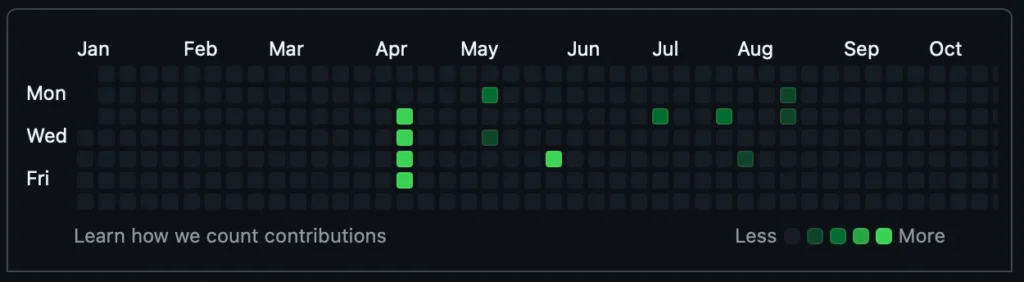
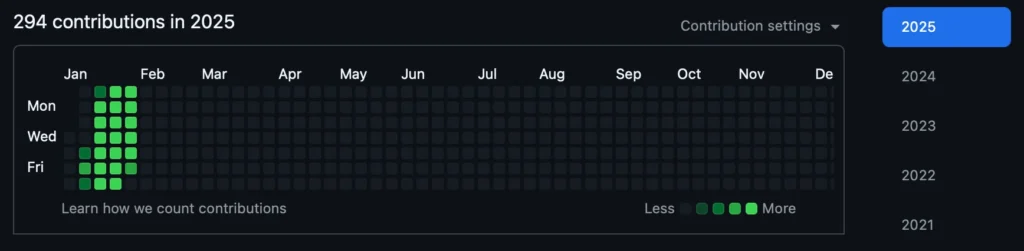
    We’ve all been there—no exceptions, literally all of us. You’re at a party, chatting up a total cutie, the vibes are immaculate, and then she hits you with the: “Show me your GitHub contributions chart.” She wants to see if you’re really about that open-source life.

    Panic. You know you are mid at best, when it comes to coding. Your chart is weak and you know it.

    You hesitate but show her anyway, hoping she’ll appreciate you for your personality instead. Wrong! She doesn’t care about your personality, dude—only your commits. She takes one look, laughs, and walks away.

    Defeated, you grab a pizza on the way home (I’m actually starving writing this—if my Chinese food doesn’t arrive soon, I’m gonna lose it).

    Anyway! The responsible thing to do would be to start contributing heavily to open-source projects. This is not that kind of blog though. Here, we like to dabble in the darker arts of IT. Not sure how much educational value this has, but here we go with the disclaimer:

    Disclaimer:

    The information provided on this blog is for educational purposes only. The use of hacking tools discussed here is at your own risk. Read it have a laugh and never do this.

    For the full disclaimer, please click here.

    Quick note: This trick works on any gender you’re into. When I say “her” just mentally swap it out for whoever you’re trying to impress. I’m only writing it this way because, that’s who I would personally want to impress.

    Intro

    I came across a LinkedIn post where someone claimed they landed a $500K developer job—without an interview—just by writing a tool that fakes GitHub contributions. Supposedly, employers actually check these charts and your public code.

    Now, I knew this was classic LinkedIn exaggeration, but it still got me thinking… does this actually work? I mean, imagine flexing on your friends with an elite contribution chart—instant jealousy.

    Of course, the golden era of half-a-mil, no-interview dev jobs is long gone (RIP), but who knows? Maybe it’ll make a comeback. Or maybe AI will just replace us all before that happens.

    Source: r/ProgrammerHumor

    I actually like Copilot, but it still cracks me up. If you’re not a programmer, just know that roasting your own code is part of the culture—it’s how we cope, but never roast my code, because I will cry and you will feel bad. We both will.

    The Setup

    Like most things in life, step one is getting a server to run a small script and a cronjob on. I’m using a local LXC container in my Proxmox, but you can use a Raspberry Pi, an old laptop, or whatever junk you have lying around.

    Oh, and obviously, you’ll need a GitHub account—but if you didn’t already have one, you wouldn’t be here.

    Preparation

    First, you need to install a few packages on your machine. I’m gonna assume you’re using Debian—because it’s my favorite (though I have to admit, Alpine is growing on me fast):

    apt update && apt upgrade -y
    apt install git -y
    apt install curl -y

    Adding SSH Keys to Github

    There are two great guides from GithHub:

    ssh-keygen -t ed25519 -C "[email protected]"
    eval "$(ssh-agent -s)"
    ssh-add ~/.ssh/id_ed25519 # <- if that is what you named your key

    Then copy the public key, you recognize it by the .pub ending:

    cat ~/.ssh/id_ed25519.pub # <- check if that is the name of your key

    It happens way more often than it should—people accidentally exposing their private key like it’s no big deal. Don’t be that person.

    Once you’ve copied your public key (the one with .pub at the end), add it to your GitHub account by following the steps in “Adding a new SSH key to your GitHub account“.

    Check if it worked with:

    ssh -T [email protected]

    You should see something like:

    Hi StasonJatham! You've successfully authenticated, but GitHub does not provide shell access.

    Configuring git on your system

    This is important for your upcoming contributions to actually count towards your stats, they need to be made by “you”:

    git config --global user.name "YourActualGithubUsername"
    git config --global user.email "[email protected]"

    You’re almost done prepping. Now, you just need to clone one of your repositories. Whether it’s public or private is up to you—just check your GitHub profile settings:

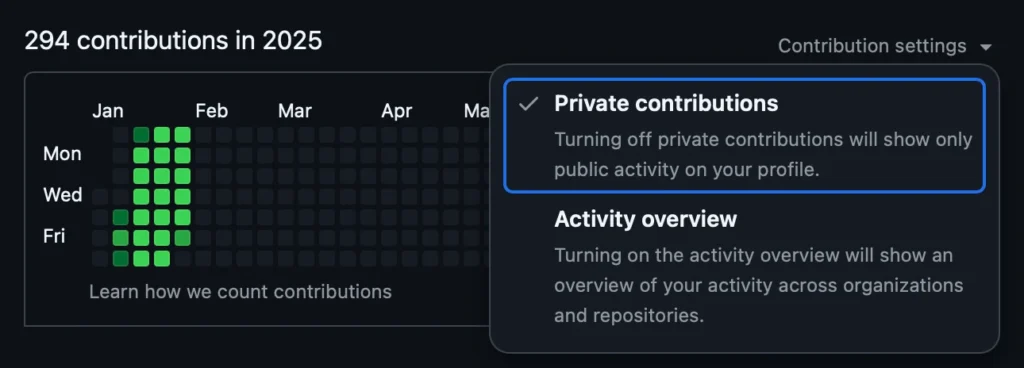
    • If you have private contributions enabled, you can commit to a private repo.
    • f not, just use a public repo—or go wild and do both.

    The Code

    Let us test our setup before we continue:

    git clone https://github.com/YourActualGithubUser/YOUR_REPO_OF_CHOICE
    git add counter.py
    git commit -m "add a counter"
    git push

    Make sure to replace your username and repo in the command—don’t just copy-paste like a bot. If everything went smoothly, you should now have an empty counter.py file sitting in your repository.

    Of course, if you’d rather keep things tidy, you can create a brand new repo for this. But either way, this should have worked.

    The commit message will vary.

    Now the code of the shell script:

    gh_champ.sh
    #!/bin/bash
    
    # Define the directory where the repository is located
    # this is the repo we got earlier from git clone
    REPO_DIR="/root/YOUR_REPO_OF_CHOICE"
    
    # random delay to not always commit at exact time
    RANDOM_DELAY=$((RANDOM % 20 + 1))
    DELAY_IN_SECONDS=$((RANDOM_DELAY * 60))
    sleep "$DELAY_IN_SECONDS"
    
    cd "$REPO_DIR" || exit
    
    # get current time and overwrite file
    echo "print(\"$(date)\")" > counter.py
    
    # Generate a random string for the commit message
    COMMIT_MSG=$(tr -dc A-Za-z0-9 </dev/urandom | head -c 16)
    
    # Stage the changes, commit, and push
    git add counter.py > /dev/null 2>&1
    git commit -m "$COMMIT_MSG" > /dev/null 2>&1
    git push origin master > /dev/null 2>&1

    Next, you’ll want to automate this by setting it up as a cronjob:

    17 10-20/2 * * * /root/gh_champ.sh

    I personally like using crontab.guru to craft more complex cron schedules—it makes life easier.

    This one runs at minute 17 past every 2nd hour from 10 through 20, plus a random 1-20 minute delay from our script to keep things looking natural.

    And that’s it. Now you just sit back and wait 😁.

    Bonus: Cronjob Monitoring

    I like keeping an eye on my cronjobs in case they randomly decide to fail. If you want to set up Healthchecks.io for this, check out my blog post.

    The final cronjob entry looks like this:

    17 10-20/2 * * * /root/gh_champ.sh && curl -fsS -m 10 --retry 5 -o /dev/null https://ping.yourdomain.de/ping/UUID

    Conclusion

    Contributions chart of 2025 so far

    Looks bonita 👍 ! With a chart like this, the cuties will flock towards you instead of running away.

    Jokes aside, the whole “fake it till you make it” philosophy isn’t all sunshine and promotions. Sure, research suggests that acting confident can actually boost performance and even trick your brain into developing real competence (hello, impostor syndrome workaround!). But there’s a fine line between strategic bluffing and setting yourself up for disaster.

    Let’s say you manage to snag that sweet developer job with nothing but swagger and a well-rehearsed GitHub portfolio. Fast forward to your 40s—while you’re still Googling “how to center a div” a younger, hungrier, and actually skilled dev swoops in, leaving you scrambling. By that age, faking it again isn’t just risky; it’s like trying to pass off a flip phone as the latest iPhone.

    And yeah, if we’re being honest, lying your way into a job is probably illegal (definitely unethical), but hey, let’s assume you throw caution to the wind. If you do manage to land the gig, your best bet is to learn like your livelihood depends on it—because, well, it does. Fake it for a minute, but make sure you’re building real skills before the curtain drops.

    Got real serious there for a second 🥶, gotta go play Witcher 3 now, byeeeeeeeeee 😍

    EDIT

    There has been some development in this space. I have found a script that let’s you commit messages with dates attached so you do not have to wait an entire year to show off: https://github.com/davidjan3/githistory

  • That One Time I Though I Cracked the Stock Market with the Department of Defense

    That One Time I Though I Cracked the Stock Market with the Department of Defense

    Seven to five years ago, I was absolutely obsessed with the idea of beating the stock market. I dove headfirst into the world of investing, devouring books, blogs, and whatever information I could get my hands on. I was like a sponge, soaking up everything. After countless hours of research, I came to one clear conclusion:

    To consistently beat the market, I needed a unique edge—some kind of knowledge advantage that others didn’t have.

    It’s like insider trading, but, you know, without the illegal part. My plans to uncover obscure data and resources online that only a select few were using. That way, I’d have a significant edge over the average trader. In hindsight, I’m pretty sure that’s what big hedge funds, especially the short-selling ones, are doing—just with a ton more money and resources than I had. But I’ve always thought, “If someone else can do it, so can I.” At the end of the day, those hedge fund managers are just people too, right?

    Around that time, I was really into the movie War Dogs. It had this fascinating angle that got me thinking about analyzing the weapons trade, aka the “defense” sector.

    Here’s the interesting part: The United States is surprisingly transparent when it comes to defense spending. They even publicly list their contracts online (check out the U.S. Department of Defense Contracts page). The EU, on the other hand, is a completely different story. Getting similar information was like pulling teeth. You’d basically need to lawyer up and start writing formal letters to access anything remotely useful.

    The Idea

    Quite simply: Build a tool that scrapes the Department of Defense contracts website and checks if any of the publicly traded companies involved had landed massive new contracts or reported significantly higher income compared to the previous quarter.

    Based on the findings, I’d trade CALL or PUT options. If the company performed poorly in the quarter or year, I’d go for a PUT option. If they performed exceptionally well, I’d opt for a CALL, banking on the assumption that these contracts would positively influence the next earnings report.

    Theoretically, this seemed like one of those obvious, no-brainer strategies that had to work. Kind of like skipping carbs at a buffet and only loading up on meat to get your money’s worth.

    Technologie

    At first, I did everything manually with Excel. Eventually, I wrote a Python Selenium script to automate the process.

    Here’s the main script I used to test the scraping:

    // Search -> KEYWORD
    // https://www.defense.gov/Newsroom/Contracts/Search/KEYWORD/
    // -------
    // Example:
    // https://www.defense.gov/Newsroom/Contracts/Search/Boeing/
    // ------------------------------------------------------------
    
    // All Contracts -> PAGE (momentan bis 136)
    // https://www.defense.gov/Newsroom/Contracts/?Page=PAGE
    // -------
    // Example:
    // https://www.defense.gov/Newsroom/Contracts/?Page=1
    // https://www.defense.gov/Newsroom/Contracts/?Page=136
    // -------------------------------------------------------
    
    // Contract -> DATE
    // https://www.defense.gov/Newsroom/Contracts/Contract/Article/DATE
    // -------
    // https://www.defense.gov/Newsroom/Contracts/Contract/Article/2041268/
    // ---------------------------------------------------------------------
    
    // Select Text from Article Page
    // document.querySelector(".body")
    
    // get current link
    // window.location.href


    // ---> Save Company with money for each day in db
    
    // https://www.defense.gov/Newsroom/Contracts/Contract/Article/1954307/
    var COMPANY_NAME = "The Boeing Co.";
    var comp_money = 0;
    var interesting_div = document.querySelector('.body')
    var all_contracts = interesting_div.querySelectorAll("p"),i;
    var text_or_heading;
    var heading;
    var text;
    var name_regex = /^([^,]+)/gm;
    var price_regex = /\$([0-9]{1,3},*)+/gm;
    var price_contract_regex =/\$([0-9]{1,3},*)+ (?<=)([^\s]+)/gm;
    var company_name;
    var company_article;
    
    for (i = 0; i < all_contracts.length; ++i) {
      text_or_heading = all_contracts[i];
    
      if (text_or_heading.getAttribute('id') != "skip-target-holder") {
      	if (text_or_heading.getAttribute('style')) {
      		heading = text_or_heading.innerText;
      	} else {
      		text = text_or_heading.innerText;
    	    company_name = text.match(name_regex)
    	    contract_price = text.match(price_regex)
    	    contract_type = text.match(price_contract_regex)
    
    	    try {
    	    	contract_type = contract_type[0];
    	    	clean_type = contract_type.split(' ');
    	    	contract_type = clean_type[1];
    	    } catch(e) {
    	    	contract_type = "null";
    	    }
    	    try {
    	    	company_article = company_name[0];
    	    } catch(e) {
    	    	company_article = "null";
    	    }
    	    try {
    	    	contract_amount = contract_price[0];
    		    if (company_article == COMPANY_NAME){
    		    	contract_amount = contract_amount.replace("$","")
    		    	contract_amount = contract_amount.replace(",","")
    		    	contract_amount = contract_amount.replace(",","")
    		    	contract_amount = contract_amount.replace(",","")
    		    	contract_amount = parseInt(contract_amount, 10)
    
    
    		    	comp_money = contract_amount + comp_money
    	    	}
    	    } catch(e) {
    	    	contract_amount = "$0";
    	    }
    
    	    console.log("Heading      : " + heading);
    	    console.log("Text         : " + text);
    	    console.log("Company Name : " + company_article);
    	    console.log("Awarded      : " + contract_amount)
    	    console.log("Contract Type: " + contract_type);
      	}
      }
    }
    console.log(COMPANY_NAME);
    console.log(new Intl.NumberFormat('en-EN', { style: 'currency', currency: 'USD' }).format(comp_money));


    // --> Save all Links to Table in Database
    for (var i = 1; i >= 136; i++) {
    	var url = "https://www.defense.gov/Newsroom/Contracts/?Page=" + i
    
    	var  page_links = document.querySelector("#alist > div.alist-inner.alist-more-here")
    	var all_links   = page_links.querySelectorAll("a.title")
    
    	all_links.forEach(page_link => {
    		var contract_date = Date(Date.parse(page_link.innerText))
    		var contracvt_link = page_link.href
    	});
    }

    The main code is part of another project I called “Wallabe“.

    The stack was the usual:

    • Python: The backbone of the project, handling the scraping logic and data processing efficiently.
    • Django: Used for creating the web framework and managing the backend, including the database and API integrations.
    • Selenium & BeautifulSoup: Selenium was used for dynamic interactions with web pages, while BeautifulSoup handled the parsing and extraction of relevant data from the HTML.
    • PWA (“mobile app”): Designed as a mobile-only Progressive Web App to deliver a seamless, app-like experience without requiring actual app store deployment.

    I wanted the feel of a mobile app without the hassle of actual app development.

    One of the challenges I faced was parsing and categorizing the HTML by U.S. military branches. There are a lot, and I’m sure I didn’t get them all, but here’s the list I was working with seven years ago (thanks, JROTC):

    millitary_branch = {'airforce',
                        'defenselogisticsagency',
                        'navy',
                        'army',
                        'spacedevelopmentagency',
                        'defensemicroelectronicsactivity',  
                        'jointartificialintelligencecenter',      
                        'defenseintelligenceagency',
                        'defenseinformationsystemagency',
                        'defensecommissaryagency',
                        'missiledefenseagency',
                        'defensehealthagency',
                        'u.s.specialoperationscommand',
                        'defensethreatreductionagency',
                        'defensefinanceandaccountingservice',
                        'defenseinformationsystemsagency',
                        'defenseadvancedresearchprojectsagency',
                        'washingtonheadquartersservices',
                        'defensehumanresourceactivity',
                        'defensefinanceandaccountingservices',
                        'defensesecurityservice',
                        'uniformedservicesuniversityofthehealthsciences',
                        'missledefenseagency',
                        'defensecounterintelligenceandsecurityagency',
                        'washingtonheadquartersservice',
                        'departmentofdefenseeducationactivity',
                        'u.s.transportationcommand'}

    I tried to revive this old project, but unfortunately, I can’t show you what the DoD data looked like anymore since the scraper broke after some HTML changes on their contracts website. On the bright side, I can still share some of the awesome UI designs I created for it seven years ago:

    Imagine a clean, simple table with a list of companies on one side and a number next to each one showing how much they made in the current quarter.

    How it works

    Every day, I scrape the Department of Defense contracts and calculate how much money publicly traded companies received from the U.S. government. This gives me a snapshot of their revenue before quarterly earnings are released. If the numbers are up, I buy CALL options; if they’re down, I buy PUT options.

    The hardest part of this process is dealing with the sheer volume of updates. They don’t just release new contracts—there are tons of adjustments, cancellations, and modifications. Accounting for these is tricky because the contracts aren’t exactly easy to parse. Still, I decided it was worth giving it a shot.

    Now, here’s an important note: U.S. defense companies also make a lot of money from other countries, not just the U.S. military. In fact, the U.S. isn’t even always their biggest contributor. Unfortunately, as I mentioned earlier, other countries are far less transparent about their military spending. This lack of data is disappointing and limits the scope of the analysis.

    Despite these challenges, I figured I’d test the idea on paper and backtest it to see how it performed.

    Conclusion

    TL;DR: Did not work.

    The correlation I found between these contracts and earnings just wasn’t there. Even when the numbers matched and I got the part right that “Company made great profit,” the market would still turn around and say, “Yeah, but it’s 2% short of what we expected. We wanted +100%, and a measly +98% is disappointing… SELLLL!”

    The only “free money glitch” I’ve ever come across is what I’m doing with Bearbot, plus some tiny bond tricks that can get you super small monthly profits (like 0.10% to 0.30% a month).

    That said, this analysis still made me question whether everything is truly priced in or if there are still knowledge gaps to exploit. The truth is, you never really know if something will work until you try. Sure, you can backtest, but that’s more for peace of mind. Historical data can’t predict the future. A drought killing 80% of cocoa beans next year is just as possible as a record harvest. Heck, what’s stopping someone from flying to Brazil and burning down half the coffee fields to drive up coffee bean prices? It’s all just as unpredictable as them not doing that (probably, please don’t).

    What I’m saying is, a strategy that’s worked for 10 years can break tomorrow or keep working. Unless you have insider info that others don’t, it’s largely luck. Sometimes your strategy seems brilliant just because it got lucky a few times—not because you cracked the Wall Street code.

    I firmly believe there are market conditions that can be exploited for profit, especially in complex derivatives trading. A lot of people trade these, but few really understand how they work, which leads to weird price discrepancies—especially with less liquid stocks. I also believe I’ve found one of these “issues” in the market: a specific set of conditions where certain instruments, in certain environments, are ripe for profit with minimal probability if risk (which means: high risk that almost never materializes). That’s Bearbot.

    Anyway, long story short, this whole experiment is part of what got Bearbot started. Thanks for reading, diamond hands 💎🙌 to the moon, and love ya ❤️✌️! Byeeeee!

  • The Day I (Almost) Cracked the Eurojackpot Code

    The Day I (Almost) Cracked the Eurojackpot Code

    Five years ago, a younger and more optimistic Karl, with dreams of cracking the European equivalent of the Powerball, formed a bold thesis:

    “Surely the Eurojackpot isn’t truly random anymore. It must be calculated by a machine! And since machines are only capable of generating pseudorandom numbers, I could theoretically simulate the system long enough to identify patterns or at least tilt the odds in my favor by avoiding the least random combinations.

    This idea took root after I learned an intriguing fact about computers: they can’t generate true randomness. Being deterministic machines, they rely on algorithms to create pseudorandom numbers, which only appear random but are entirely predictable if you know the initial value (seed). True randomness, on the other hand, requires inputs from inherently unpredictable sources, like atmospheric noise or quantum phenomena—things computers don’t have by default.

    My favorite example of true randomness is how Cloudflare, the internet security company, uses a mesmerizing wall of lava lamps to create randomness. The constantly changing light patterns from the lava lamps are captured by cameras and converted into random numbers. It’s a perfect blend of physics and computing, and honestly, a geeky work of art!

    Technologies

    • Python: The backbone of the project. Python’s versatility and extensive library support made it the ideal choice for building the bot. It handled everything from script automation to data parsing. You can learn more about Python at python.org.
    • Selenium: Selenium was crucial for automating browser interactions. It allowed the bot to navigate Lotto24 and fill out the lottery forms. If you’re interested in web automation, check out Selenium’s documentation here.

    I was storing the numbers in an SQLite database, don’t ask me why, I think I just felt like playing with SQL.

    The Plan

    The plan was simple. I researched Eurojackpot strategies and created a small program to generate lottery numbers based on historical data and “winning tactics.” The idea? Simulate the lottery process 50 billion times and identify the numbers that were “randomly” picked most often. Then, I’d play the top X combinations that showed up consistently.

    At the time, I was part of a lottery pool with a group of friends, which gave us a collective budget of nearly €1,000 per run. To streamline the process (and save my sanity), I wrote a helper script that automatically entered the selected numbers on the lottery’s online platform.

    If you’re curious about the code, you can check it out here. It’s not overly complicated:

    👉 GitHub Repository

    Winnings

    In the end, I didn’t win the Eurojackpot (yet 😉). But for a while, I thought I was onto something because I kept winning—kind of. My script wasn’t a groundbreaking success; I was simply winning small amounts frequently because I was playing so many combinations. It gave me the illusion of success, but the truth was far less impressive.

    A friend later explained the flaw in my thinking. I had fallen for a common misunderstanding about probability and randomness. Here’s the key takeaway: every possible combination of numbers in a lottery—no matter how “patterned” or “random” it seems—has the exact same chance of being drawn.

    For example, the combination 1-2-3-4-5 feels unnatural or “unlikely” because it looks ordered and predictable, while 7-23-41-56-88 appears random. But both have the same probability of being selected in a random draw. The fallacy lies in equating “how random something looks” with “how random it actually is.”

    Humans are naturally biased to see patterns and avoid things that don’t look random, even when randomness doesn’t work that way. In a lottery like Eurojackpot, where the numbers are drawn independently, no combination is more or less likely than another. The randomness of the draw is entirely impartial to how we perceive the numbers.

    So while my script made me feel like I was gaming the system, all I was really doing was casting a wider net—more tickets meant more chances to win small prizes, but it didn’t change the underlying odds of hitting the jackpot. In the end, the only real lesson I gained was a better understanding of randomness (and a lighter wallet).